OnlyFans is a subscription site that enables content creators to monetize their influence, according to the site. It is a platform that allows creators to upload their content behind a paywall, which can be accessed by their fans for a monthly fee and one-off tips.
So how does OnlyFans work?. The content creators upload their content to the site, pictures, videos, or articles and the fans choose to follow them for a fee decided by the creator.
Since you know how the site works, you thinking of creating an account. The guide below will explain how to create an OnlyFans account.
Watch: How To Change Profile Picture On OnlyFans
How To Create an OnlyFans Account
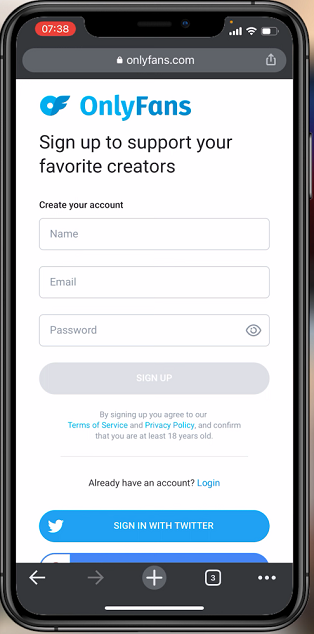
There’s currently no mobile app for OnlyFans at the moment. You can create a new account through the browsers within your mobile device.
First, open your browser and go to the OnlyFans website. On the homepage, tap on Sign Up for OnlyFans and type in your name, email address, and password to sign up.
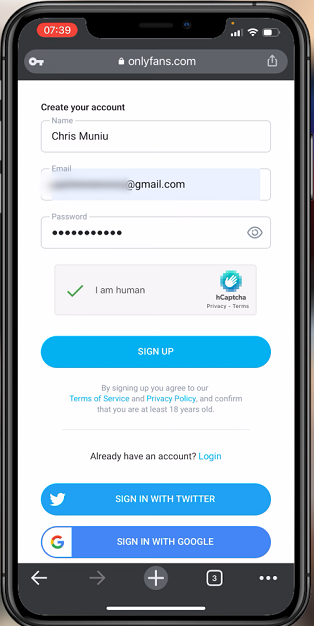
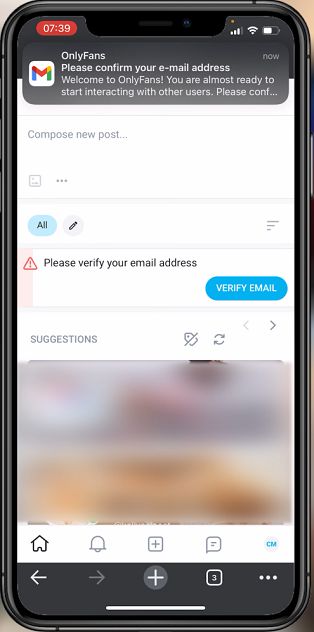
There’s a verification process that you need to complete in order to create your account. Once the verification is done, tap on Sign Up and you’ll have successfully created an OnlyFans account.
You can verify your email, simply tap on Verify Email and OnlyFans will send you an email. Follow the procedure in the email to finalize email verification.
Now you can begin creating your own content. That’s how you go about it. In case of questions and suggestions, let me know in the comment section below.
Also read: How To Make A TikTok Account Private