Discover how to change the commentary team in FC 27. Switch to a different commentary team and customize your match experience.
If you want to have different commentators that you hear during matches, FC 27 allows you to adjust the commentary team through the game’s audio settings.
Change the commentators in EA Sports FC 27 when you’re playing Career Mode, Ultimate Team, or other game modes. This can be useful if you want a different commentator experience while playing.
Watch: Add Friends In FC 27
Change Commentary Team In FC 27
To change the commentators, launch FC 27 on your console or PC. From the main menu, open Settings and select Game Settings.
Navigate to the Audio tab. Look for the Commentary Team option and ensure you set it to Customize.
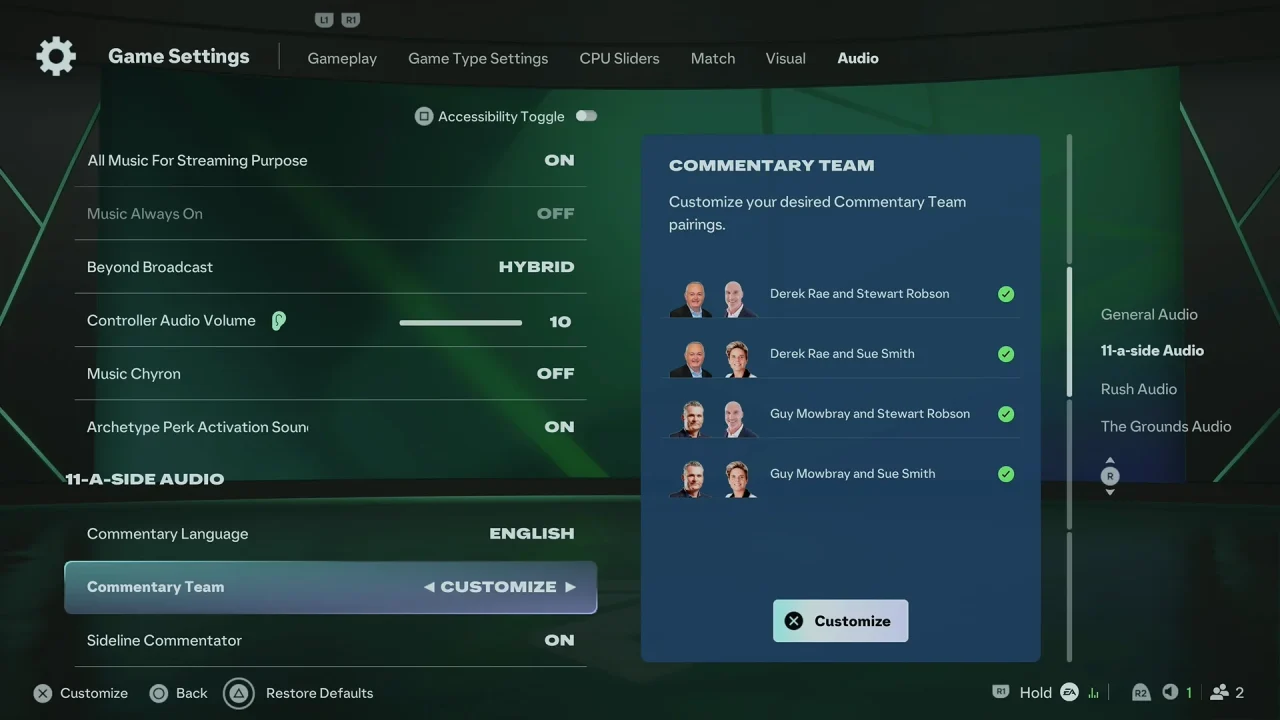
Select the available commentary team you want to use by simply checking the commentary duo. Start a match to confirm that the new commentary team is in use.
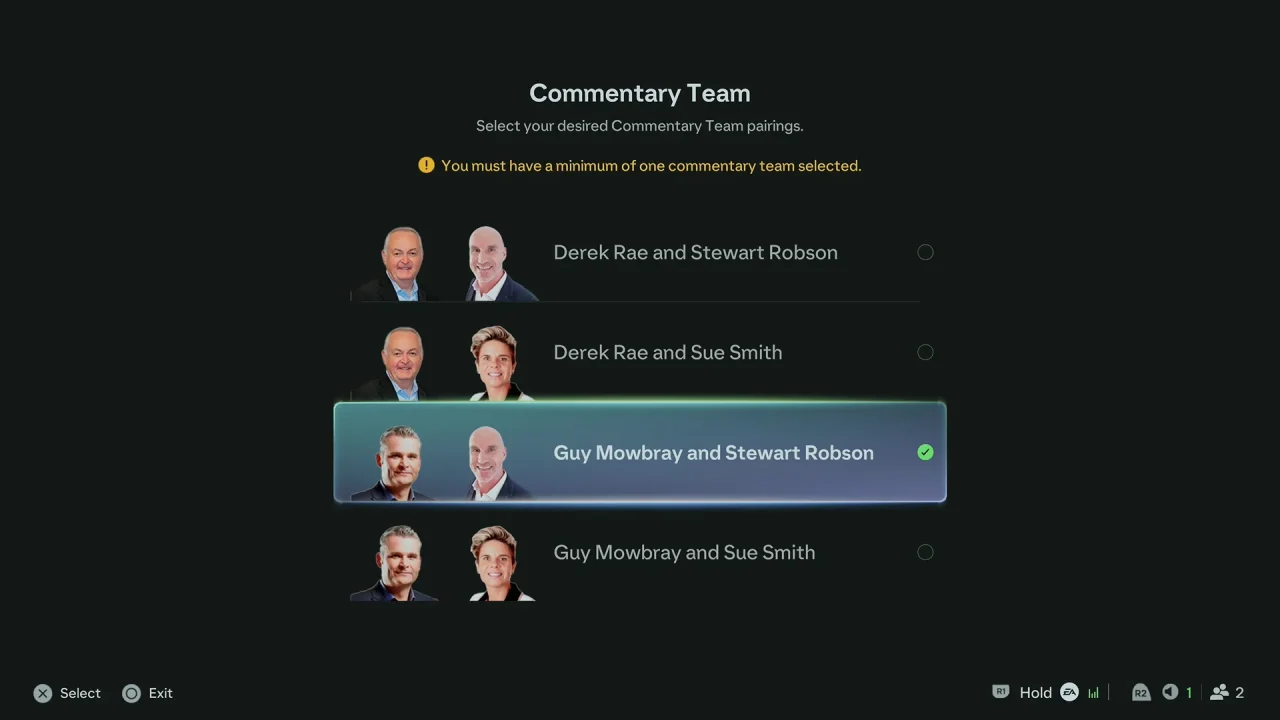
Can You Have Different Commentary Teams?
The available commentary options can depend on your platform, game version, installed language packs, and region. Some commentary languages may need to be downloaded separately before they become available.
If you do not see the commentary option you want, check whether the required language pack is installed and make sure FC 27 is updated.