WebPro Education

Tech tips everyday
Menu
  • REVIEWS
  • HOW TO
  • TECH NEWS
  • About Us
Home
how to
How To Turn OFF All Music In FC 27
how to

How To Turn OFF All Music In FC 27

Erick Wachira September 22, 2026

In this guide, we’ll show you how to turn off all music in FC 27. If you want to play FC 27 without any background audio, you can turn off the game’s songs through the FC settings.

This can make menus and gameplay feel less distracting, especially if you prefer to listen to your own music, podcasts, or other audio while playing.

Watch: Turn ON Music In FC 27

Turn OFF All Music In FC 27

Launch FC 27 and wait for the main menu to appear. From the main menu, navigate to the Preferences icon.
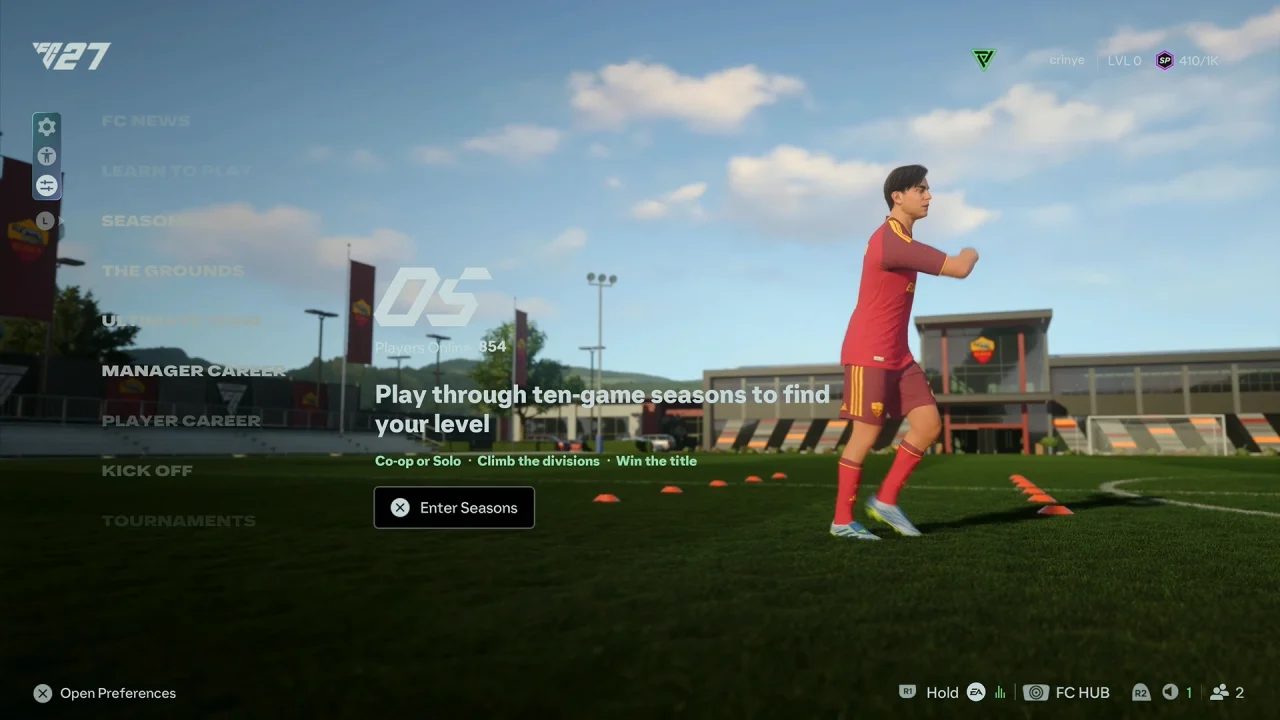
Preferences Icon In FC 27

Navigate to the FC section. Look for the EA SPORTS Music setting.
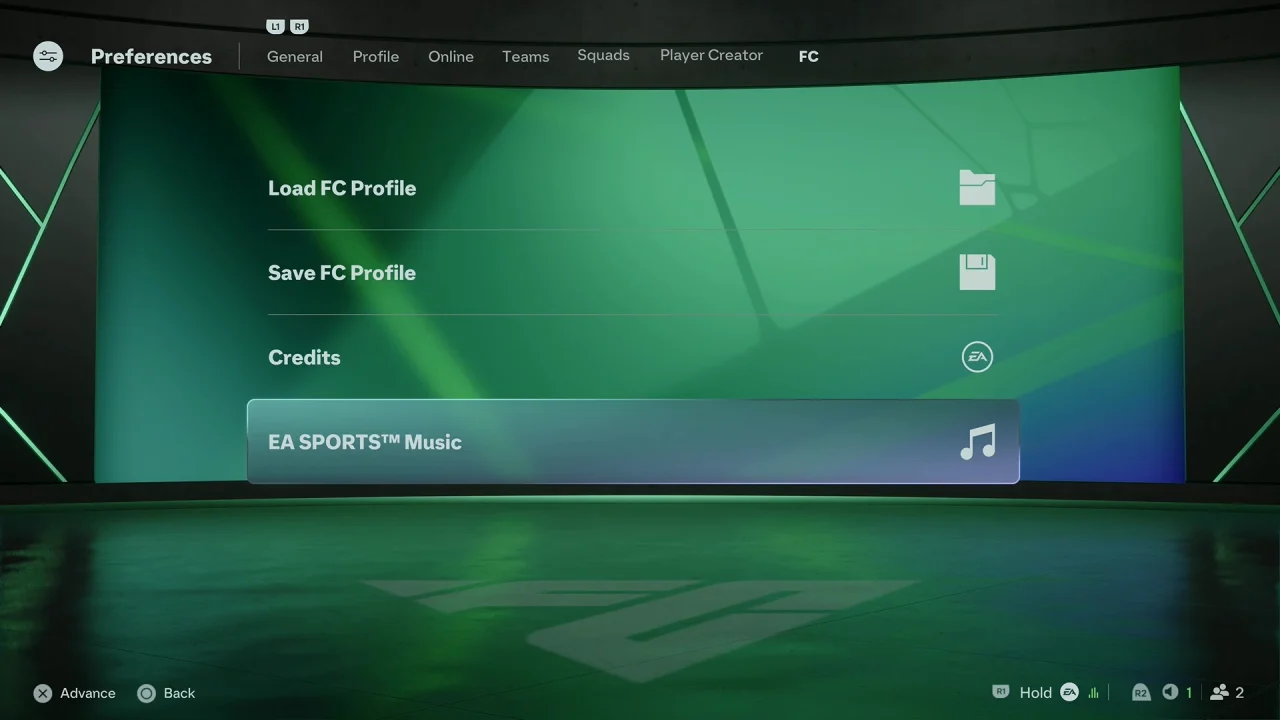
EA SPORTS Music In FC 27

Select the Turn All On/Off option by pressing the box button on your controller. Select Yes to confirm. Return to the game and check the menus to confirm that the music has been muted.
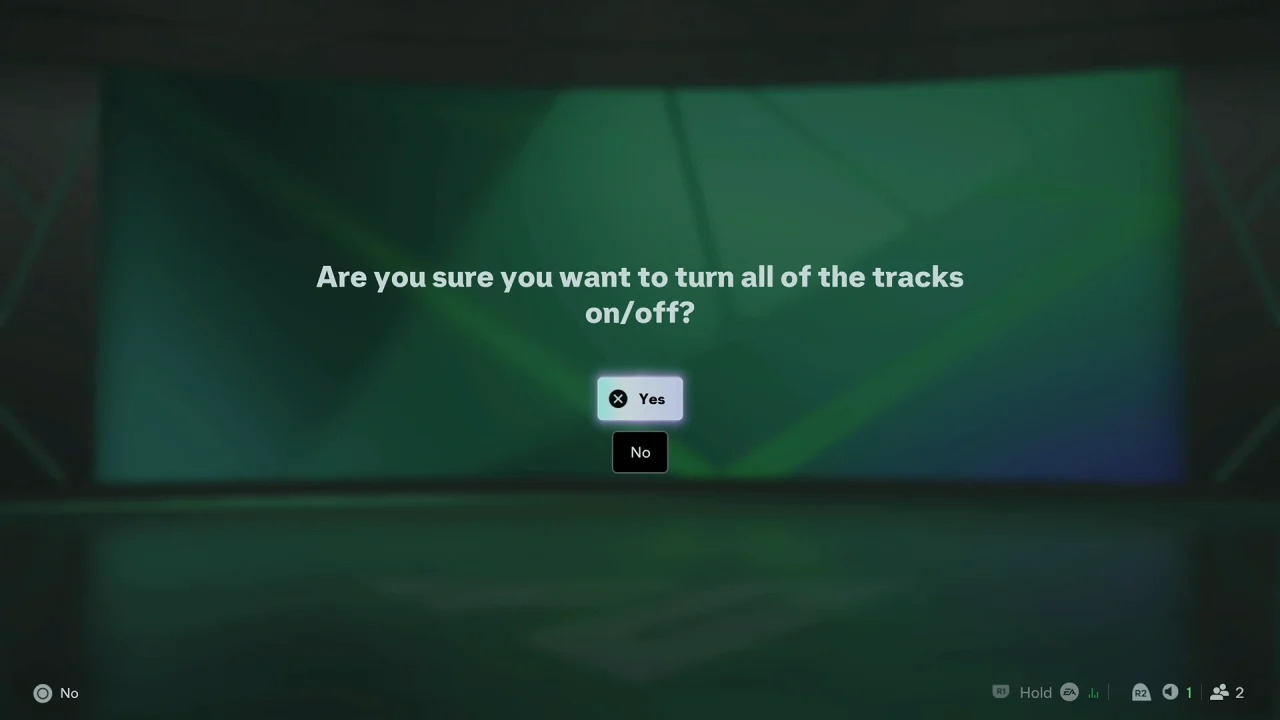
How To Turn OFF All Music In FC 27

What Happens After You Turn Music Off?

All the music on the page will be unchecked (no green check mark next to them). The game’s background music should no longer play.

Other audio elements, such as commentary, crowd noise, sound effects, and menu sounds, can remain enabled depending on their individual volume settings.

If you change your mind later, simply return to the Music section and turn it back on the same way.
Read: How To Turn Music On / OFF In FC 27

Share
Tweet
Linkedin
Reddit
Tumblr
Stumble
Whatsapp
Telegram
Email
Prev Article
Next Article

Related Articles

How To Log In To Instagram From Facebook

How To Log In To Instagram From Facebook

How To Permanently Delete Photos & Videos On Samsung Galaxy Z Fold 6

How To Permanently Delete Photos & Videos On Samsung Galaxy Z Fold 6

  • How To Change Camera Settings In FC 27
  • How To Find Practice Arena In FC 27
  • How To Enable / Disable Quick Substitutes In FC 27
  • How To Turn OFF All Music In FC 27
  • How To Turn Music ON / OFF In FC 27
DMCA.com Protection Status

Associates Disclosure

WebPro Education is a participant in the Amazon Services LLC Associates Program, an affiliate advertising program designed to provide a means for sites to earn advertising fees by advertising and linking to amazon.com.

WebPro Education

Tech tips everyday
Copyright © 2026 WebPro Education

Ad Blocker Detected

Our website is made possible by displaying online advertisements to our visitors. Please consider supporting us by disabling your ad blocker.

Refresh