If you want to control the music in EA SPORTS FC 27, you can easily turn it on or off through the game’s audio settings.
This can be useful if you prefer to play with background music, want to focus on the match, or simply want a quieter gaming experience.
In this guide, we’ll show you how to turn music ON or OFF in FC 27.
Read: How To Practice Free Kicks In FC 27
Turn Music ON / OFF In FC 27
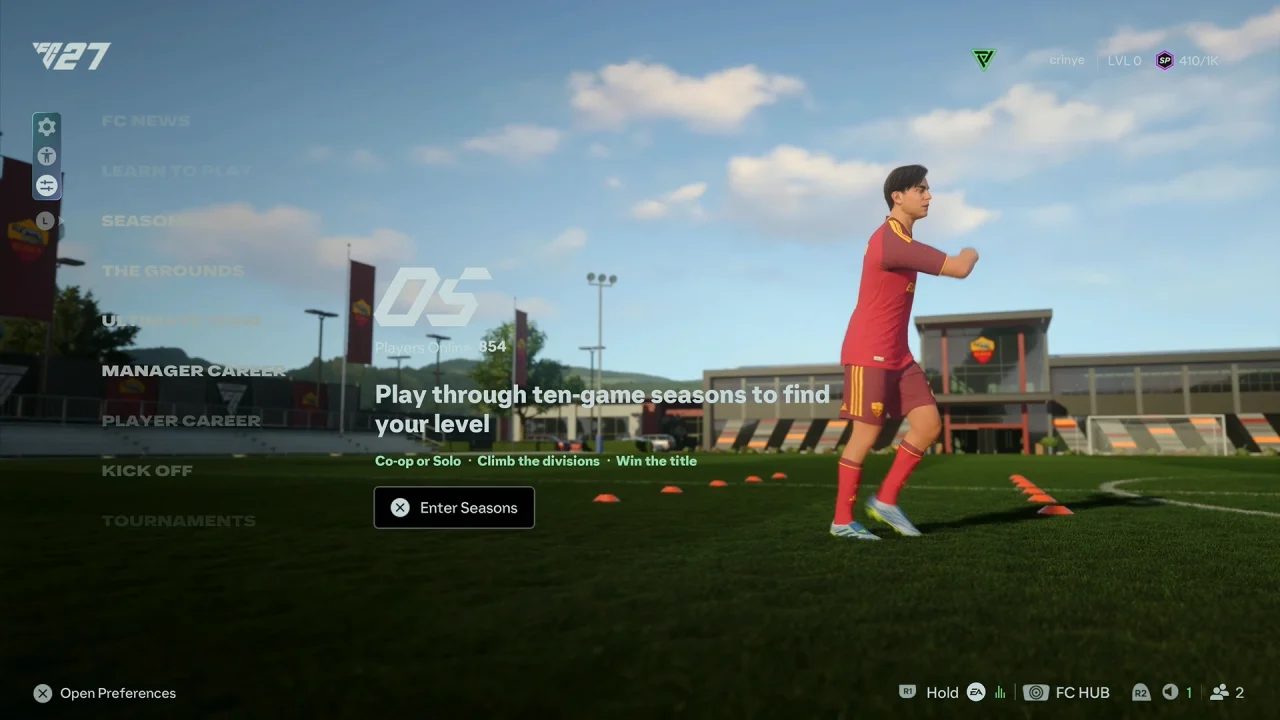
Launch FC 27 and wait for the main menu to appear. From the main menu, navigate to the Preferences icon.
Navigate to the FC section. Look for the EA SPORTS Music setting.
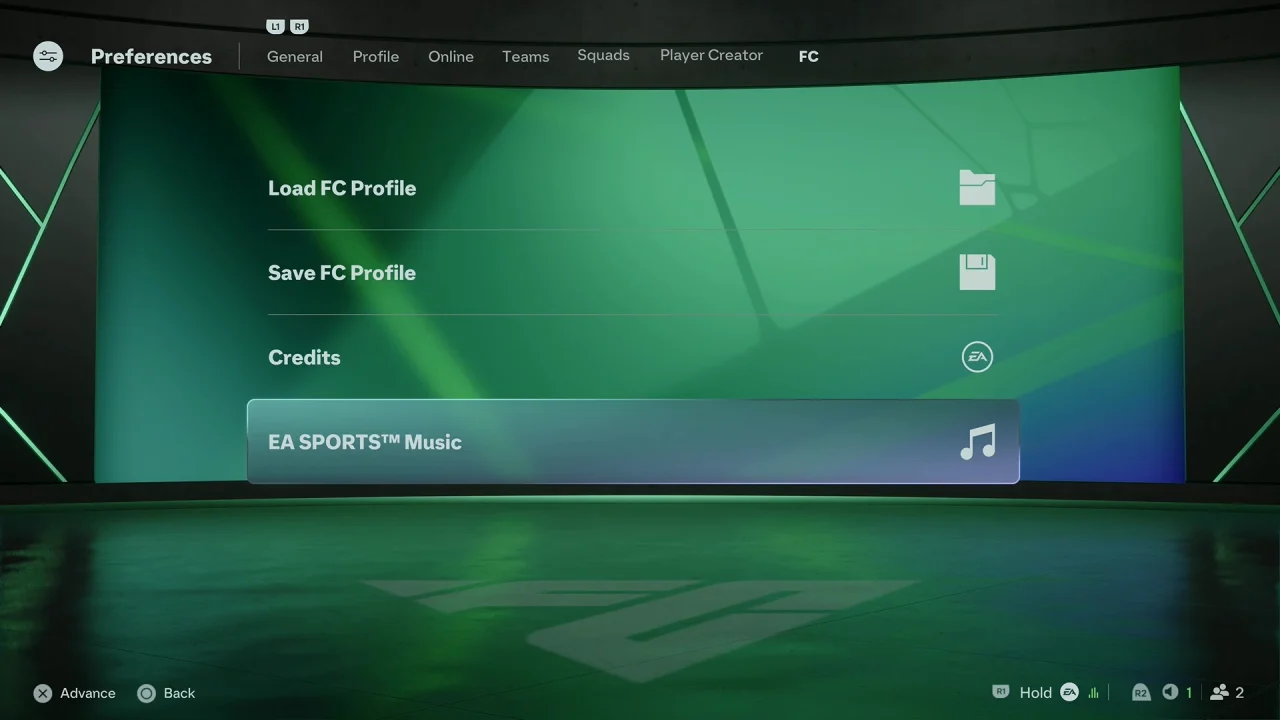
Check the individual songs you want to turn ON and uncheck the background music you want to turn OFF.
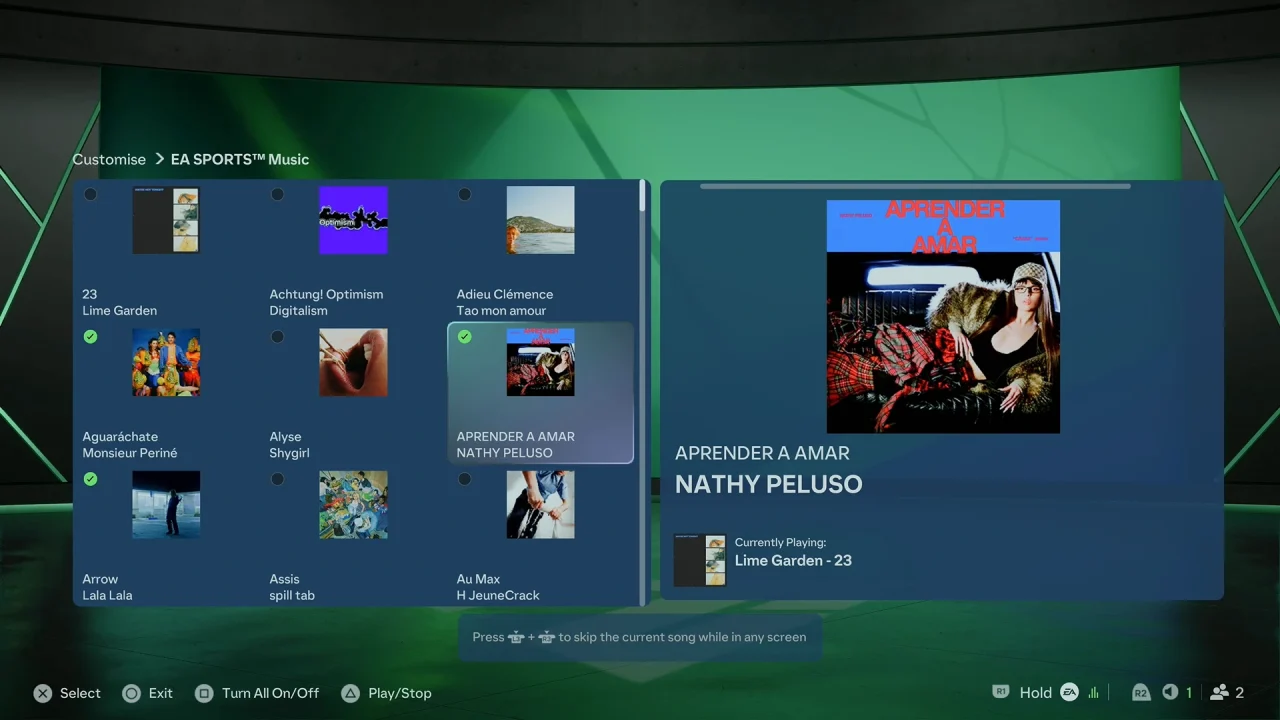
Can You Control Music Volume Separately?
Yes. FC 27 provides separate audio controls, allowing you to adjust different types of game audio independently. Depending on the available settings, you can adjust the music volume without necessarily changing commentary, sound effects, or other audio.
Why Turn Music OFF In FC 27?
Turning the music off can be useful if you want to concentrate on gameplay, prefer listening to your own music or podcast, or simply don’t want background music while navigating the menus.
If you want to restore the music later, just return to the Music settings and adjust the music option again.
Watch: Practice Free Kicks In FC 27