WebPro Education

Tech tips everyday
Menu
  • REVIEWS
  • HOW TO
  • TECH NEWS
  • About Us
Home
how to
How To Enable / Disable Voice Chat In FC 27
how to

How To Enable / Disable Voice Chat In FC 27

Erick Wachira September 22, 2026

In this guide, we’ll show you how to enable or disable voice chat in FC 27. Voice chat in FC 27 allows you to communicate with other players during supported online matches.

Depending on your preference, you can enable voice chat when you want to communicate with teammates or other players, or disable it if you prefer to play without voice communication.

Watch: Turn ON Narration In FC 27

Enable Voice Chat In FC 27

Launch FC 27 and go to the main menu. Press the R2 button on PS5 or RT button on Xbox to open EA Connect.
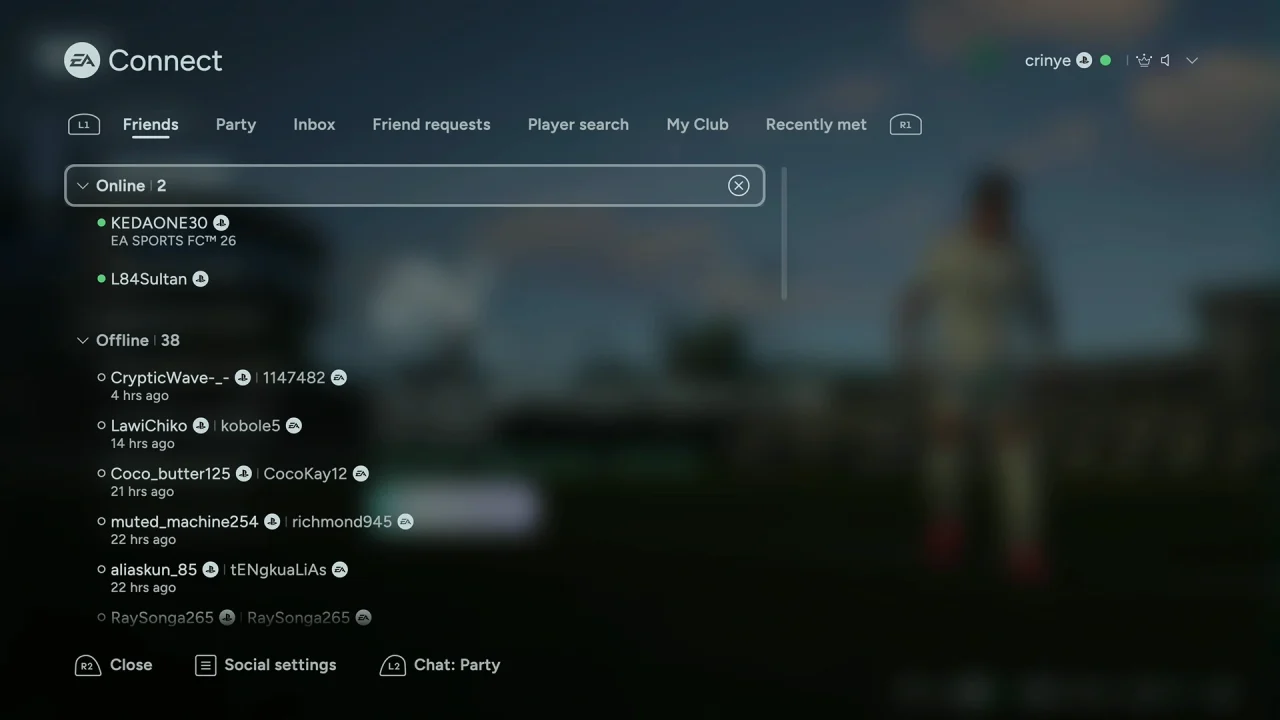
EA Connect In FC 27

Next, press the Options button on your controller to select the Social Settings.
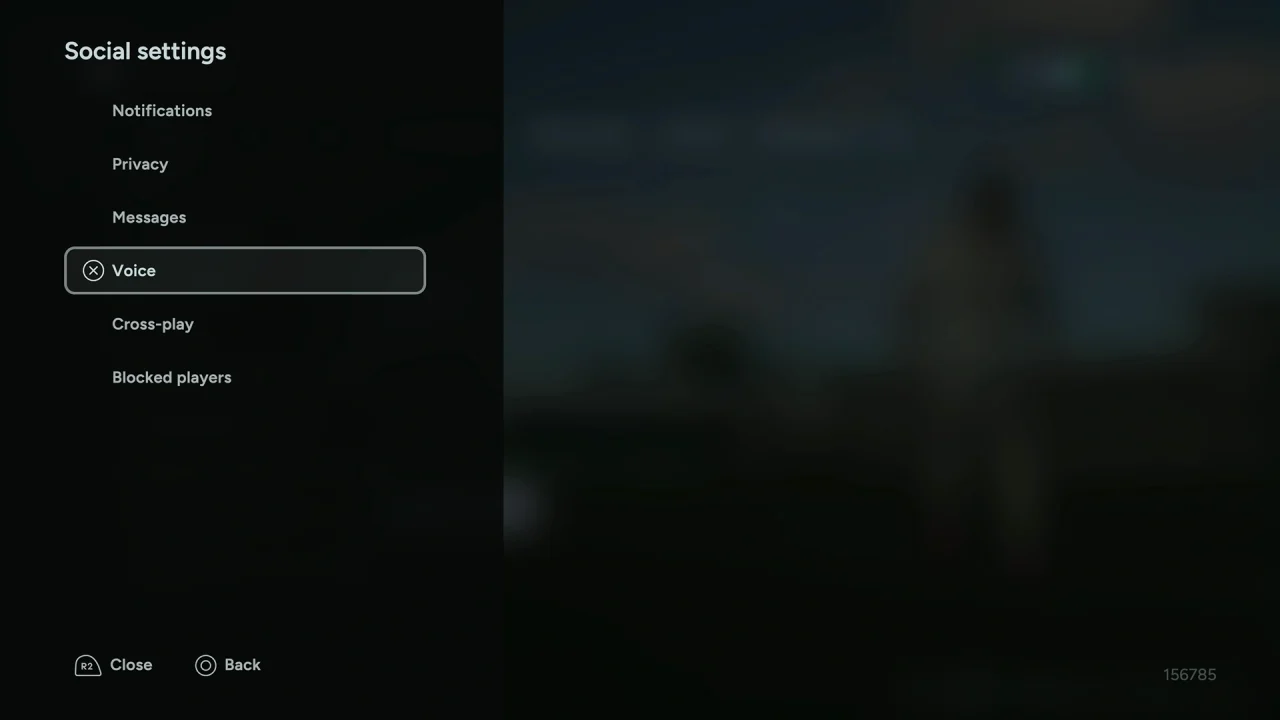
Social Settings In FC 27

Under Social Settings, select the Voice options. Enable Voice Chat should be selected by default. If it is not, select it.
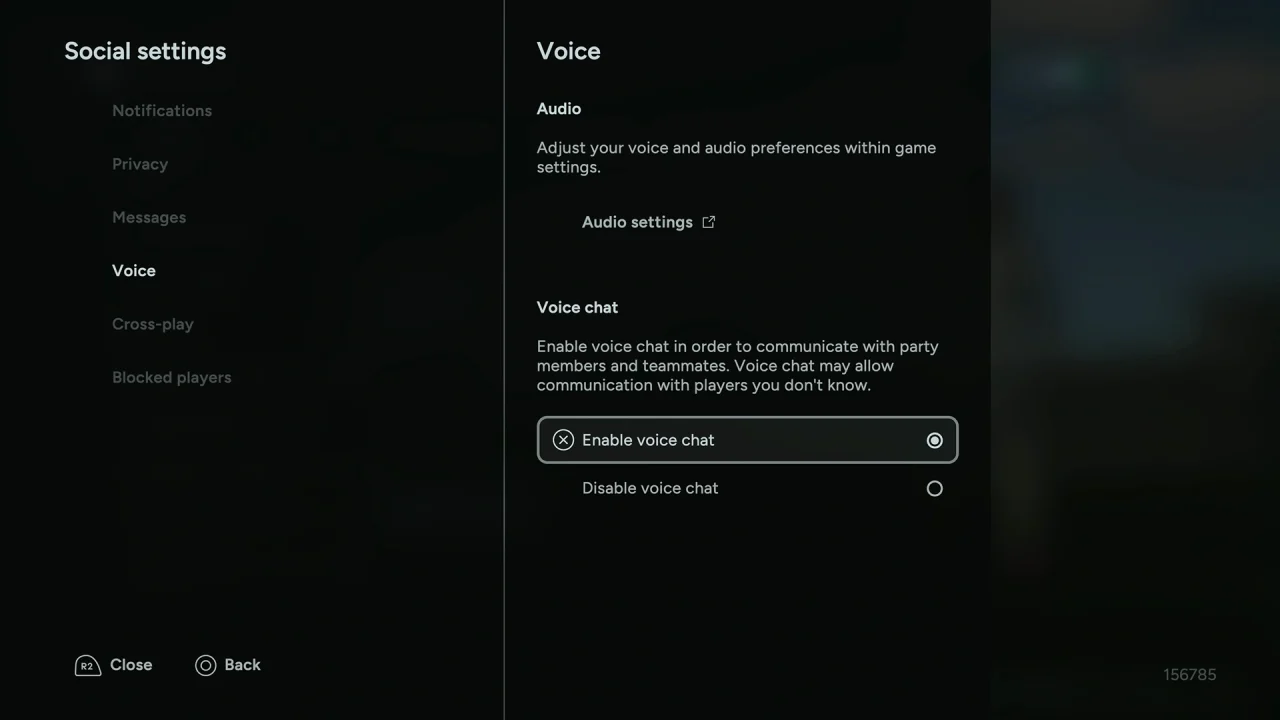
How To Enable Voice Chat In FC 27

Now, check your microphone settings to make sure your microphone is connected and available. Return to your game and join an online mode that supports voice communication.

    Once enabled, voice chat can be used in supported online matches, depending on the game mode and your platform settings.

    Disable Voice Chat In FC 27

    If you don’t want to communicate using voice chat, you can turn the feature off. Simply select the Disable Voice Chat option and return to the game.
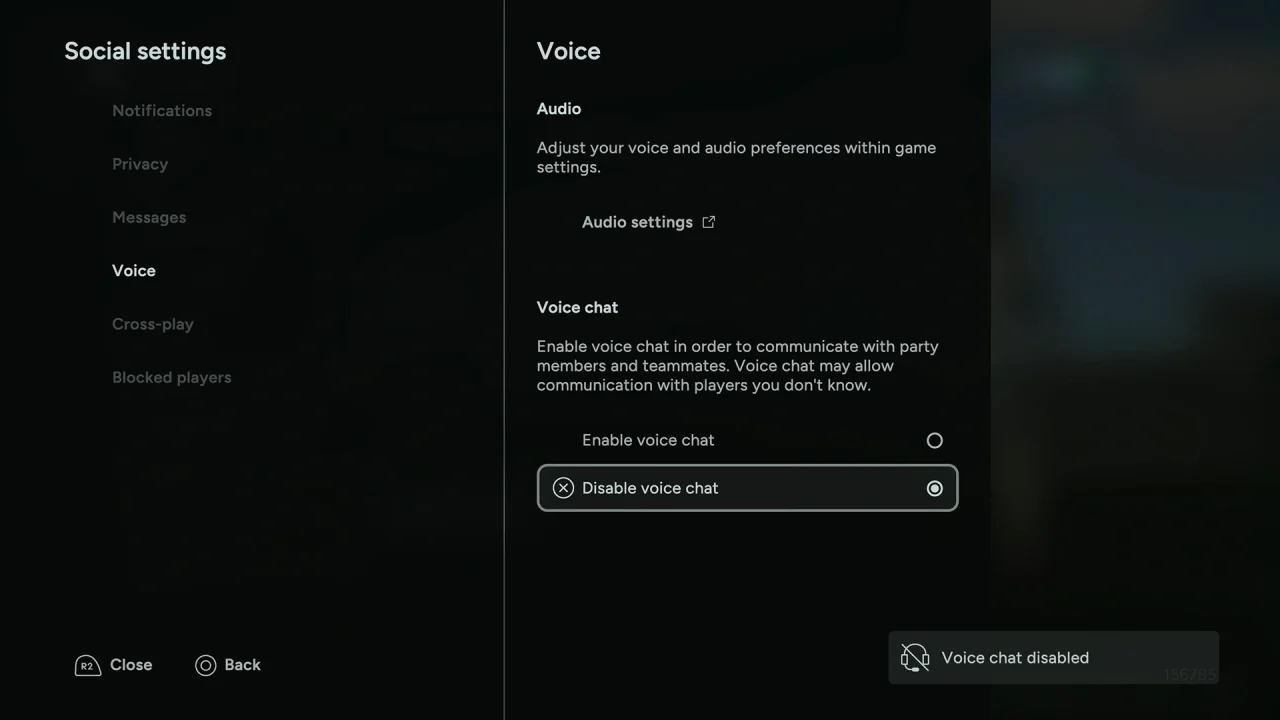
    How To Disable Voice Chat In FC 27

      Voice communication should now be off where the setting applies.

      Check Your Microphone and Platform Settings

      If voice chat doesn’t work after you enable it, check that you properly connect the headset or microphone. You should also make sure that your console or PC has permission to access the microphone.

      On consoles, privacy and communication settings can also affect whether you can use voice chat with other players.
      Read: How To Turn Narration ON / OFF In FC 27

      Share
      Tweet
      Linkedin
      Reddit
      Tumblr
      Stumble
      Whatsapp
      Telegram
      Email
      Prev Article
      Next Article

      Related Articles

      How To Create A WhatsApp Account

      How To Create A WhatsApp Account

      How To Easily Get Started With Microsoft Edge.
      One of the most significant improvements that came with Windows …

      How To Easily Get Started With Microsoft Edge.

      • How To Turn Music ON / OFF In FC 27
      • How To Practice Free Kicks In FC 27
      • How To Change Language In FC 27
      • How To Change Camera In Practice Arena In FC 27
      • How To Change Player Indicator Size On FC 27
      DMCA.com Protection Status

      Associates Disclosure

      WebPro Education is a participant in the Amazon Services LLC Associates Program, an affiliate advertising program designed to provide a means for sites to earn advertising fees by advertising and linking to amazon.com.

      WebPro Education

      Tech tips everyday
      Copyright © 2026 WebPro Education

      Ad Blocker Detected

      Our website is made possible by displaying online advertisements to our visitors. Please consider supporting us by disabling your ad blocker.

      Refresh