WebPro Education

Tech tips everyday
Menu
  • REVIEWS
  • HOW TO
  • TECH NEWS
  • About Us
Home
how to
How To Enable Radar In FC 27
how to

How To Enable Radar In FC 27

Venessa Waititu September 23, 2026

Read: How To Disable Trainer In FC 27

Learning How To Enable Radar In FC 27 can help you keep track of teammates, opponents, and available space across the pitch. The radar provides a useful overview of the action, especially when players are outside your immediate view.

It can help you identify passing options, monitor opponent movements, and make better decisions when attacking or defending. If your radar has been turned off or is not appearing during matches, you can usually restore it through the game’s visual settings. This is particularly useful for players who rely on the radar to understand the positioning of players around them.

In this guide, we’ll show you where to find the radar settings in FC 27 and how to enable the feature. Follow the steps below to turn on the radar and get the additional positional information back on your screen.

Enable Radar In FC 27

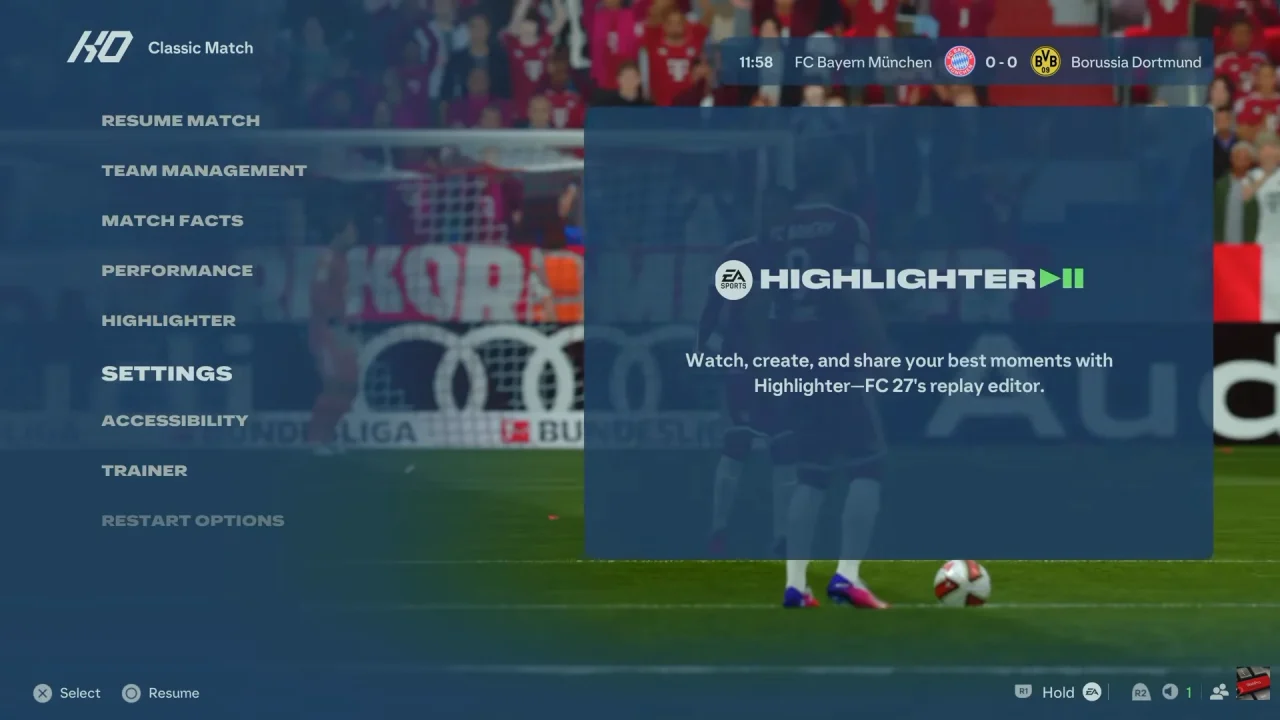
First, launch FC 27 and enter a match. Then, pause the game to access the in-match settings.
How To Enable Radar In FC 27

Next, select Settings and open Game Settings. Navigate to the Visual tab to find the display options.

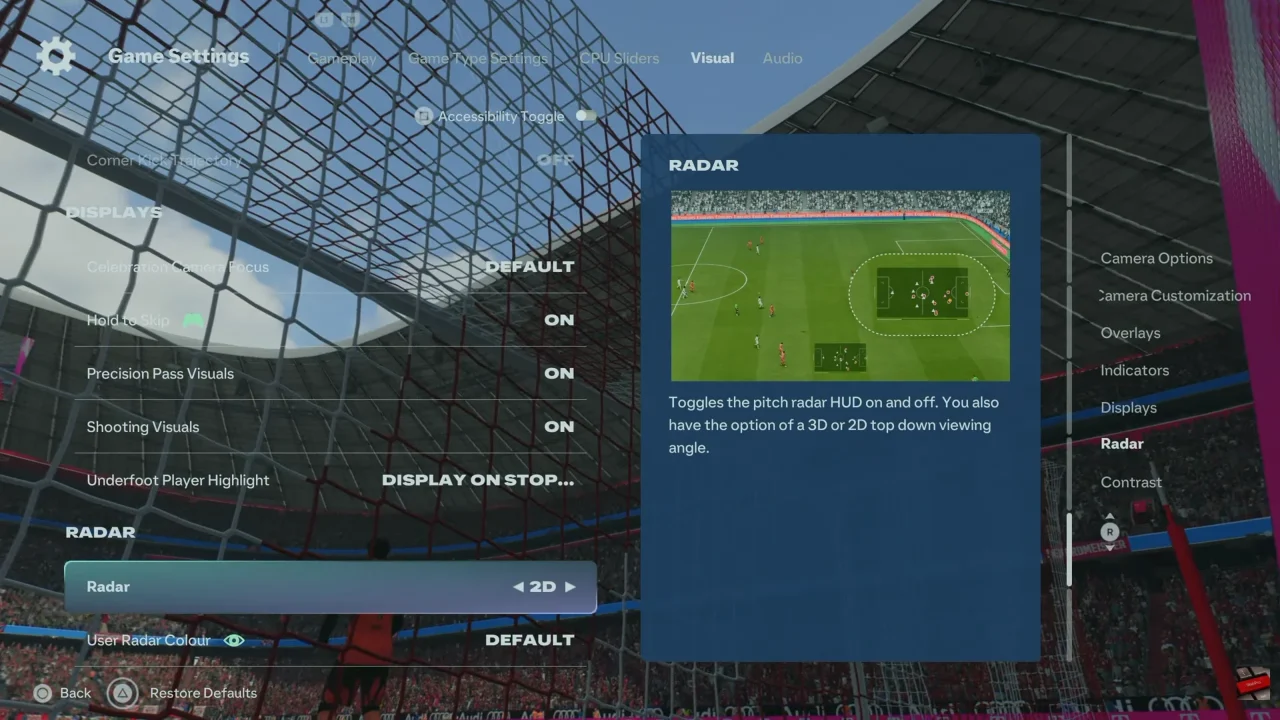
After that, locate the Radar setting. Select it and choose 2D or 3D, depending on the radar style you prefer.
How To Enable Radar In FC 27

Finally, return to the match and check the bottom of the screen. The radar should now be visible, allowing you to monitor player positions throughout the game.
Watch: How To Disable Trainer In FC 27

Share
Tweet
Linkedin
Reddit
Tumblr
Stumble
Whatsapp
Telegram
Email
Prev Article
Next Article

Related Articles

How To Exit Recovery Mode On Samsung Galaxy A14

How To Exit Recovery Mode On Samsung Galaxy A14

How To Lock Home Screen of Samsung Galaxy Z Fold 7

How To Lock Home Screen of Samsung Galaxy Z Fold 7

  • How To Change Screen Timeout Period On iPhone 18 Pro
  • How To Set Up Face Unlock On iPhone 18 Pro
  • How To Perform Low Shots In FC 27
  • How To Perform Fake Shot In FC 27
  • How To Enable Radar In FC 27
DMCA.com Protection Status

Associates Disclosure

WebPro Education is a participant in the Amazon Services LLC Associates Program, an affiliate advertising program designed to provide a means for sites to earn advertising fees by advertising and linking to amazon.com.

WebPro Education

Tech tips everyday
Copyright © 2026 WebPro Education

Ad Blocker Detected

Our website is made possible by displaying online advertisements to our visitors. Please consider supporting us by disabling your ad blocker.

Refresh