Read: How To Change Opponent Radar Color In FC 27
Learning How To Disable Trainer In FC 27 can help create a cleaner and less distracting gameplay experience. The Trainer can display helpful prompts, directional guides, button suggestions, and other visual information designed to assist players during matches.
While these features can be useful when learning the game, experienced players may prefer to turn them off to reduce screen clutter and focus more closely on the action. Disabling the Trainer is also useful if you want your matches to look cleaner when recording gameplay or creating videos.
Fortunately, the Trainer settings can be adjusted quickly through the in-match pause menu. In this guide, we’ll show you where to find the Trainer options and how to disable them. Follow the steps below to remove the Trainer from your FC 27 matches and customize your gameplay display.
Disable Trainer In FC 27
First, start an FC 27 match and pause the game.
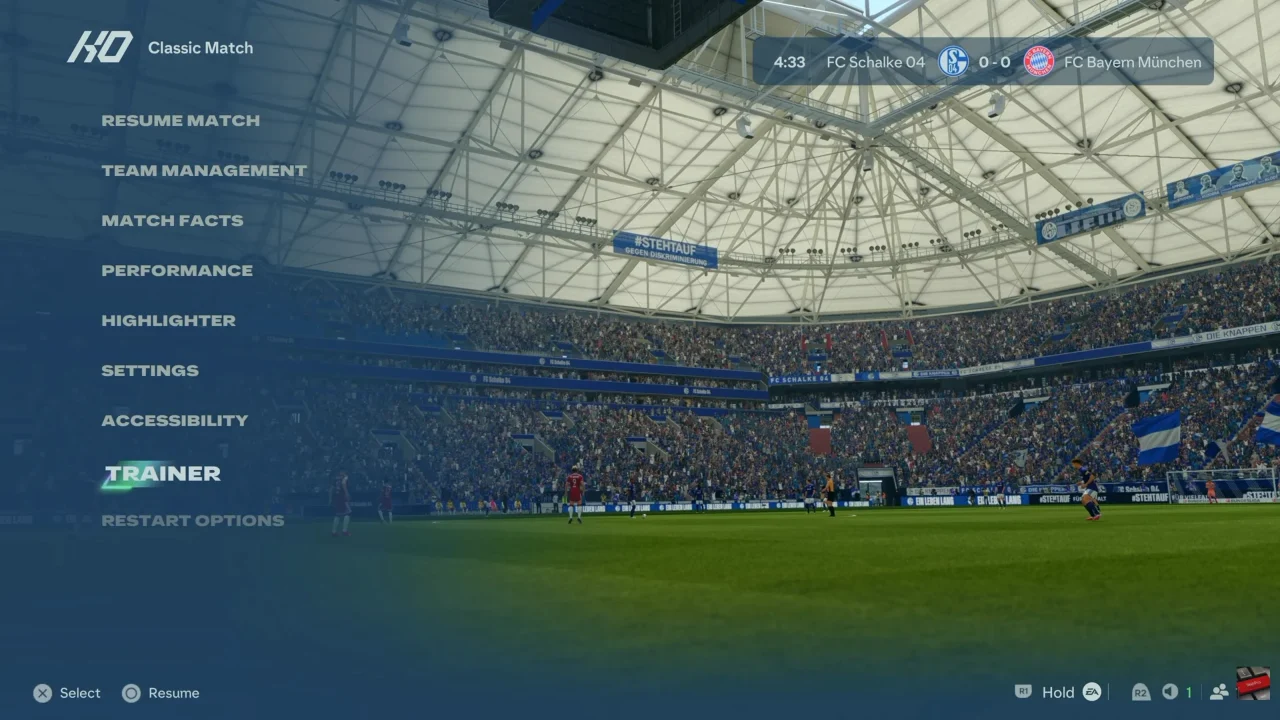
Next, open the Trainer settings from the pause menu. Look for the option controlling the Trainer display.
Then, change FC Trainer or the relevant Trainer setting to Hide or Off.
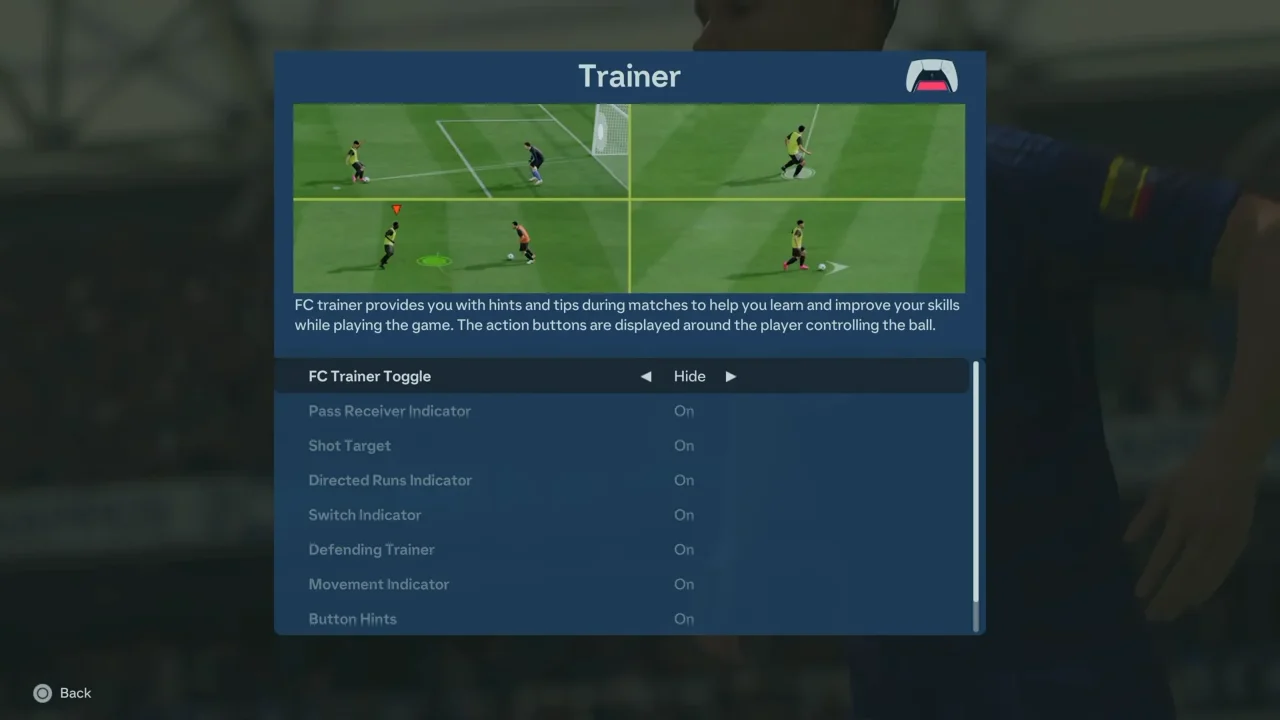
Finally, return to the match and check the screen. The Trainer prompts and visual assistance should no longer appear. If you want to enable them again, simply return to the Trainer settings and switch the option back on.