Read: How To End Matches In FC 27
Learning How To Enable Weather Effects In FC 27 can help you customize the visual conditions during gameplay. Weather effects such as rain, snow, or other environmental conditions can make matches look and feel more dynamic, depending on the stadium, competition, and available settings.
If you prefer a more immersive football experience, checking the weather-related options can help you get the match presentation you want. FC 27 also provides several visual and match customization settings, allowing you to adjust different aspects of how games look on screen.
In this guide, we’ll explain where to look for weather-related settings and how to enable them when the option is available. Follow the steps below to check your match settings, select the appropriate weather options, and make your FC 27 matches more visually engaging.
Enable Weather Effects On FC 27
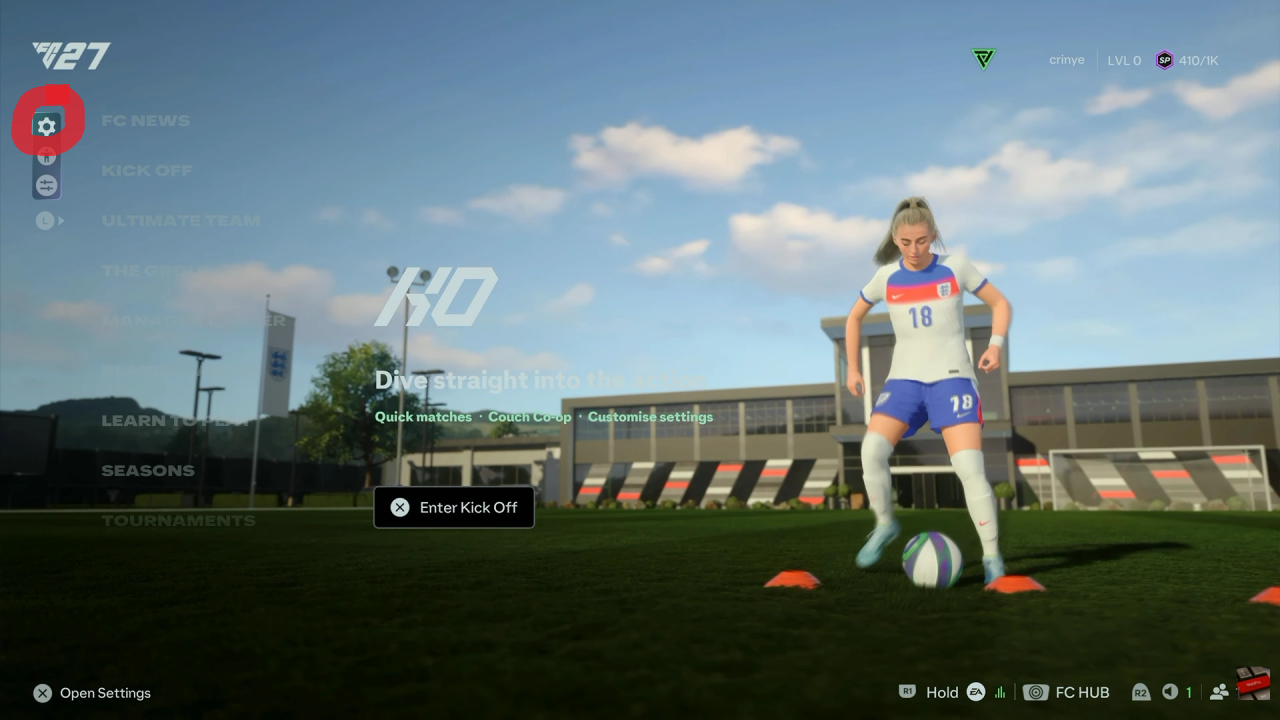
First, launch FC 27 and select the first button on the left side of the main menu.
Next, open Game Settings and select Game Type Settings. Then, navigate through options and find Weather Conditions.
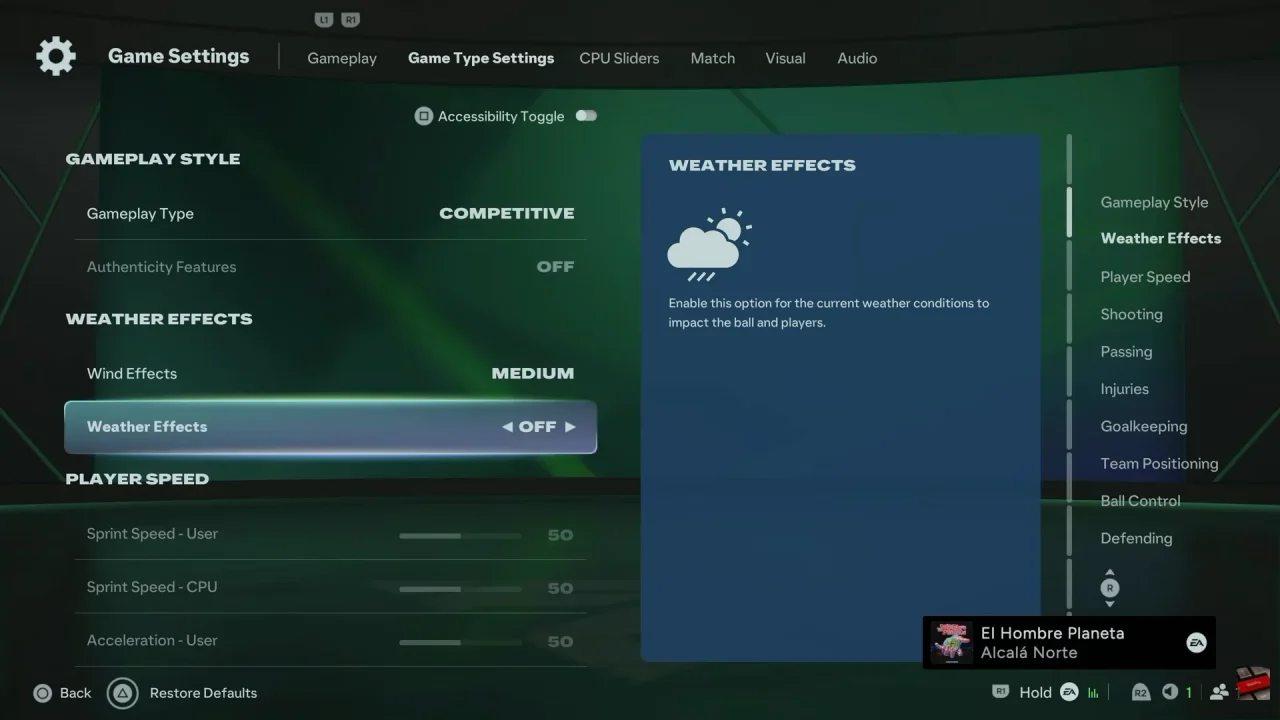
After that, toggle Weather Effects ON or OFF as desired.
Finally, apply your changes and start the match. The selected weather effects should appear when supported by the chosen stadium, match, and game mode.
Watch: How To End Matches In FC 27