Read: How To Access All Game Settings In FC 27
Learning How To End Matches In FC 27 can be useful when you have completed a game or need to leave a match before the final whistle. Depending on the game mode and situation, FC 27 provides different ways to finish a match naturally or exit through the pause menu.
If you are playing through a full match, you can simply continue until the referee signals the end of the game. Alternatively, if you need to stop playing before the match finishes, you can use the available pause and exit options.
However, leaving a match early may have consequences in certain online modes, so it is important to check the on-screen information before confirming. In this guide, we’ll explain the basic ways to end a match in FC 27 and how to safely exit when you no longer want to continue playing.
End Matches In FC 27
First, if you want to complete the match normally, continue playing until the referee blows the final whistle. The game will then proceed to the post-match screen.
Alternatively, pause the match by pressing the appropriate Pause/Menu button on your controller.
Next, scroll to the very bottom of the menu and look for an option End Match.
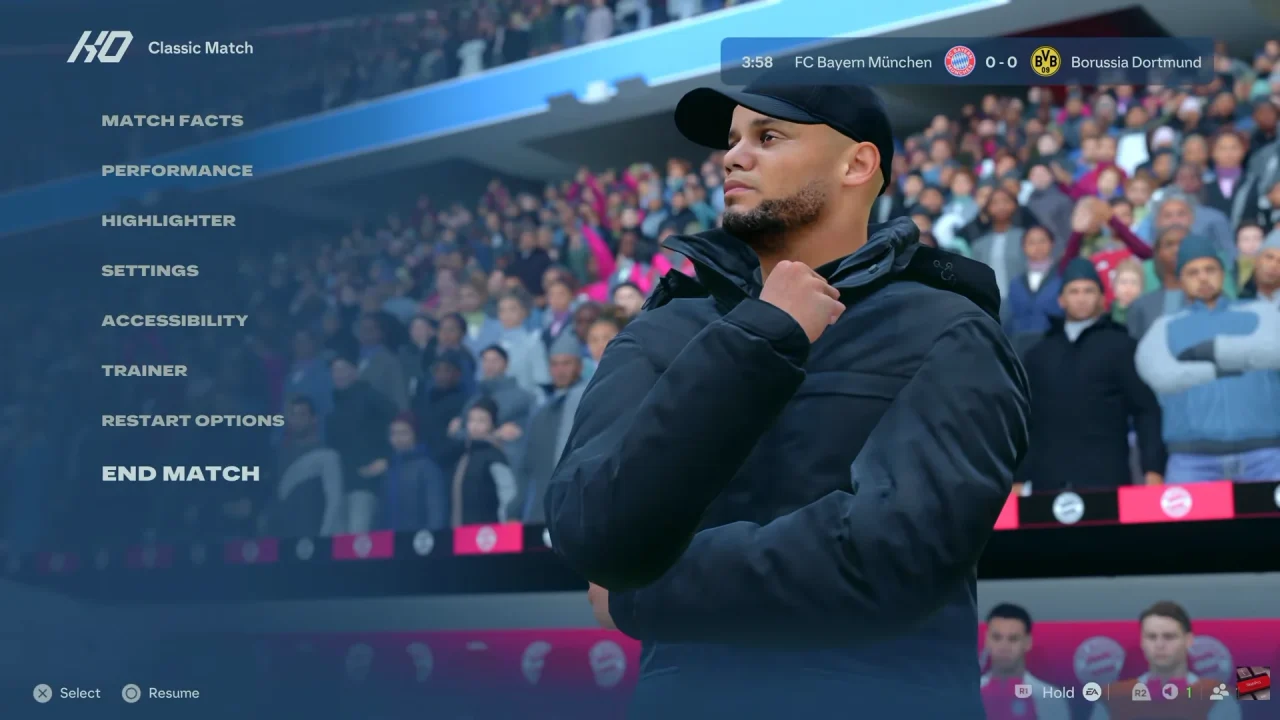
After that, select the option and review the confirmation message.
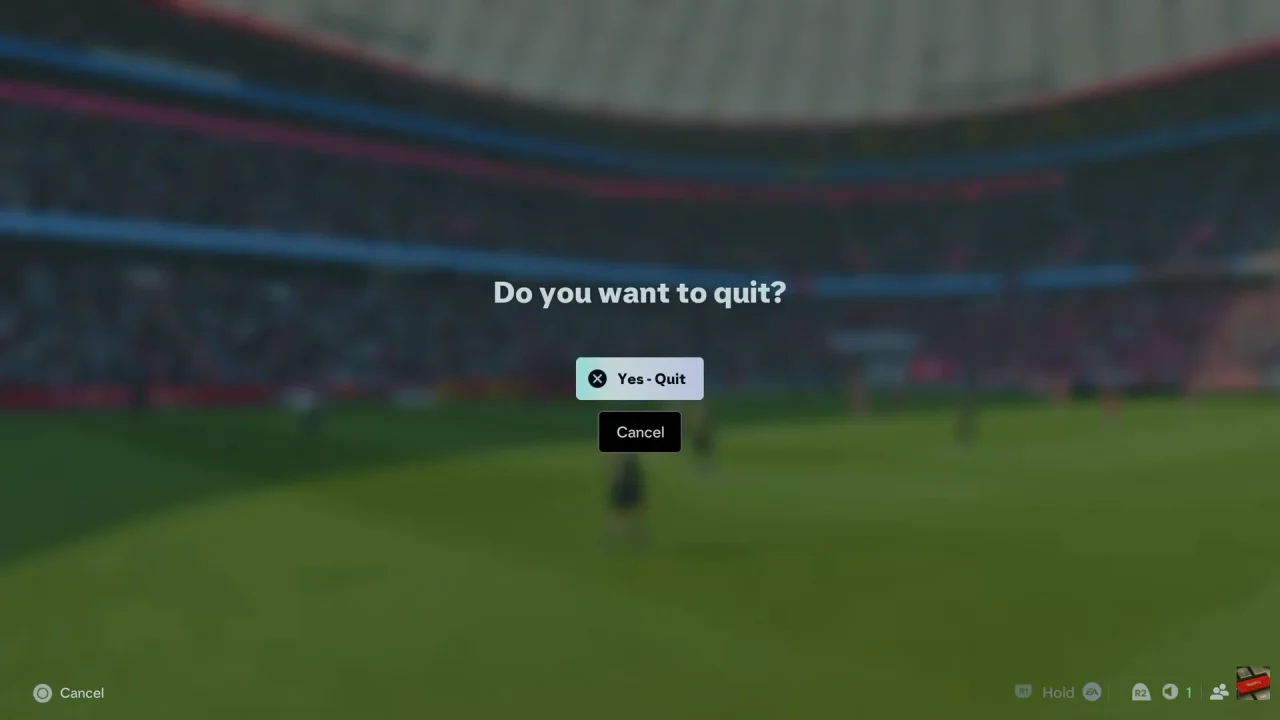
Finally, confirm your choice if you want to leave the match. Remember that quitting early in certain online modes may count as a loss or affect your match-related progress.