WebPro Education

Tech tips everyday
Menu
  • REVIEWS
  • HOW TO
  • TECH NEWS
  • About Us
Home
how to
How To Disable Trainer In FC 27
how to

How To Disable Trainer In FC 27

Venessa Waititu September 23, 2026

Read: How To Change Opponent Radar Color In FC 27

Learning How To Disable Trainer In FC 27 can help create a cleaner and less distracting gameplay experience. The Trainer can display helpful prompts, directional guides, button suggestions, and other visual information designed to assist players during matches.

While these features can be useful when learning the game, experienced players may prefer to turn them off to reduce screen clutter and focus more closely on the action. Disabling the Trainer is also useful if you want your matches to look cleaner when recording gameplay or creating videos.

Fortunately, the Trainer settings can be adjusted quickly through the in-match pause menu. In this guide, we’ll show you where to find the Trainer options and how to disable them. Follow the steps below to remove the Trainer from your FC 27 matches and customize your gameplay display.

Disable Trainer In FC 27

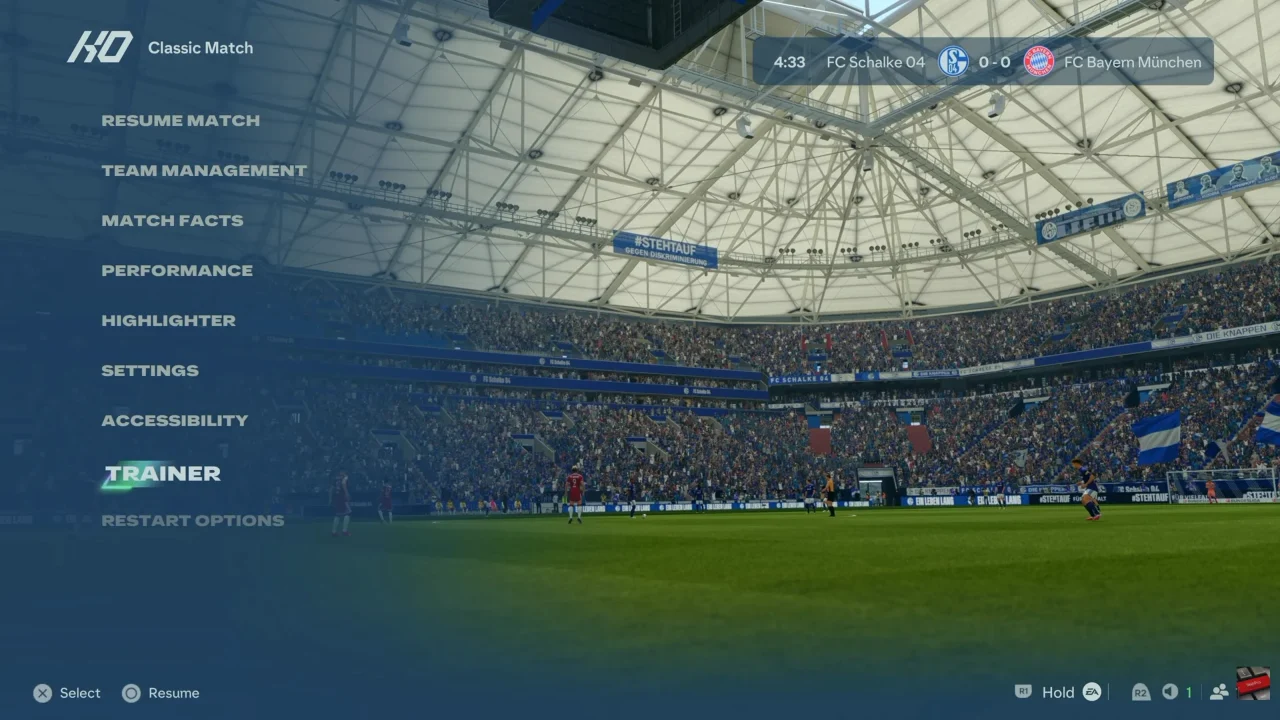
First, start an FC 27 match and pause the game.
How To Disable Trainer In FC 27

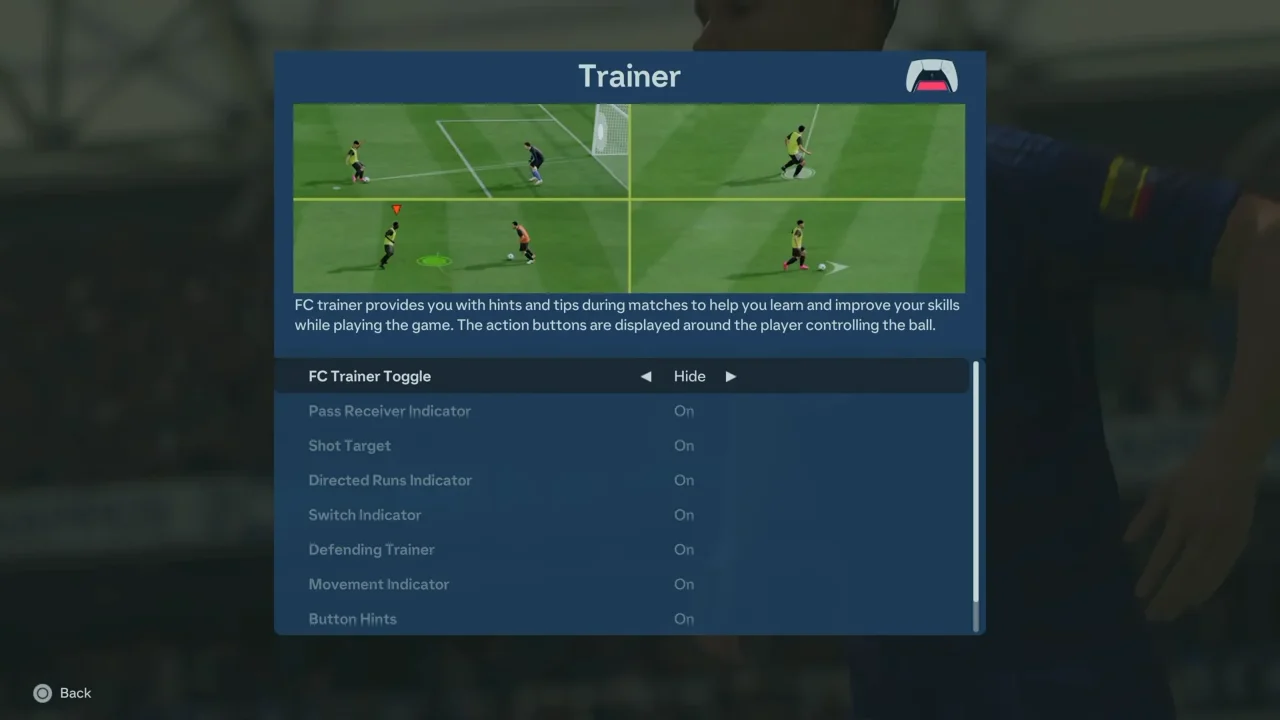
Next, open the Trainer settings from the pause menu. Look for the option controlling the Trainer display.

Then, change FC Trainer or the relevant Trainer setting to Hide or Off.
How To Disable Trainer In FC 27

Finally, return to the match and check the screen. The Trainer prompts and visual assistance should no longer appear. If you want to enable them again, simply return to the Trainer settings and switch the option back on.
Watch: How To Change Opponent Radar Color In FC 27

Share
Tweet
Linkedin
Reddit
Tumblr
Stumble
Whatsapp
Telegram
Email
Prev Article
Next Article

Related Articles

Dead Mouse? Transfer The Mouse Functions To The Keyboard In Windows
If you have been using laptops for some time,  you …

Dead Mouse? Transfer The Mouse Functions To The Keyboard In Windows

How To Turn OFF Voice Chat Volume In Call Of Duty Modern Warfare 3

How To Turn OFF Voice Chat Volume In Call Of Duty Modern Warfare 3

  • How To Access All Game Settings In FC 27
  • How To Customize Controls In FC 27
  • How To Display Controller In FC 27
  • How To Change Passcode On iPhone 18 Pro
  • How To Take Screenshots On iPhone 18 Pro
DMCA.com Protection Status

Associates Disclosure

WebPro Education is a participant in the Amazon Services LLC Associates Program, an affiliate advertising program designed to provide a means for sites to earn advertising fees by advertising and linking to amazon.com.

WebPro Education

Tech tips everyday
Copyright © 2026 WebPro Education

Ad Blocker Detected

Our website is made possible by displaying online advertisements to our visitors. Please consider supporting us by disabling your ad blocker.

Refresh