Read: How To Perform Finesse Shot In FC 27
Change Referee Strictness in FC 27 to customize how referees handle fouls and challenges during your matches. This setting can help you create a gameplay experience that feels more relaxed or more demanding, depending on your preferred style.
Adjusting referee strictness can be useful if you want to reduce interruptions caused by frequent fouls or, alternatively, make challenges more closely follow the rules of the game. Whether you are playing Career Mode, Kick-Off, or another compatible game mode, changing the referee setting can provide additional control over your gameplay experience.
Fortunately, finding this option is straightforward through the game’s settings menu. In this guide, we will explain where to find the referee strictness setting and how to adjust it. By following the steps below, you can quickly select your preferred referee behavior and return to your match with the new setting applied.
Change Referee Strictness In FC 27
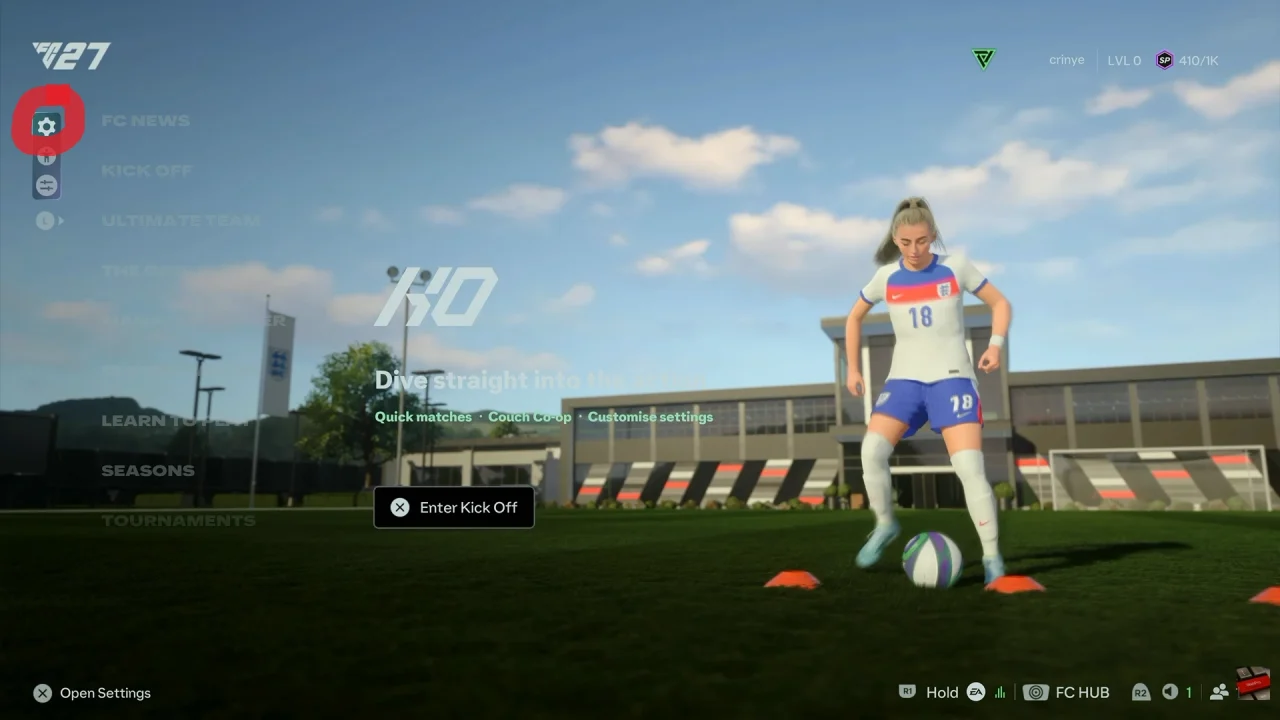
First, launch FC 27 and open the Main Menu. Then, select Game Settings by selecting the first option on the left side of the menu.
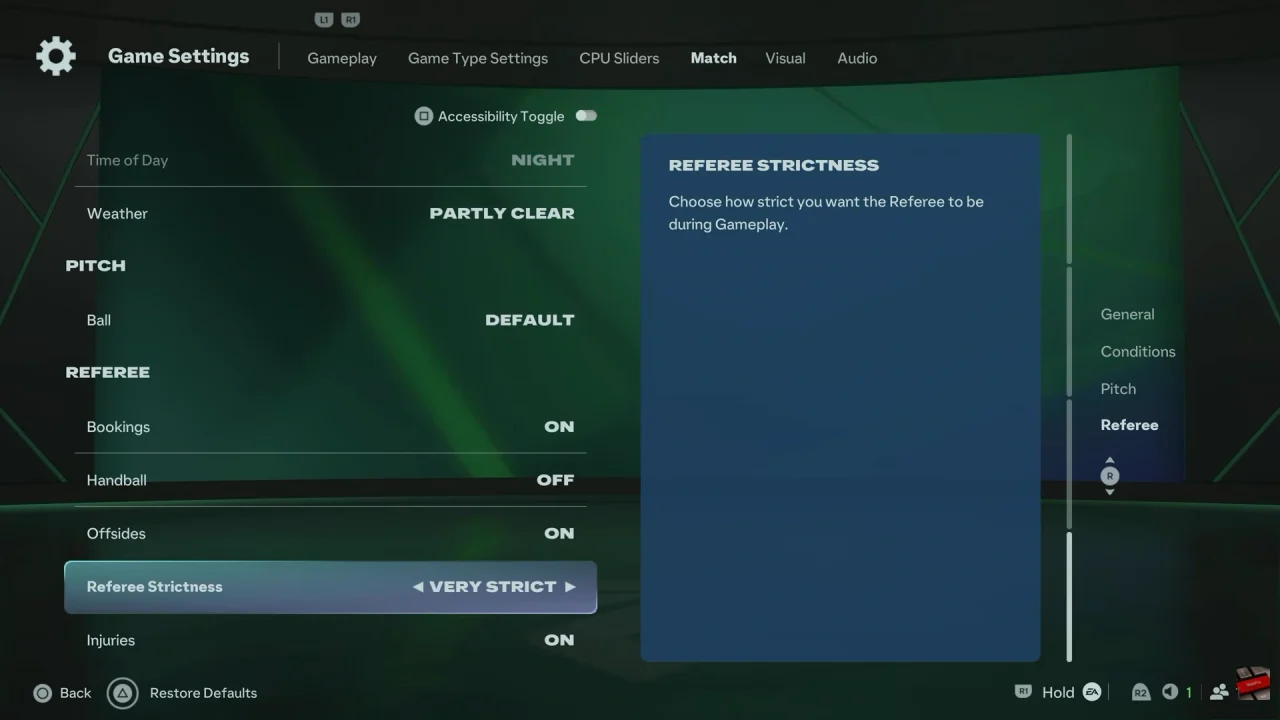
Next, navigate through the relevant gameplay tabs and select Match. Look for the Referee section, where referee-related options are located.
After that, find Referee Strictness and select it. Review the available options and choose the level that matches your preferred gameplay experience.
Finally, exit the settings menu and start or return to your match. The selected referee strictness should now be applied to compatible gameplay.
Watch: How To Enable / Disable Corner Kick Trajectory In FC 27