Read: How To Buy Agency On GTA Online
Learning how to Reset Squads in FC 27 can help you quickly restore your teams and remove unwanted custom changes.
Whether you have edited player lineups, formations, transfers, or other squad details, the reset option provides a convenient way to return your squads to their default configuration. This can be especially useful if you have been experimenting with different team setups and want to return to the original squads without manually reversing every change.
In this guide, we’ll show you how to find the squad reset option in FC 27 and explain the simple steps required to use it. So, if you want to restore your default teams and begin making changes again from a clean setup, follow the instructions below to Reset Squads in FC 27 quickly and easily.
Reset Squads In FC 27
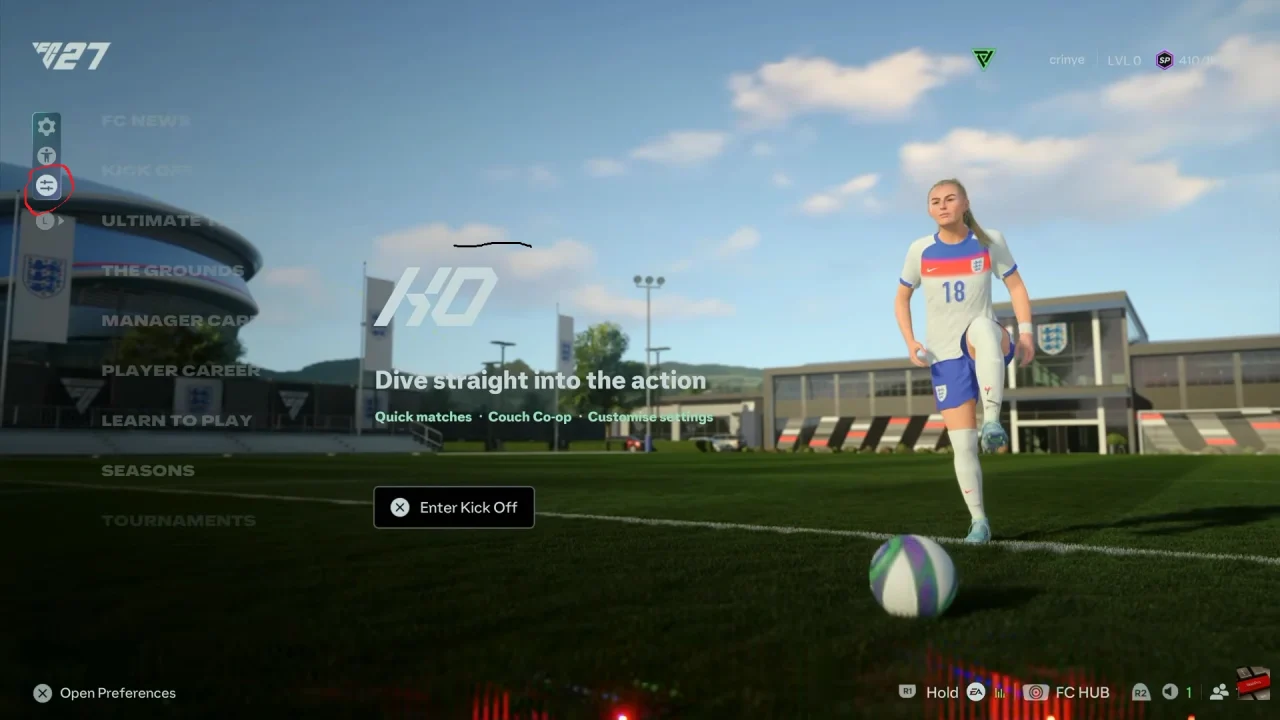
First, launch FC 27 and open the main menu. Then, go to ‘Preferences’ by selecting the lowest button on the far left of the main menu.
Next, navigate and look for the Squads section. After that, scroll down and select Reset All Squads.
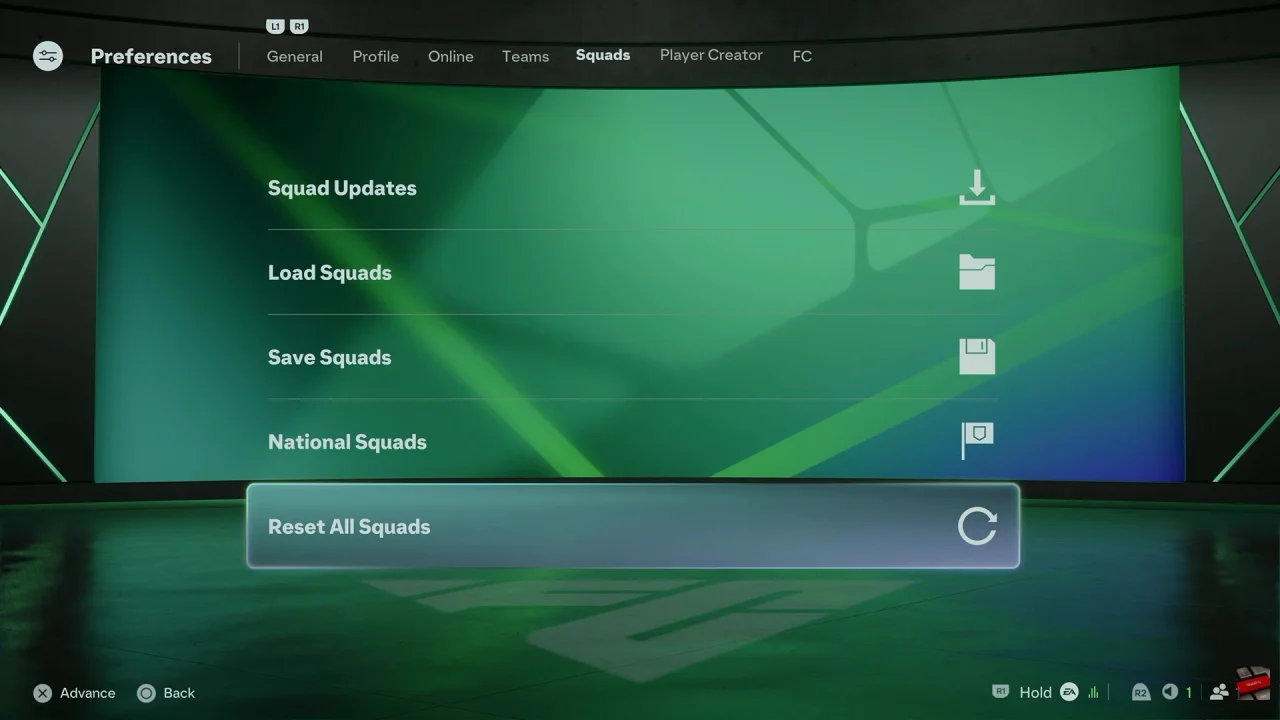
Finally, confirm the reset when prompted. Your squads should return to their default configuration. Check your teams afterward to make sure the changes have been applied correctly.