WebPro Education

Tech tips everyday
Menu
  • REVIEWS
  • HOW TO
  • TECH NEWS
  • About Us
Home
how to
How To Enable / Disable Player Shadows In FC 27
how to

How To Enable / Disable Player Shadows In FC 27

Erick Wachira September 22, 2026

In this guide, we’ll show you how to enable or disable Player Shadows in FC 27. Easily change how player shadows appear during matches in EA SPORTS FC 27.

The game includes visual settings that allow you to adjust shadow effects, which can change the overall look of the pitch and players.

Watch: Create Folder In MacBook Neo

Enable & Disable Player Shadows In FC 27

To start, launch the EA FC 27 game and wait for the main menu to load. If you’re already in a game, pause the game.
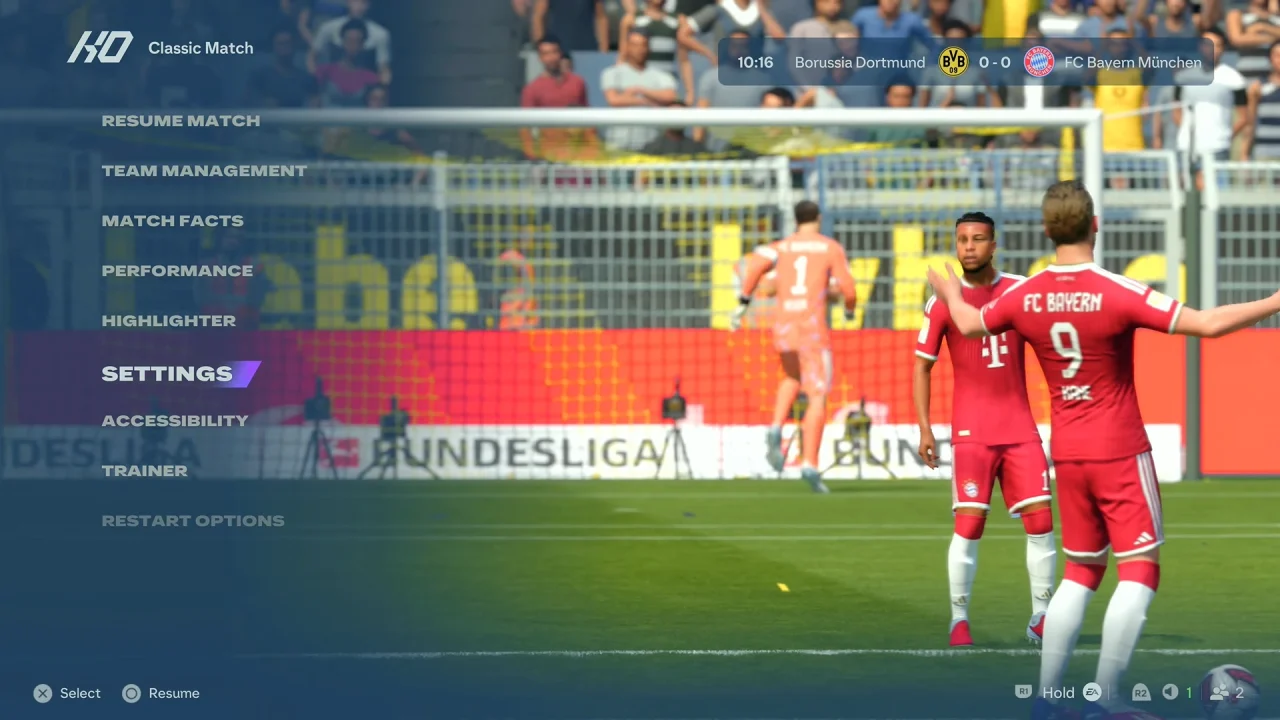
FC 27 Settings

From the main menu, open Settings and select Game Settings.
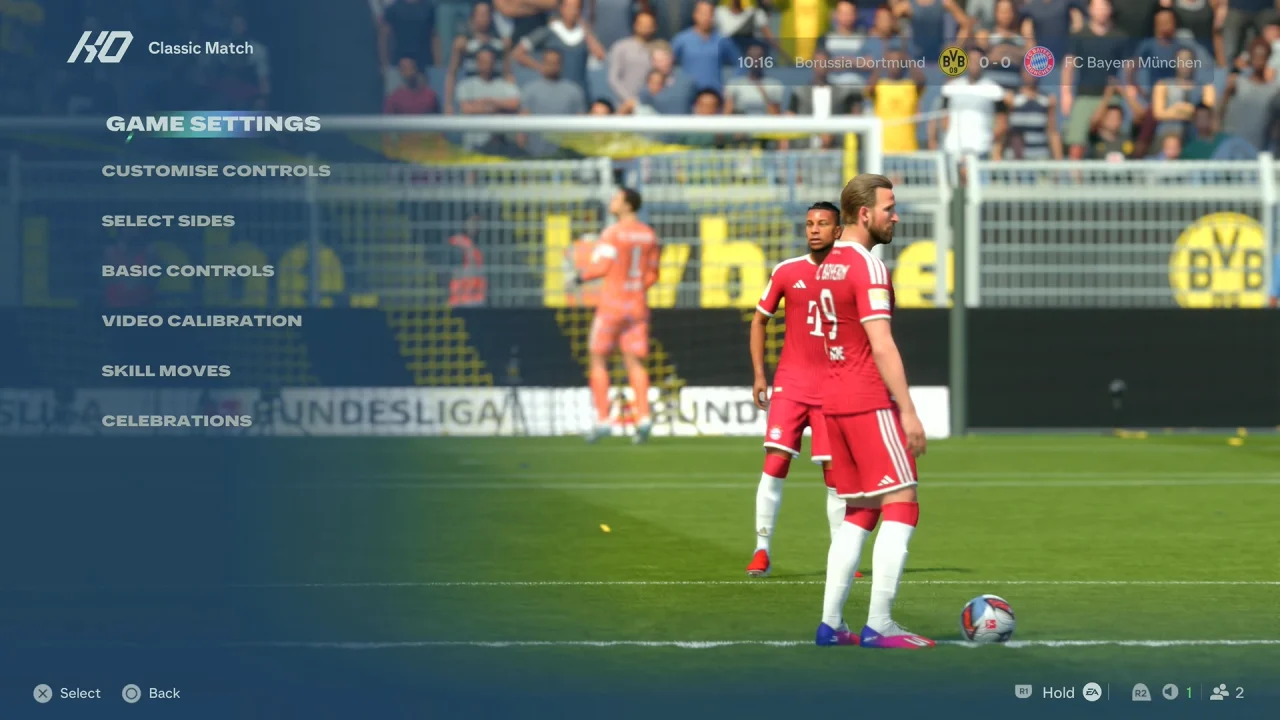
FC 27 Game Settings

Navigate to the Visual tab using the R1 or L1 button. Look for the Player Shadows option, which should be under the Contrast category.
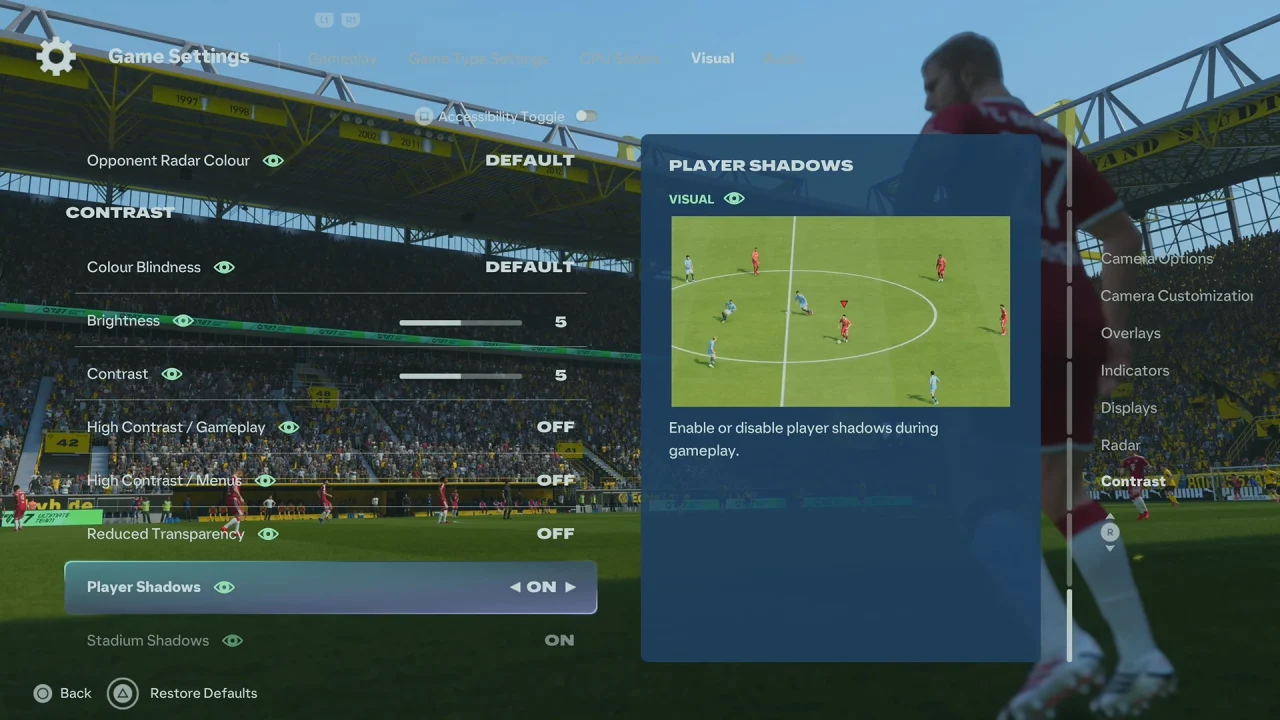
How To Enable Player Shadows In FC 27

Change the setting to On to display player shadows or Off to disable them.
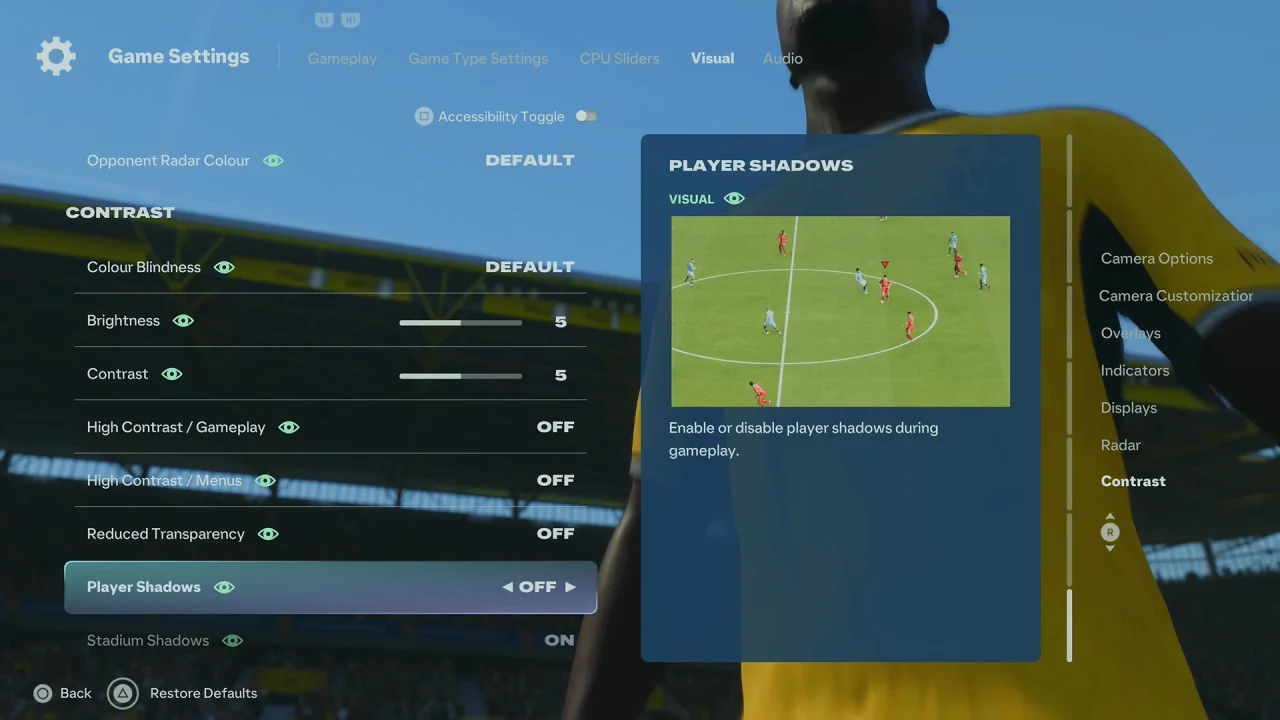
How To Disable Player Shadows In FC 27

Return to the game and check the pitch to see the change.
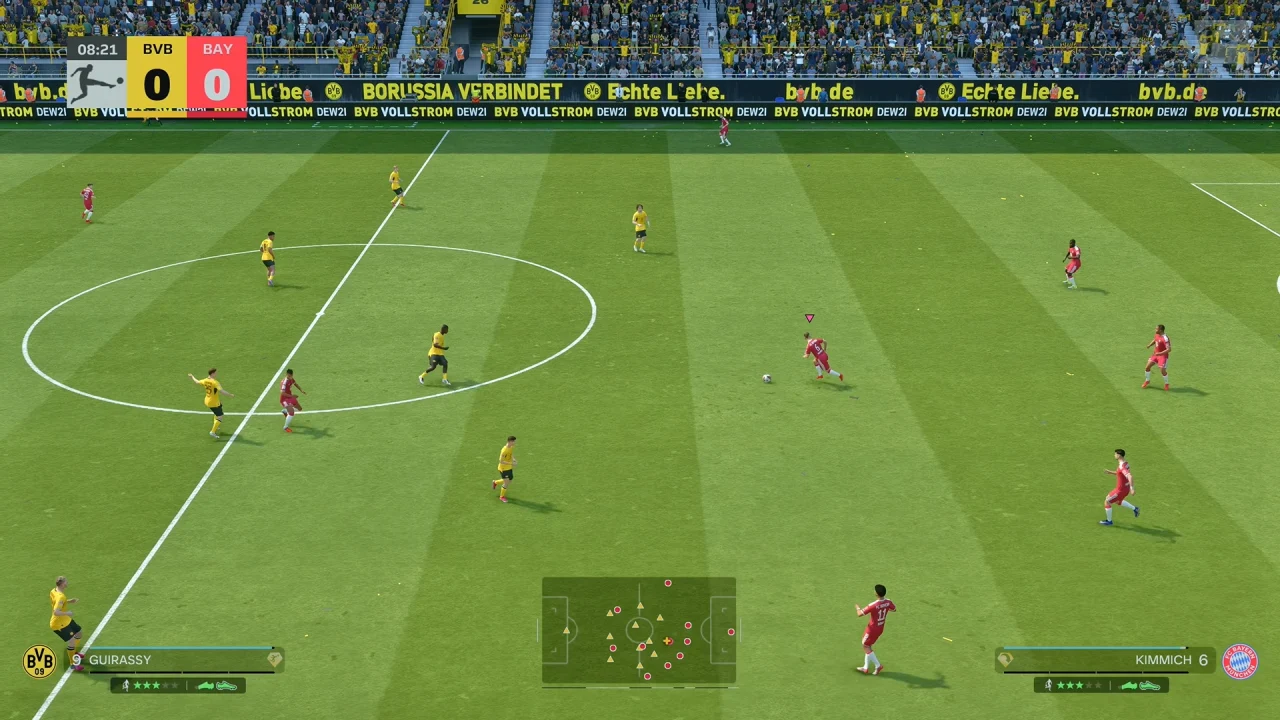
Enable Player Shadows In FC 27

If you prefer a more realistic and visually detailed match experience, keeping Player Shadows enabled allows players to cast shadows on the pitch according to the game’s lighting effects.

Turning off player shadows can give you a cleaner view of the pitch, especially if you find shadows distracting during gameplay. It may also change the visual appearance of matches depending on the stadium, lighting, and camera angle.
Read: How To Create Folder In MacBook Neo

Share
Tweet
Linkedin
Reddit
Tumblr
Stumble
Whatsapp
Telegram
Email
Prev Article
Next Article

Related Articles

How To Use ANY Photo as Watch Face Background In Galaxy Watch 8

How To Use ANY Photo as Watch Face Background In Galaxy Watch 8

How To Enable One-Handed Mode On Samsung Galaxy A25 5G

How To Enable One-Handed Mode On Samsung Galaxy A25 5G

  • How To Perform Finesse Shot In FC 27
  • How To Turn Narration ON / OFF In FC 27
  • How To Enable / Disable Stadium Shadows In FC 27
  • How To Enable / Disable Player Shadows In FC 27
  • How To Reset Squads In FC 27
DMCA.com Protection Status

Associates Disclosure

WebPro Education is a participant in the Amazon Services LLC Associates Program, an affiliate advertising program designed to provide a means for sites to earn advertising fees by advertising and linking to amazon.com.

WebPro Education

Tech tips everyday
Copyright © 2026 WebPro Education

Ad Blocker Detected

Our website is made possible by displaying online advertisements to our visitors. Please consider supporting us by disabling your ad blocker.

Refresh