The Xiaomi Smart Camera C701 comes packed with intelligent AI features designed to make home monitoring smarter and more efficient. One of the most useful features for pet owners is Pet Detection, which allows the camera to recognize animals and send alerts when your furry friends are in view.
In this guide, you’ll learn exactly how to enable Pet Detection on your Xiaomi Smart Camera C701 and make the most of this feature.
Pet Detection is an AI-powered feature that helps your camera distinguish pets from humans or other movements. Instead of receiving unnecessary alerts, you’ll get specific notifications when your pet is detected, making it easier to monitor them while you’re away.
Read: How To Set Password On Xiaomi Smart Camera C701
Turn ON Pet Detection On Xiaomi Smart Camera C701
This feature is powered through the Xiaomi Home app, where all camera settings are managed. Make sure your smartphone is connected to the same Wi-Fi network as your C701 camera. Open the Xiaomi Home app on your Android or iOS device.
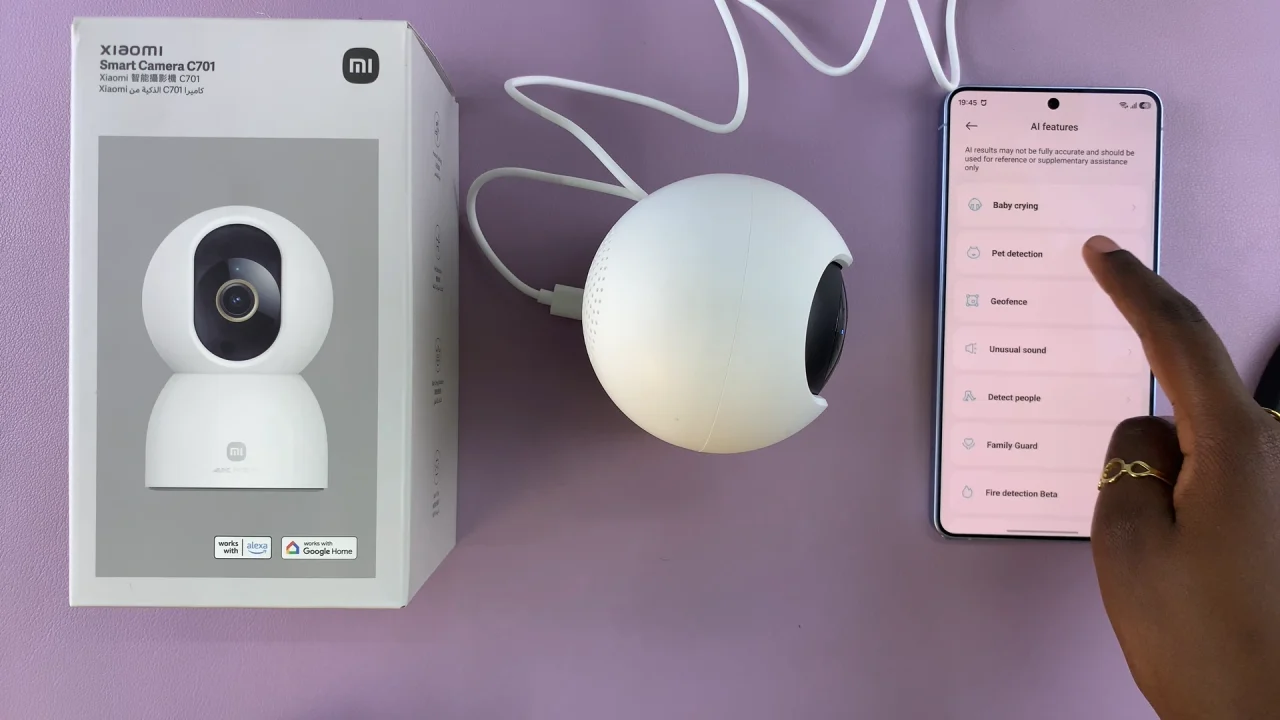
Once you’re in the app, select your camera and tap on AI Features.
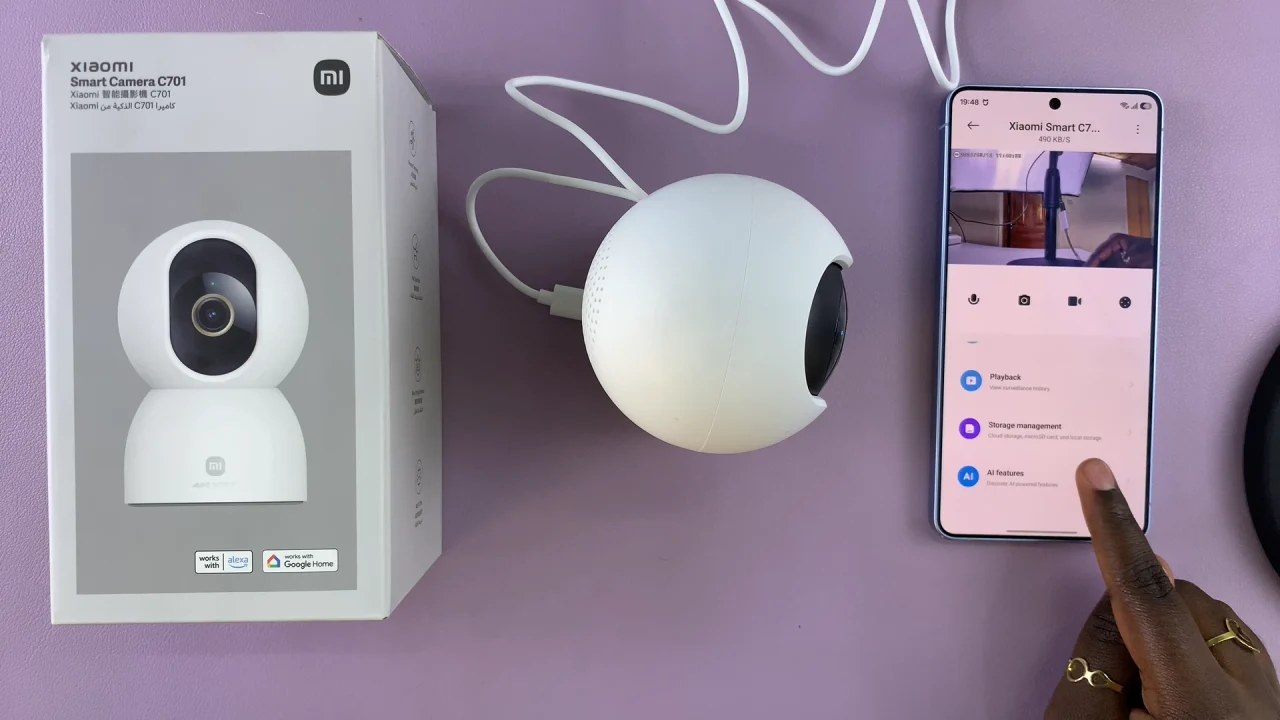
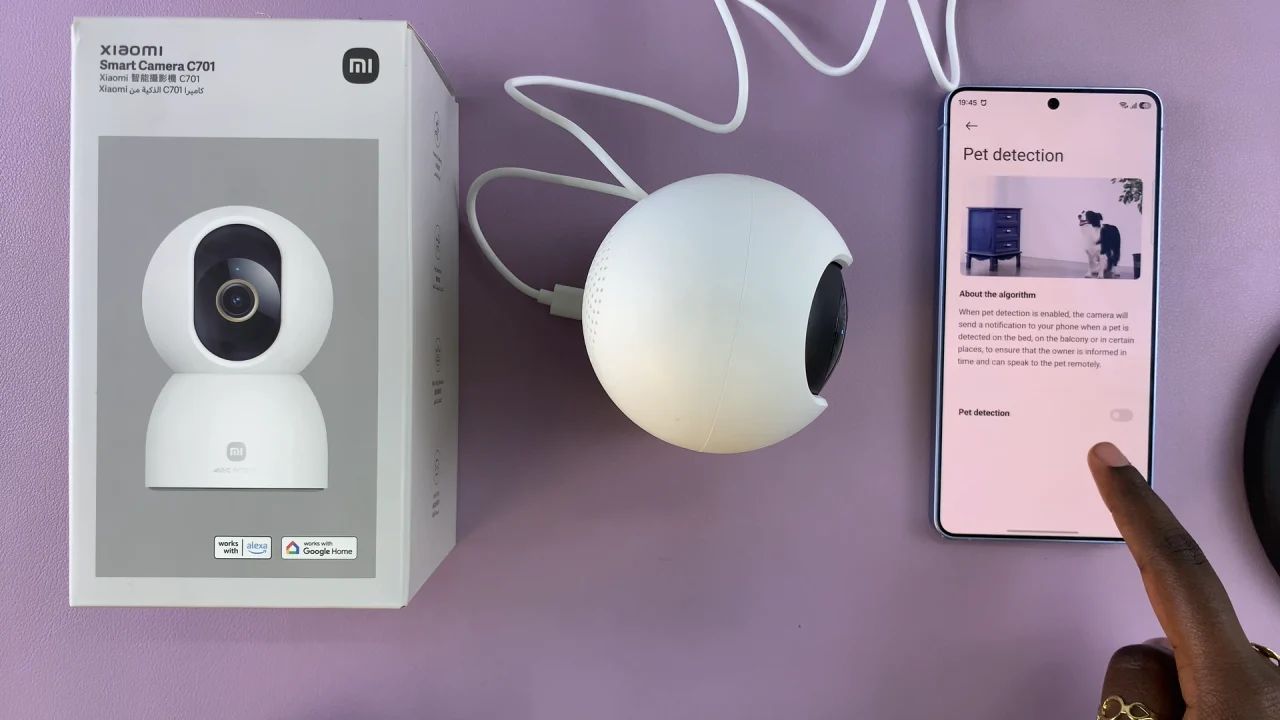
Inside the camera settings, locate the Pet Detection option. Toggle the switch to ON.
You can adjust notification settings to receive alerts only when the camera detects a pet.
Tips For Better Pet Detection Accuracy
To get the best performance from your camera:
Place the camera at a height where your pet is clearly visible.
Ensure good lighting conditions.
Avoid obstructions like furniture blocking the view.
Keep the camera lens clean.
Adjust sensitivity settings if they are available.
Troubleshooting Common Issues
Pet Detection Not Showing:
Update the camera firmware.
Check if the feature is available in your region.
Restart the camera and app.
Too Many False Alerts:
Lower detection sensitivity.
Adjust camera angle.
Reduce background movement (like curtains or shadows).