WebPro Education

Tech tips everyday
Menu
  • REVIEWS
  • HOW TO
  • TECH NEWS
  • About Us
Home
how to
How To Adjust Screen Timeout Period On MacBook Neo
how to

How To Adjust Screen Timeout Period On MacBook Neo

Erick Wachira April 7, 2026

Screen timeout refers to how long your Mac waits before turning off the display or putting it to sleep when it’s not in use. Shorter timeout periods help conserve battery, while longer ones are useful when reading, presenting, or monitoring tasks.

Managing your screen timeout settings is one of the simplest ways to improve both battery life and security on your MacBook Neo. Whether you want your display to stay on longer while working or turn off quickly when idle, adjusting the screen timeout only takes a few steps.

This guide walks you through everything you need to know on how to adjust the screen timeout period on your MacBook Neo.

Read: How To Add Apps To Dock On MacBook Neo

Adjust Screen Timeout Period On MacBook Neo

First, click the Apple menu in the top-left corner and select System Settings.
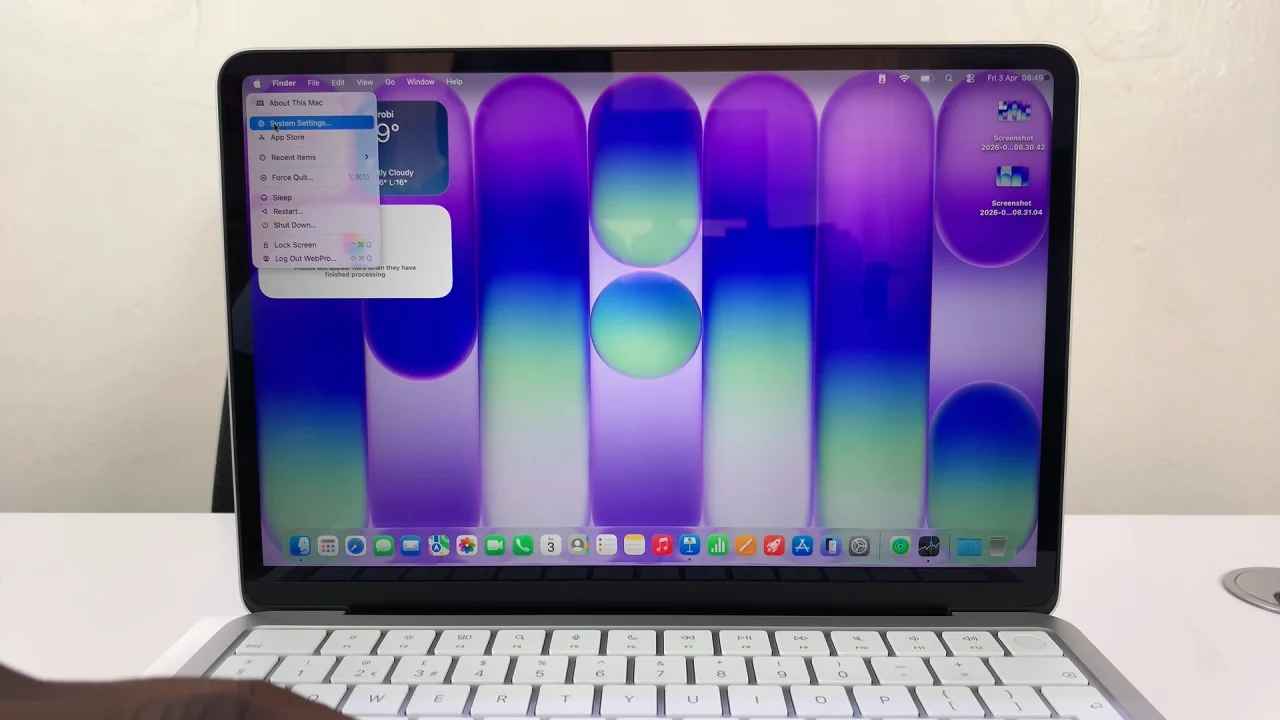
System Settings On MacBook Neo

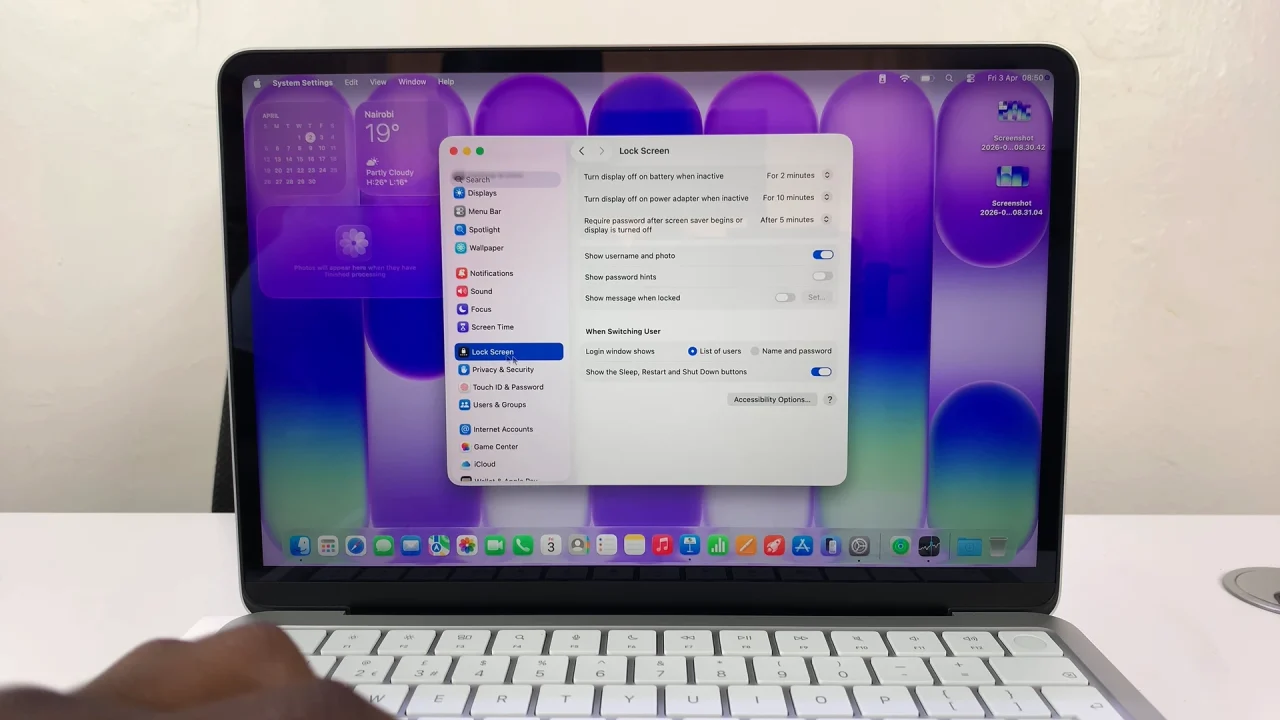
Scroll down and click Lock Screen.

How To Adjust Screen Timeout Period On MacBook Neo

Click on the drop-down next to Turn display off on battery when inactive. Choose your preferred time (e.g., 1 minute, 5 minutes, 15 minutes, etc.).
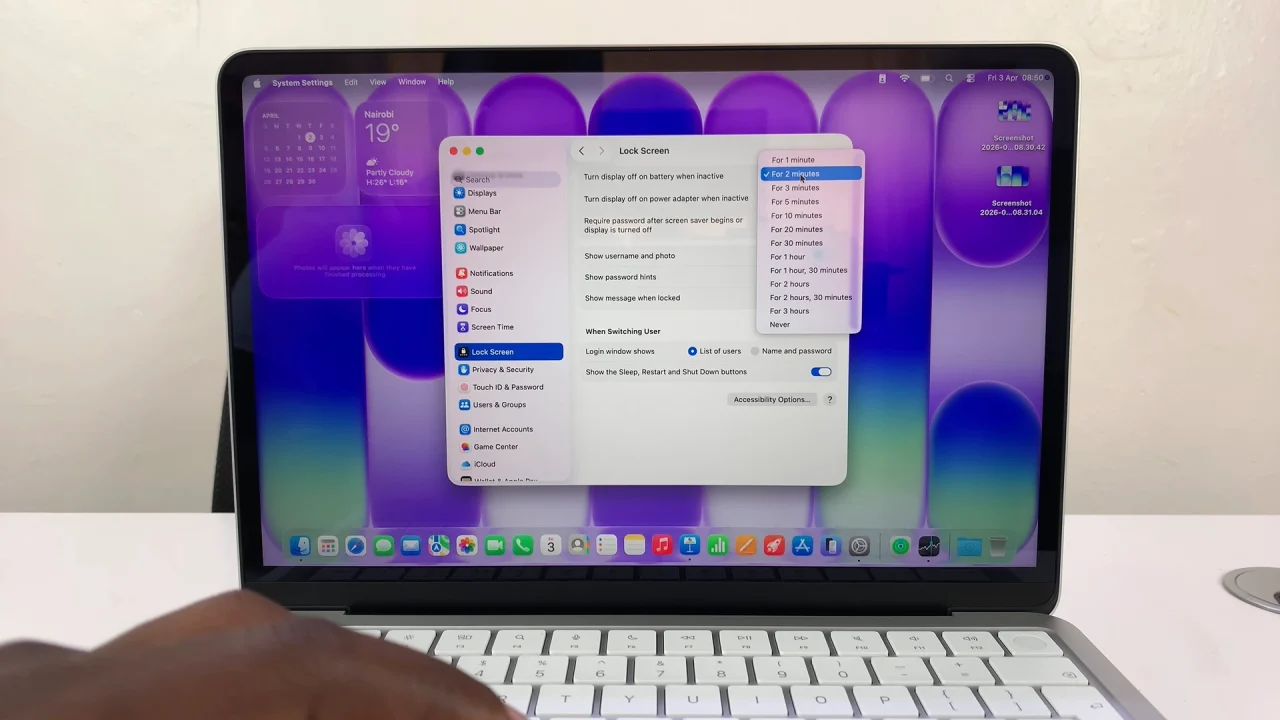
Adjust Screen Timeout Period On MacBook Neo

You can also do the same for the Turn display off on power adapter when inactive option.

Watch: Add Apps To Dock On MacBook Neo

Share
Tweet
Linkedin
Reddit
Tumblr
Stumble
Whatsapp
Telegram
Email
Prev Article
Next Article

Related Articles

How To Pair Oraimo FreePods 4 With Android Phone

How To Pair Oraimo FreePods 4 With Android Phone

How To Make Group video Calls For Free
Video calling has been around for a while. A few …

How To Make Group video Calls For Free

  • How To Right Click On MacBook Neo
  • How To Remove Apps From Dock On MacBook Neo
  • How To Pair & Connect Bluetooth Speaker To MacBook Neo
  • How To Pair & Connect Bluetooth Headphones To MacBook Neo
  • How To Launch Apps On MacBook Neo
DMCA.com Protection Status

Associates Disclosure

WebPro Education is a participant in the Amazon Services LLC Associates Program, an affiliate advertising program designed to provide a means for sites to earn advertising fees by advertising and linking to amazon.com.

WebPro Education

Tech tips everyday
Copyright © 2026 WebPro Education

Ad Blocker Detected

Our website is made possible by displaying online advertisements to our visitors. Please consider supporting us by disabling your ad blocker.

Refresh