With their amazing sound quality, great noise cancelling, and long battery life, Sony WF-1000XM6 earbuds are widely regarded as some of the best earbuds around. A feature that keeps your earbuds’ battery from draining faster than expected is the Auto Power Off.
This intelligent feature turns off your earbuds when they have been inactive for a while, thus conserving power.Depending on how you are using your earbuds, you might want to turn Auto Power Off on or off, as it could change the way you use your earbuds.
In this guide, we will provide the steps to enable and disable Auto power OFF on your Sony WF-1000XM6 using the Sony Connect App.
Watch: How To Use Equalizer On Sony WF-1000XM6
Enable & Disable Auto Power OFF On Sony WF-1000XM6
Begin by launching the Sony Connect app on your device. If you don’t have the app installed, head to App Store or Google PlayStore and download it from there. Then, scroll down and tap the ‘Device Settings‘ within the app.
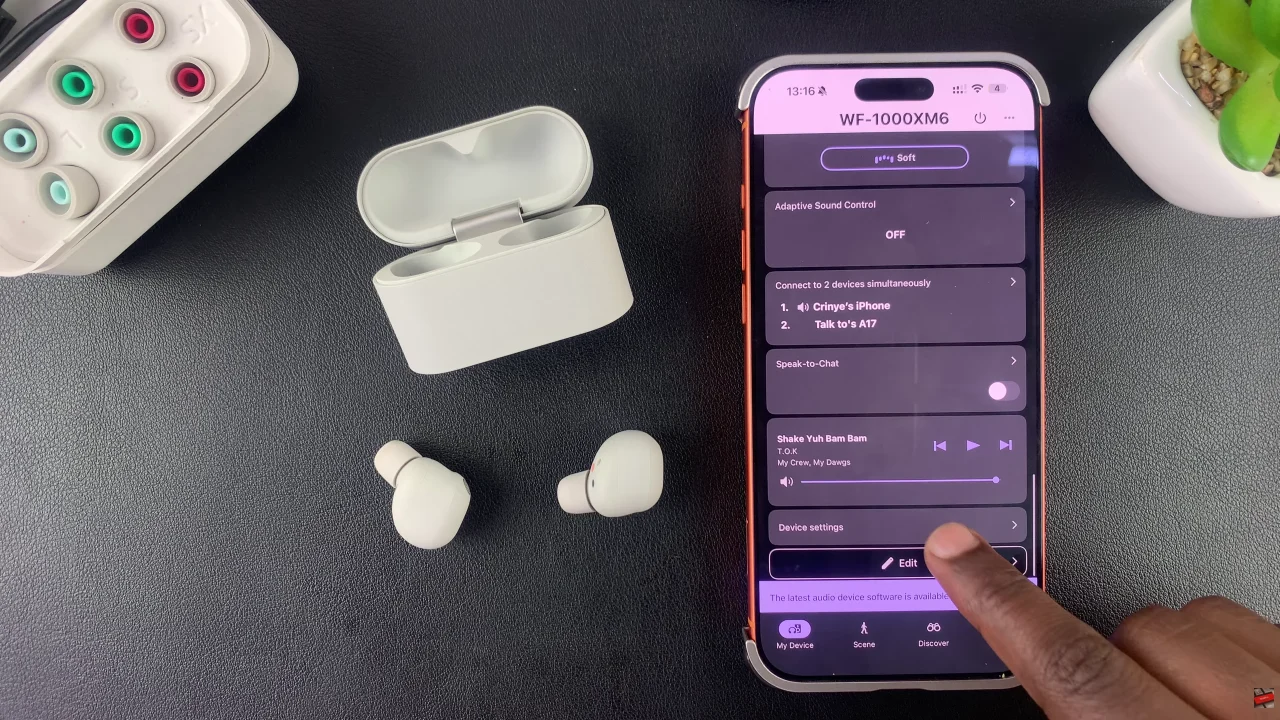
Following this, tap on ‘Power/Battery‘ and select ‘Automatic Power OFF‘ from the menu that appears.
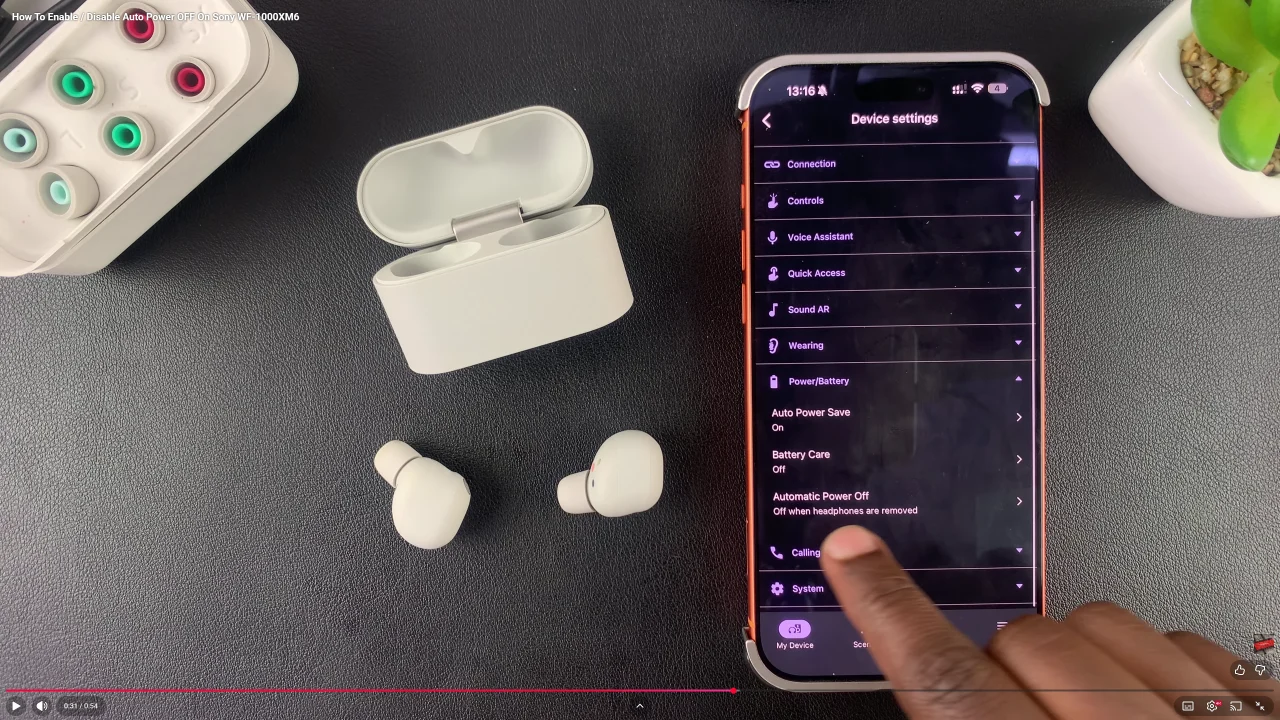
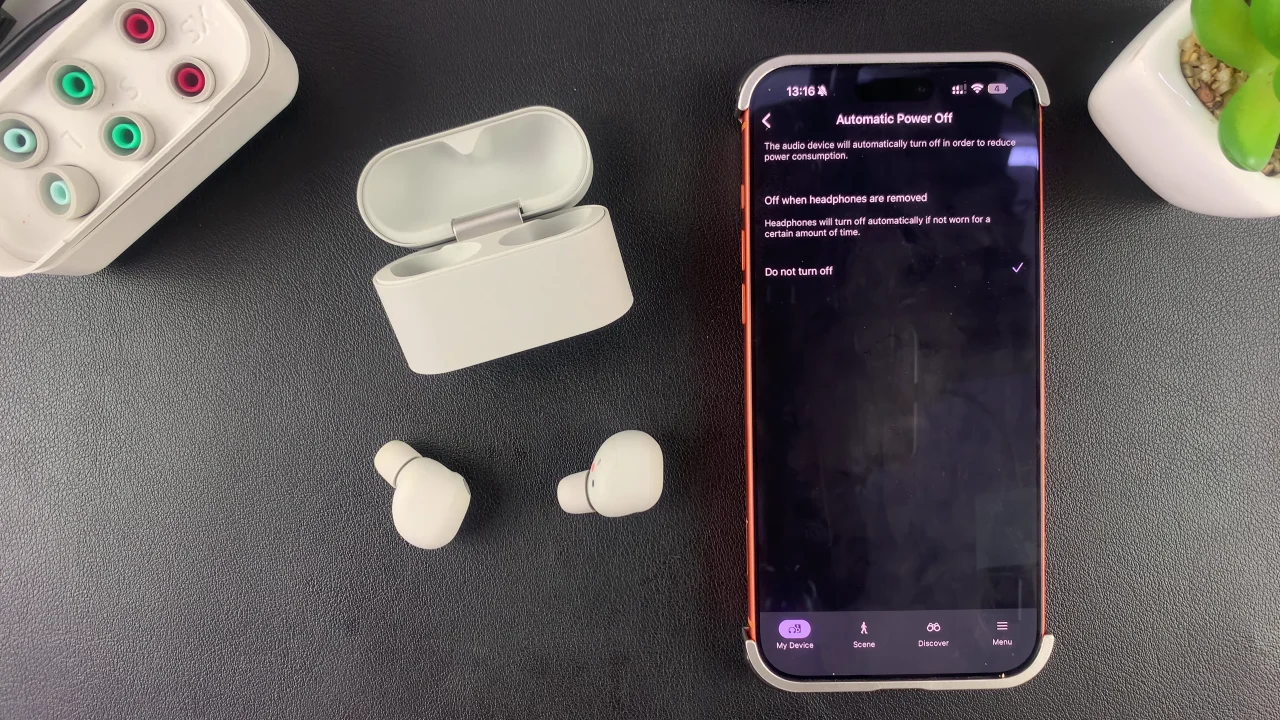
At this point, you’ll see two available options; ‘OFF when headphones are removed‘ & ‘Do Not Turn OFF‘. To enable the Auto power off, choose the option ‘Off when headphones are removed‘. If you’d like this feature disabled, then select the other option.
By following the steps outlined in this guide, you can easily enable or disable Auto Power OFF, maximize battery life, and enjoy uninterrupted audio whenever you need it. Take a few minutes to customize this feature, and your Sony WF-1000XM6 earbuds will work smarter for your lifestyle.