Watch: How To Purchase Vehicle Warehouse On GTA Online
Learning how to purchase a warehouse on GTA Online is one of the most effective ways to start building a steady and scalable income. As a key part of the CEO business system, warehouses allow players to store and sell Special Cargo, turning smart investments and strategic planning into major profits.
However, the first purchase can feel confusing if you’re unfamiliar with the process. From registering as a CEO to navigating the SecuroServ network and choosing the right warehouse location, there are several important steps involved.
This guide will walk you through everything you need to know to purchase a warehouse and start growing your criminal empire successfully.
Purchase Warehouse On GTA Online
First, make sure you are a registered CEO through SecuroServ. Then, log in to the desktop computer in your office. Select special cargo to view available warehouses on the warehouse map.
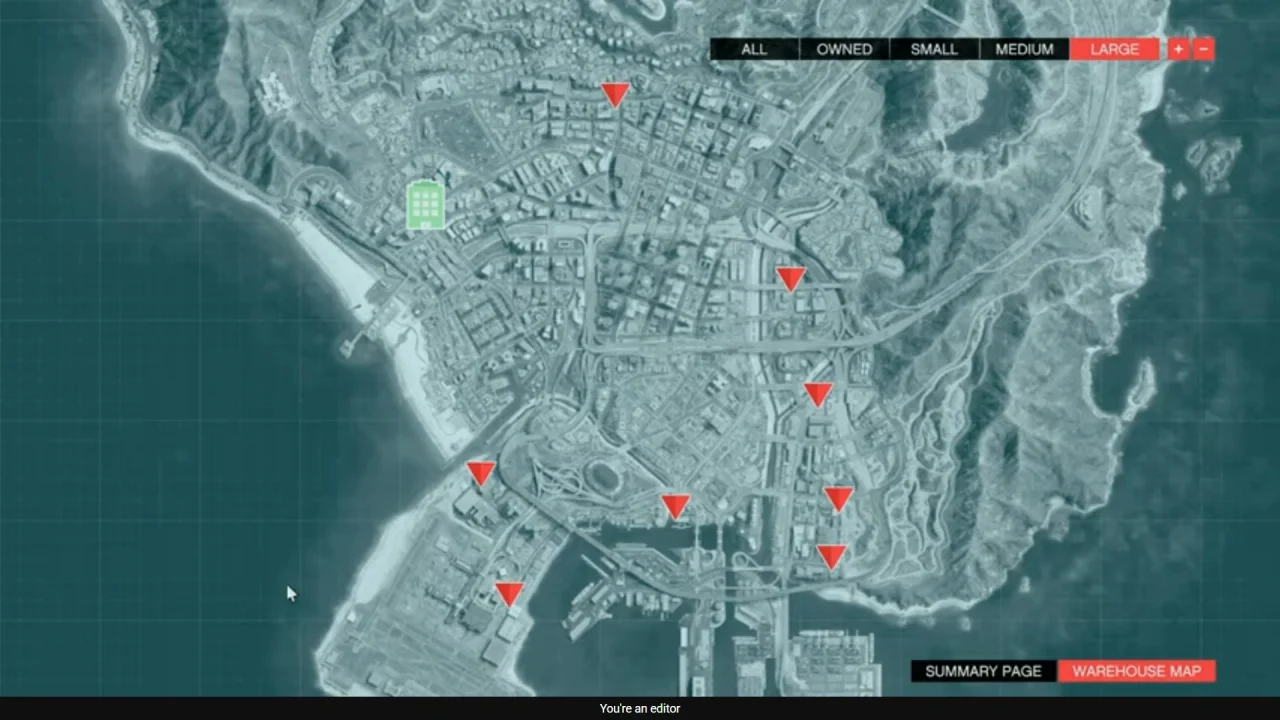
After that, browse through the different warehouse sizes and locations, and select your preferred option. Finally, accept the purchase prompt.
After completing the transaction, your warehouse will be added to your properties. You can now start sourcing and storing Special Cargo, allowing you to build inventory and generate profits over time.