The Sony WF-1000XM6 comes with a number of innovative features, including the ability to control the music playback by simply tapping the earbuds with your fingers, also known as the touch sensor controls. However, at times, the sensitivity of the touch controls may be too high, causing the earbuds to be activated accidentally, which may be frustrating at times.
If you are tired of the inconvenience caused by the touch controls, you are at the right place, as we will provide you with a detailed guide on how to disable the touch sensor controls of your Sony WF-1000XM6 wireless earbuds.
By the end of this article, you will be able to know the steps that you need to take in order to turn off the touch controls of your earbuds safely and efficiently, without compromising the functionality of the device in any way.
Watch: How To Mute Microphone During Calls On Sony WF-1000XM6
Disable Touch Sensor Controls On Sony WF-1000XM6
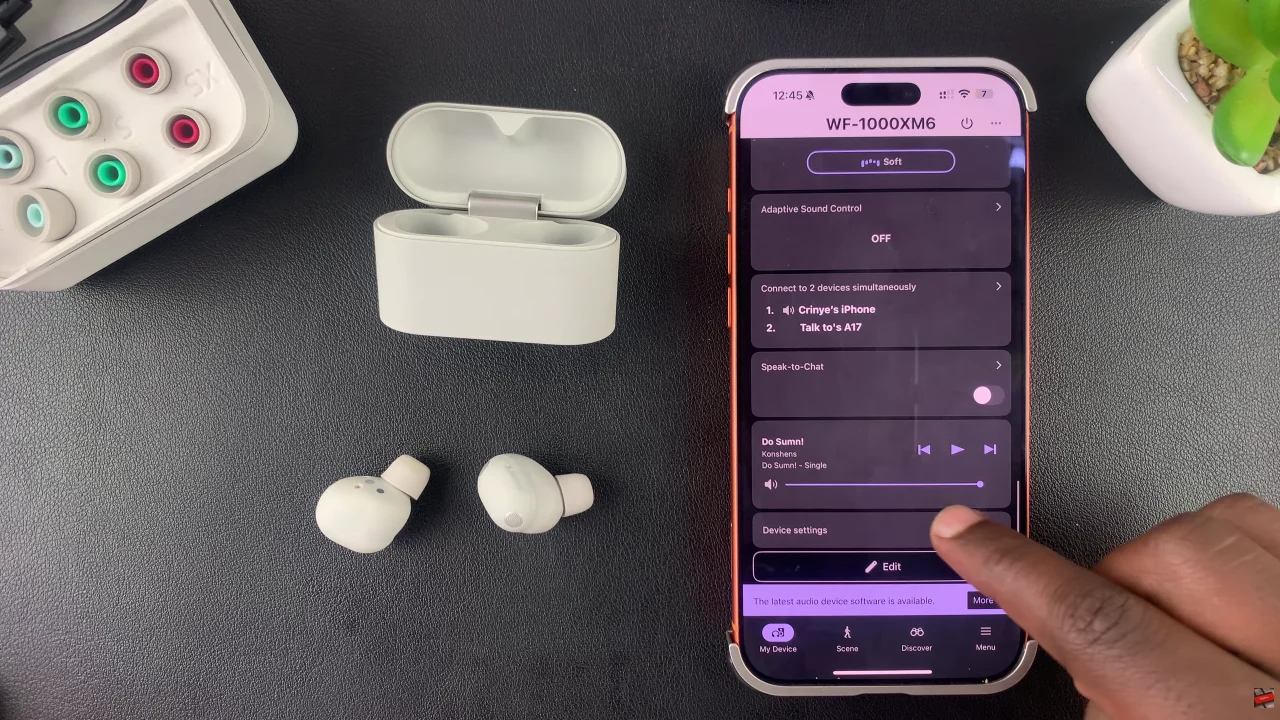
Start by launching the Sony Connect app on your device. If you don’t have the app installed, head to App Store or Google PlayStore and download it from there. Then, scroll down and tap on ‘Device Settings‘ within the app.
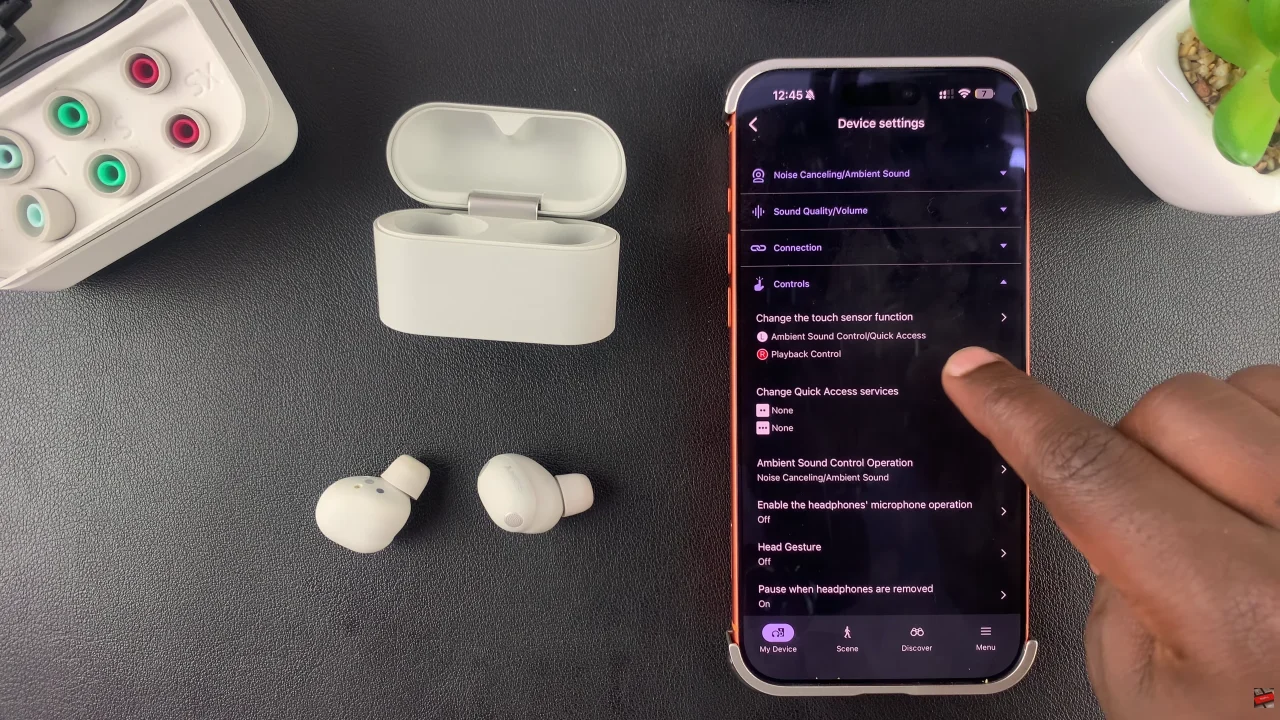
At this point, tap on ‘Controls‘ and select ‘Change touch sensor function‘ from the menu that appears.
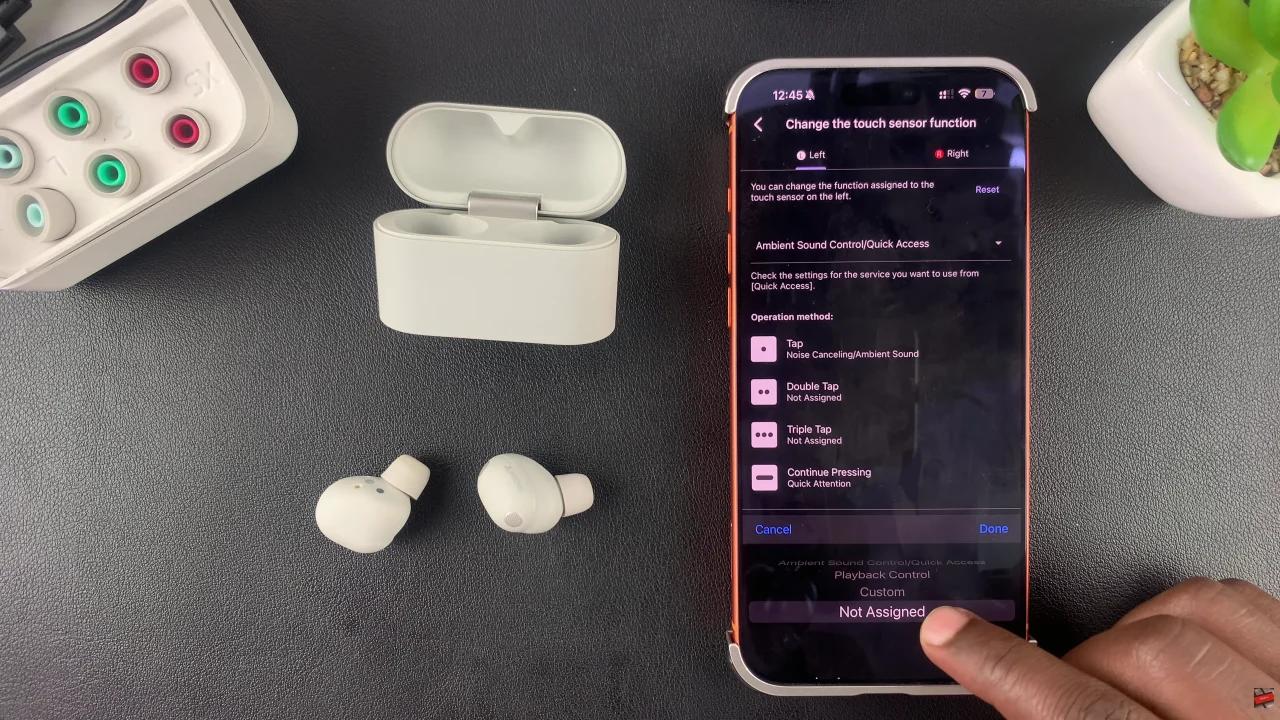
Following this, you need to choose the earbud (left or right) that you’d like to disable the touch sensor for. Then, tap on the drop-down arrow that appears on the earbud page.
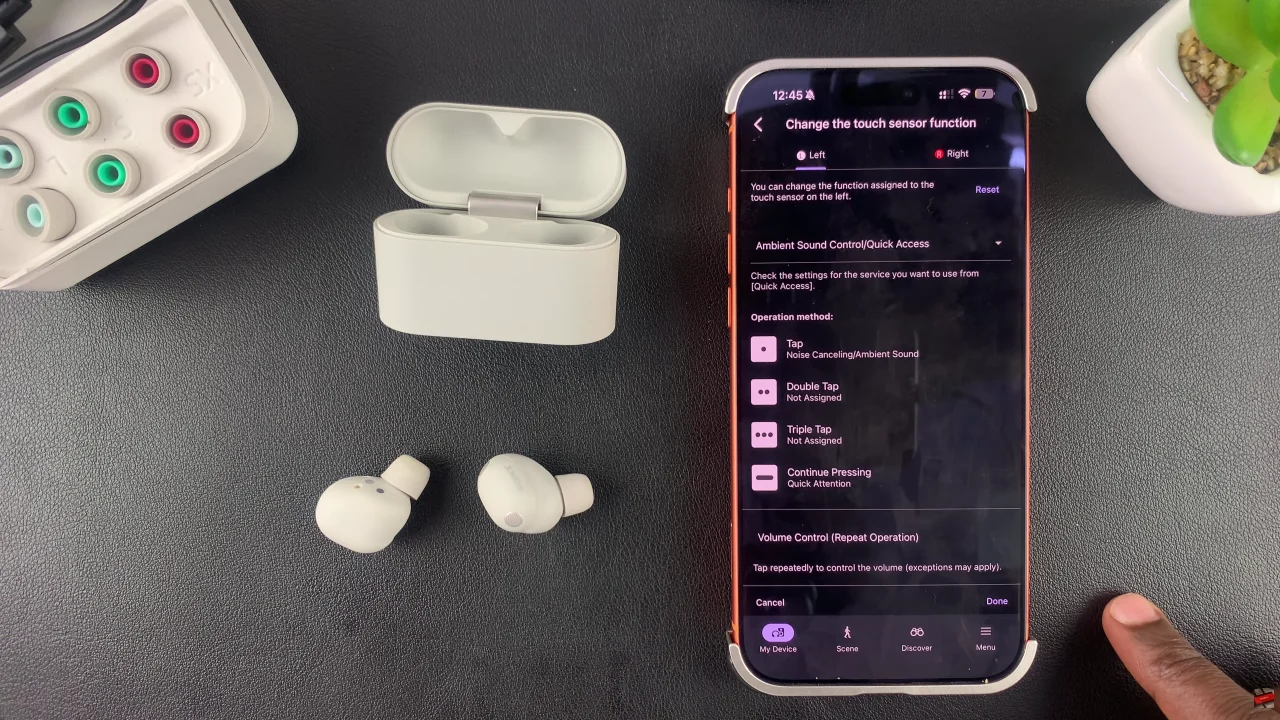
From here, scroll down and choose ‘Now Assigned‘ from the options that appear. Repeat the same process for the other earbud.
In conclusion, disabling touch sensor controls is a simple way to prevent accidental taps and improve your overall listening experience. Following the steps in this guide ensures you get the perfect balance of convenience and control from your Sony WF-1000XM6 earbuds.