WebPro Education

Tech tips everyday
Menu
  • REVIEWS
  • HOW TO
  • TECH NEWS
  • About Us
Home
how to
How To Add Apps To Dock On MacBook Neo
how to

How To Add Apps To Dock On MacBook Neo

Erick Wachira April 7, 2026

In this guide, we’ll walk you through how to add apps to the Dock on your MacBook Neo and customize it to suit your workflow.

The Dock is one of the most useful features on your MacBook, giving you quick access to your favorite apps, files, and folders. Learning how to add apps to the Dock can significantly improve your productivity.

The Dock is the bar usually located at the bottom of your screen (though you can move it to the side). It contains app icons that you can click to quickly open programs without searching through Finder or Launchpad.

Watch: Add Timestamps To Photos On Xiaomi Smart Camera C701

Add Apps To Dock On MacBook Neo

One of the easiest ways to add apps to your Dock is through Finder. Simply open Finder and click on Applications in the sidebar.
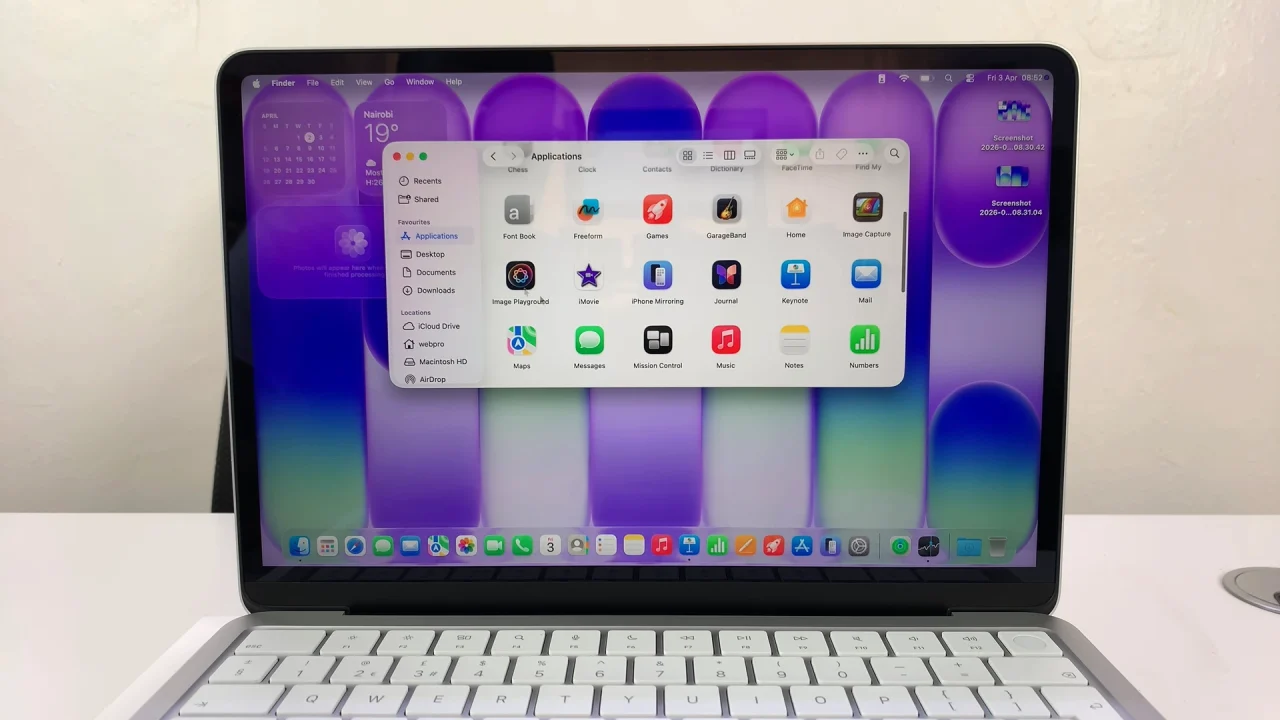
How To Add Apps To Dock On MacBook Neo

Locate the app you want to add, then click and drag the app icon down to the Dock. Finally, release it in the desired position.
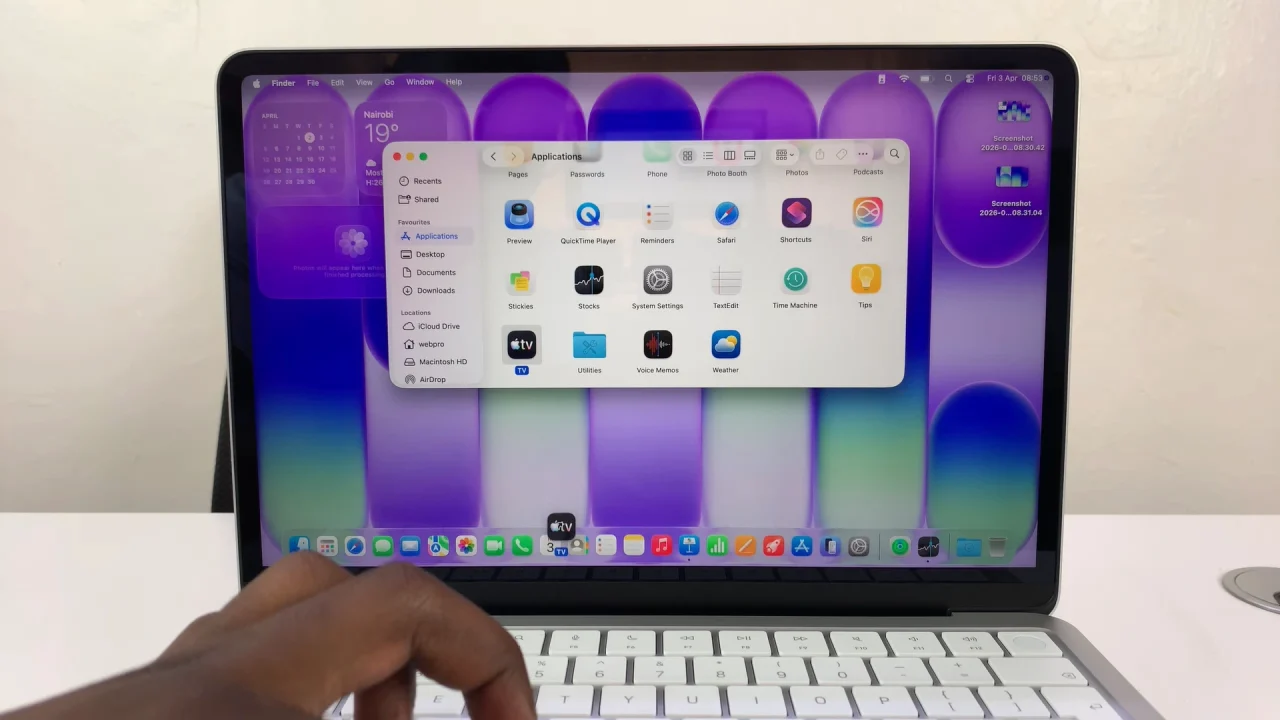
Add Apps To Dock On MacBook Neo

Once added, the app will stay in your Dock for easy access.

Read: How To Add Timestamps To Photos On Xiaomi Smart Camera C701
Share
Tweet
Linkedin
Reddit
Tumblr
Stumble
Whatsapp
Telegram
Email
Prev Article
Next Article

Related Articles

How To Set Up Lock Screen PIN On Samsung Galaxy Watch 6 /6 Classic

How To Set Up Lock Screen PIN On Samsung Galaxy Watch 6 /6 Classic

How To Enable ‘Ask Every Time’ When Casting To Pixel Tablet

How To Enable ‘Ask Every Time’ When Casting To Pixel Tablet

  • How To Right Click On MacBook Neo
  • How To Remove Apps From Dock On MacBook Neo
  • How To Pair & Connect Bluetooth Speaker To MacBook Neo
  • How To Pair & Connect Bluetooth Headphones To MacBook Neo
  • How To Launch Apps On MacBook Neo
DMCA.com Protection Status

Associates Disclosure

WebPro Education is a participant in the Amazon Services LLC Associates Program, an affiliate advertising program designed to provide a means for sites to earn advertising fees by advertising and linking to amazon.com.

WebPro Education

Tech tips everyday
Copyright © 2026 WebPro Education

Ad Blocker Detected

Our website is made possible by displaying online advertisements to our visitors. Please consider supporting us by disabling your ad blocker.

Refresh