The status light on your Xiaomi Smart Camera C701 is a small but important feature. It helps you quickly know whether the camera is powered on, connected, or actively recording.
If your status light is off, you can easily enable it through the camera settings in just a few steps.
The status light (also known as the LED indicator) is located on the front of the camera. It provides visual feedback about the camera’s current state, such as:
Solid light: Camera is powered on and working.
Blinking light: Connecting to Wi-Fi or updating.
No light: Status light is turned off or camera is off
Enabling this light can give you peace of mind that your camera is functioning properly.
Watch: Turn ON Pet Detection On Xiaomi Smart Camera C701
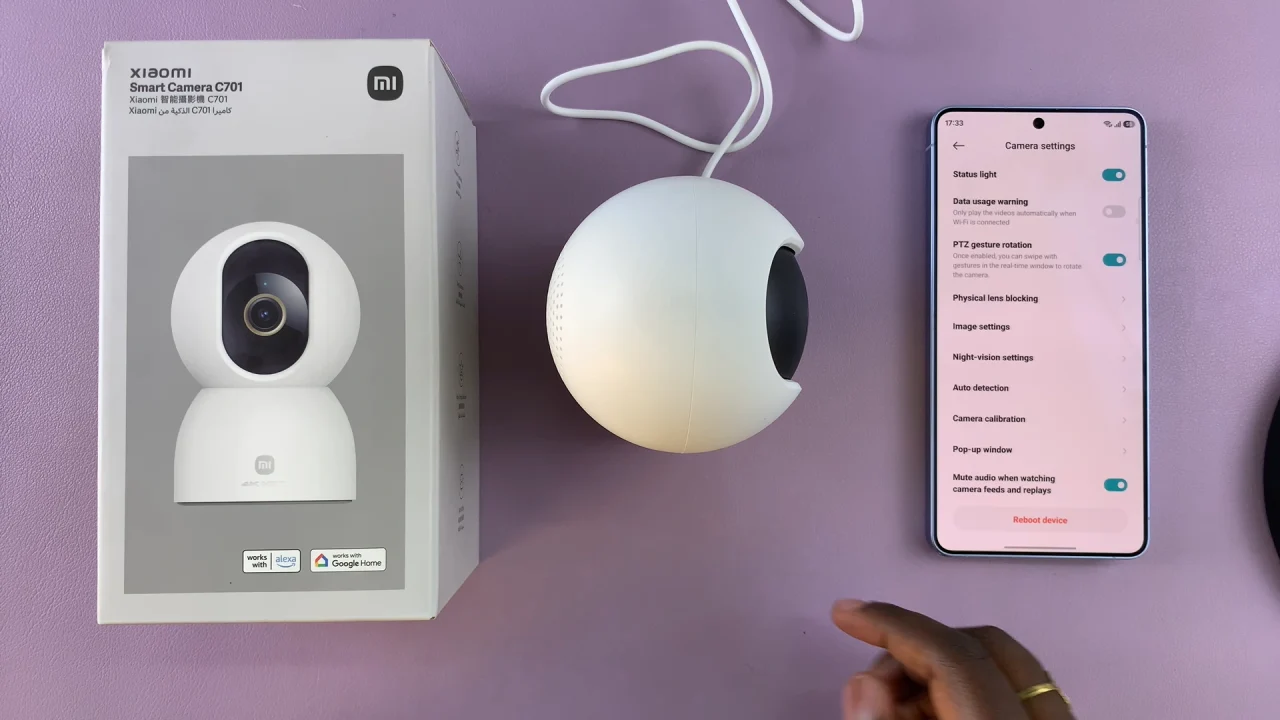
Turn ON Status Light Of Xiaomi Smart Camera C701
Launch the Mi Home on your smartphone. Tap on your Xiaomi Smart Camera C701 from the list of connected devices.
Look for the three dots in the top corner and tap on it. Here, select Camera Settings.
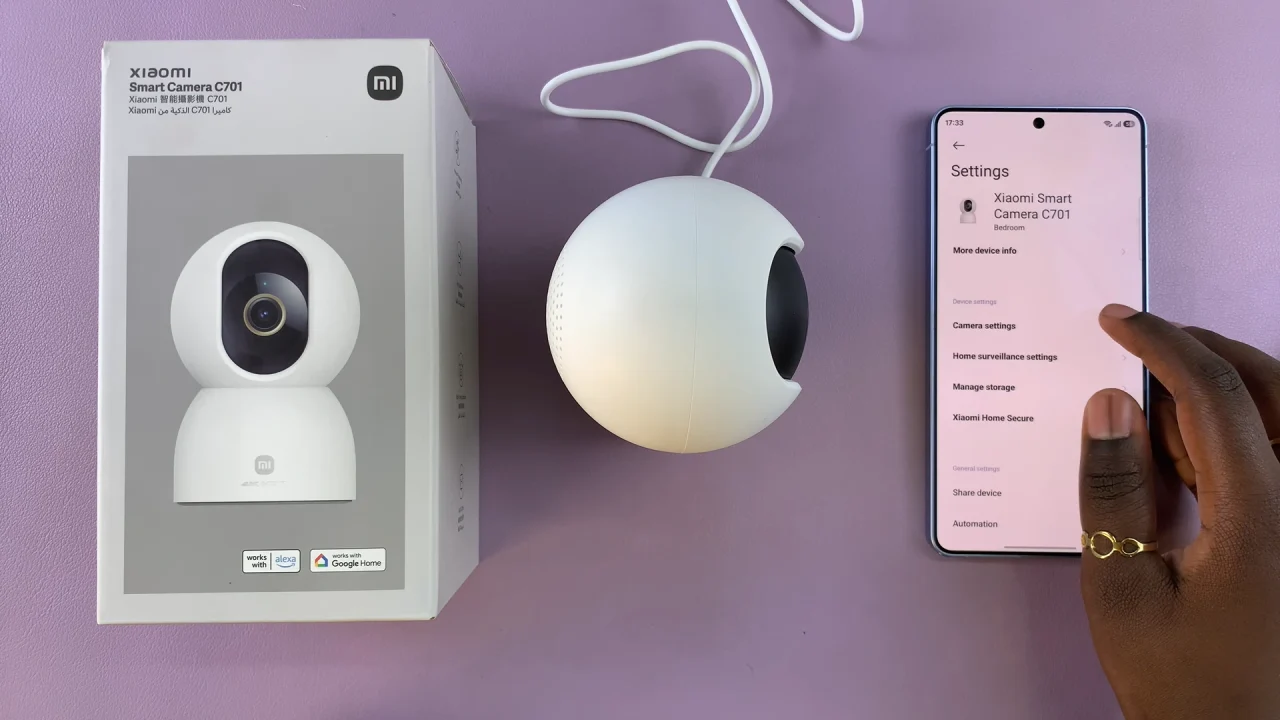
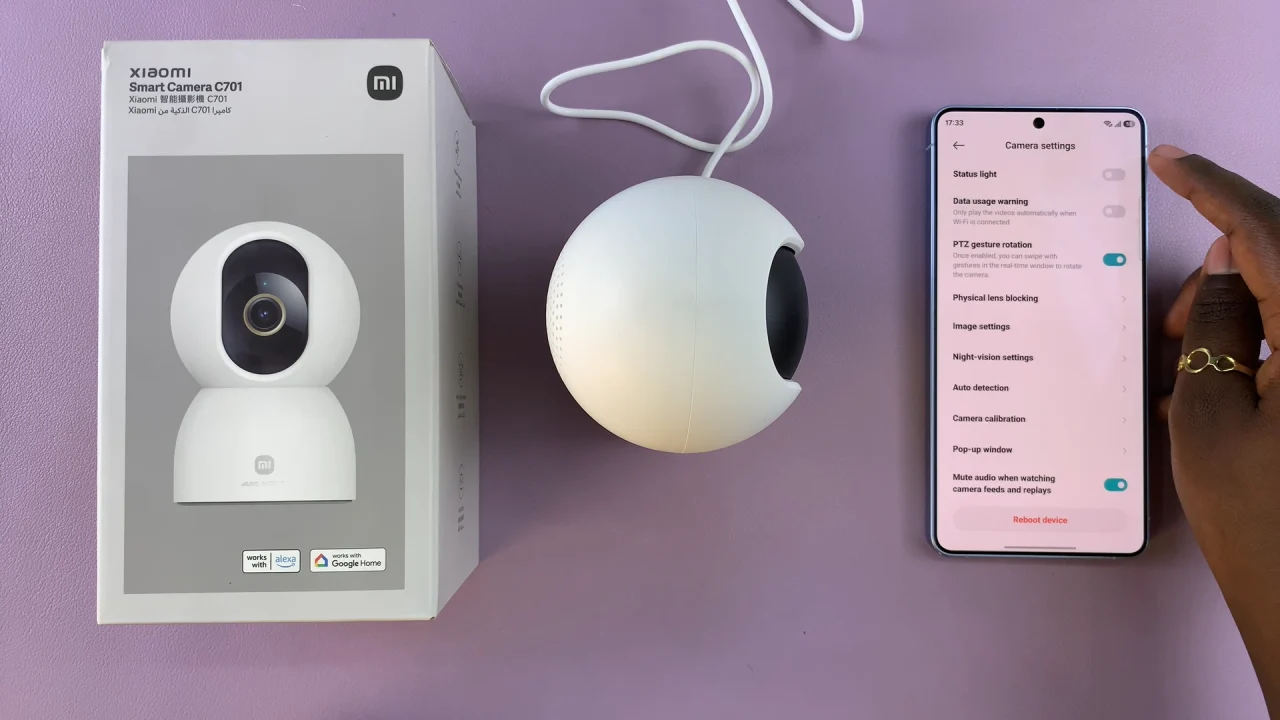
You should see Status Light. Toggle the switch to enable it. Exit the settings and check your camera—the LED should now be visible.
Why Turn ON the Status Light?
Here are a few reasons why enabling the status light is useful:
Quick Status Check : Instantly know if the camera is active.
Connection Feedback: See when the camera is connecting or updating.
Security Awareness: Know when the camera is recording.
Troubleshooting Help: Identify issues faster based on light behavior.
When You Might Want It OFF
Some users prefer to turn OFF the status light in certain situations:
For discreet monitoring in low-light environments.
To avoid disturbance at night.
When placing the camera in a bedroom or private space.
Read: How To Turn ON Pet Detection On Xiaomi Smart Camera C701