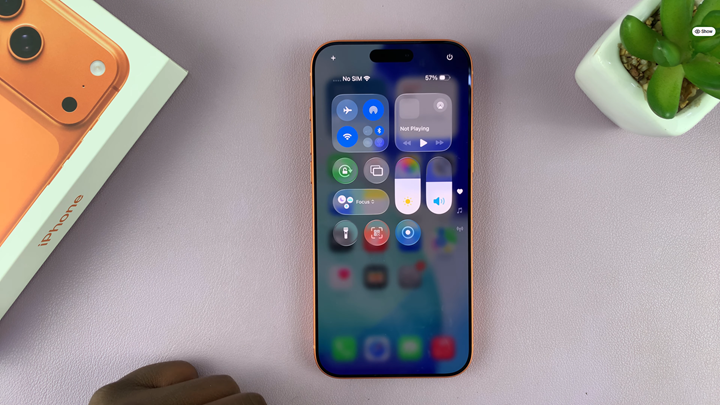
Screen recording is one of the most useful features on the iPhone 17 and iPhone 17 Pro, allowing users to capture tutorials, gameplay, and important moments directly from their screen. However, some users might notice that the Screen Recorder icon suddenly disappears from their Control Center, making it harder to access the tool.
If the screen recording feature has gone missing on your device, don’t worry it’s usually just a settings adjustment away. Apple allows full customization of the Control Center, meaning the toggle can be removed by accident or disabled after a software update.
In this guide, you’ll learn the simple steps to restore the Screen Recorder icon on your iPhone 17 / 17 Pro and make sure it stays available whenever you need it. Let’s get your device back to recording smoothly
Read: How To Disable Full Screen Preview Screenshots On iPhone 17 Pro
How To FIX Missing Screen Recorder Icon On iPhone 17 & 17 Pro
Swipe down from the top-right corner to open Control Center.
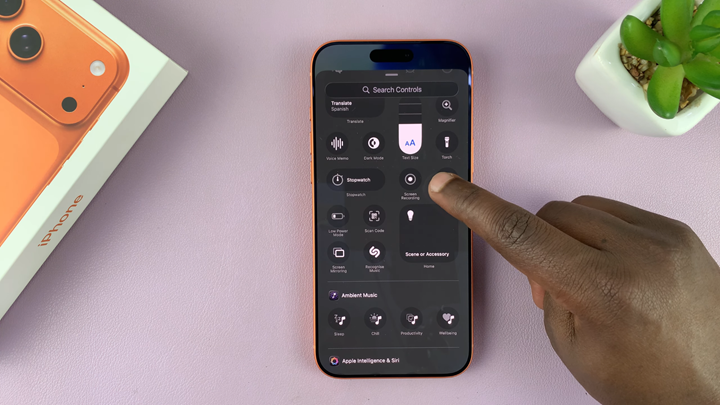
Long-press any empty space and tap Add a Control.
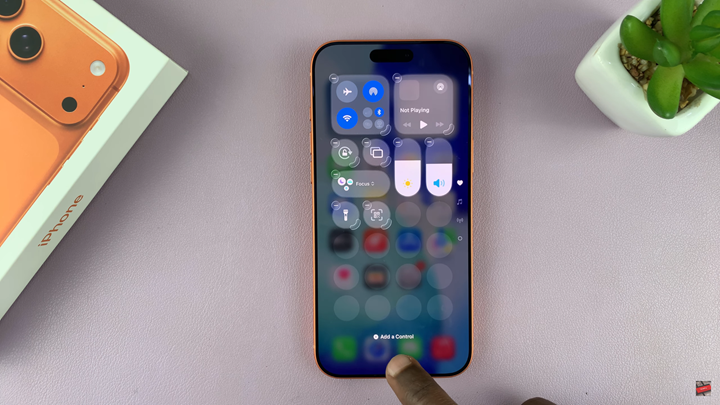
Scroll through the list and select Screen Recording to add it back.
Tap anywhere outside the menu to exit edit mode and save changes.