The Sony WF-1000XM6 earbuds are built for an excellent sound quality listening experience. But did you know you can enhance your listening experience further with the equalizer feature?
With the aid of the Sony Headphones Connect app, Sony provides users with complete control over their listening experience. The app provides users with an array of sound modes to choose from, as well as an equalizer feature where users can set up their own customized equalizer by controlling various frequency bands.
In this article, you will learn how to use the equalizer feature on your Sony WF-1000XM6 earbuds step by step. By the end of this article, you will be in complete control of your audio listening experience.
Watch: How To Pair Sony WF-1000XM6 Earbuds With MacBook
Use Equalizer On Sony WF-1000XM6
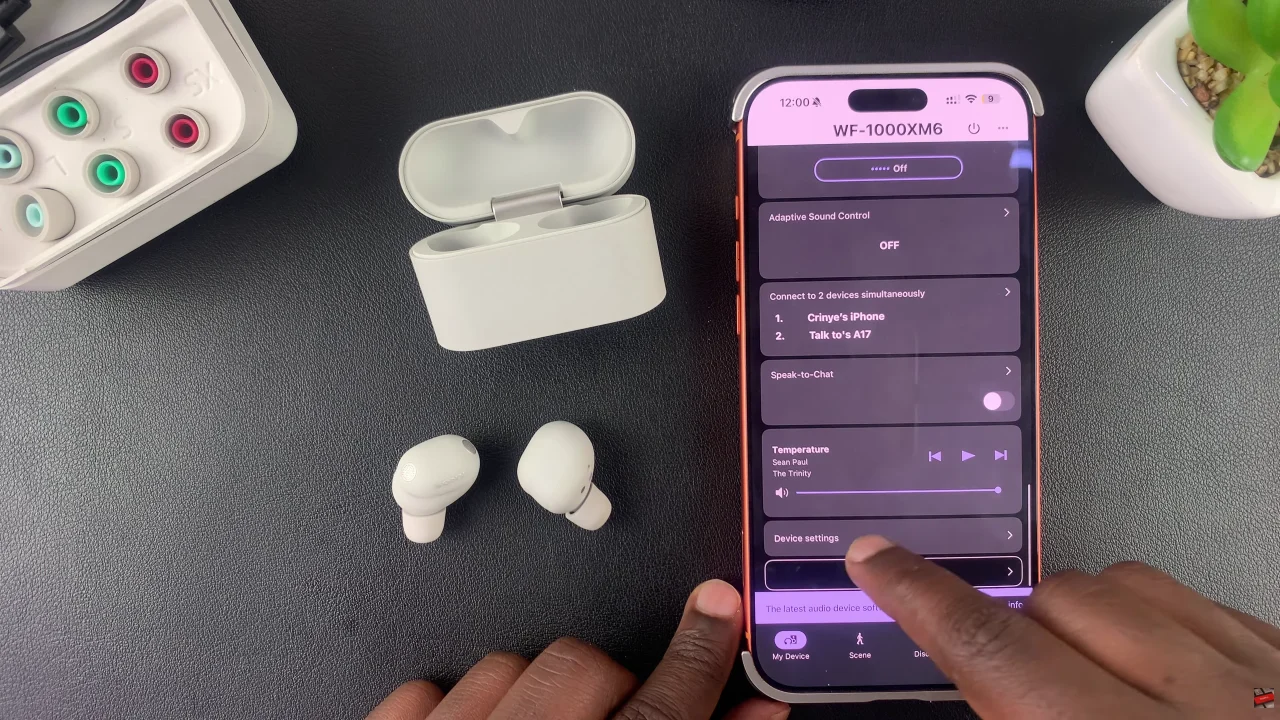
Begin by launching the Sony Connect app on your device. If you don’t have the app installed, head to App Store or Google PlayStore and download it from there. Then, scroll down and tap the ‘Device Settings‘ within the app.
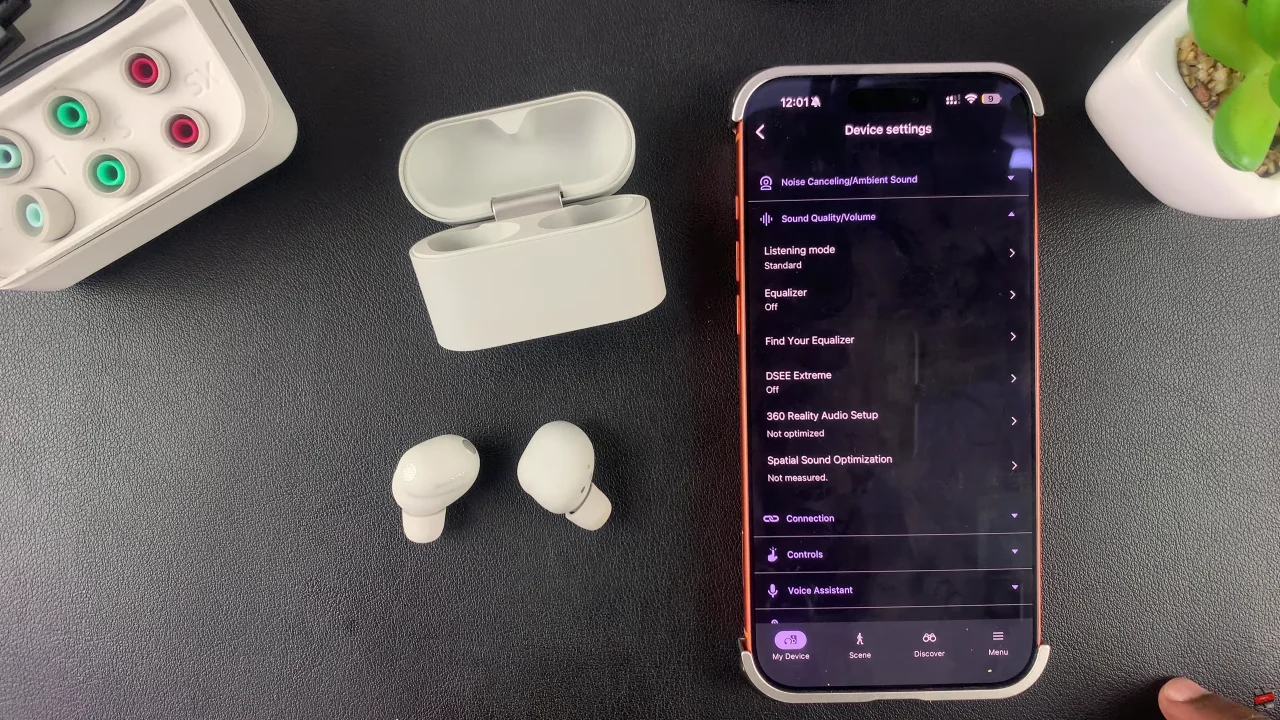
Following this, tap on ‘Sound Quality/Volume‘ and select ‘Equalizer‘ from the menu that appears.
At this point, enable the equalizer to use it on your earbuds. From here, there are available preset that you can choose from. Scroll through the available options and select the one you’d like to use.
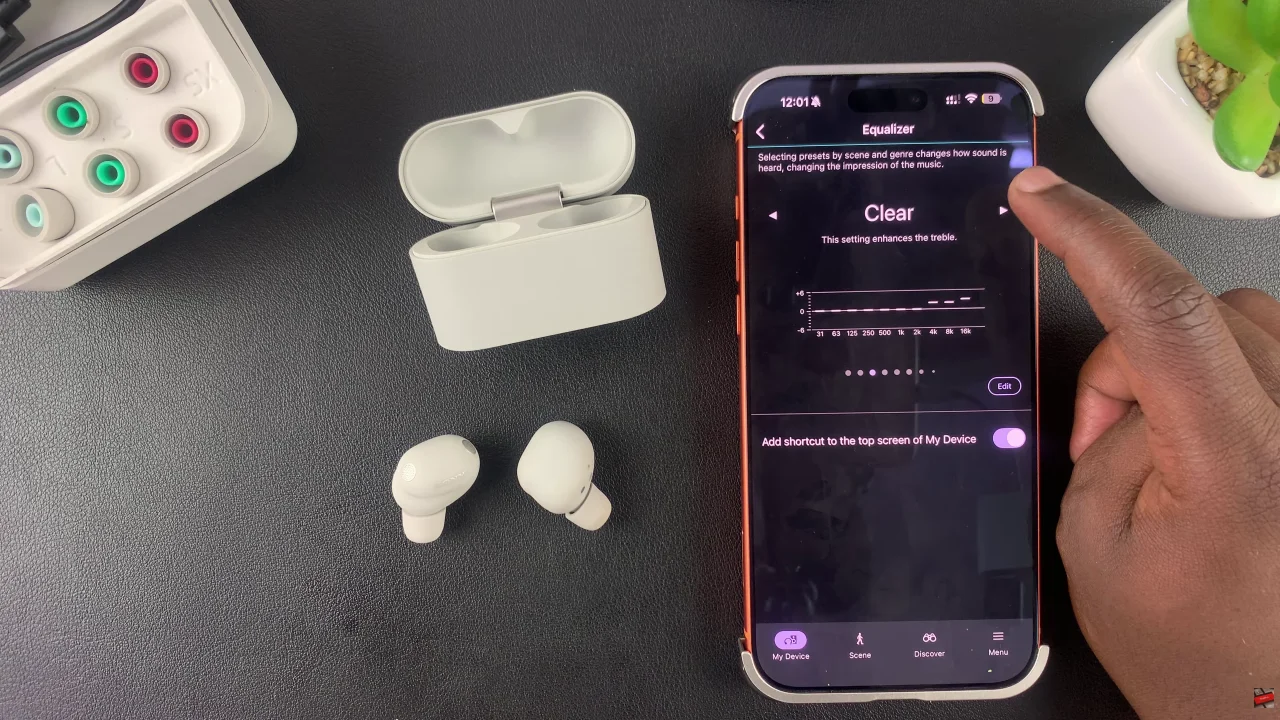
Additionally, you can create your own custom equalizer if you choose to. Scroll through and find the ‘Custom’ and then tap on ‘Edit‘ to customize it to suit your needs.
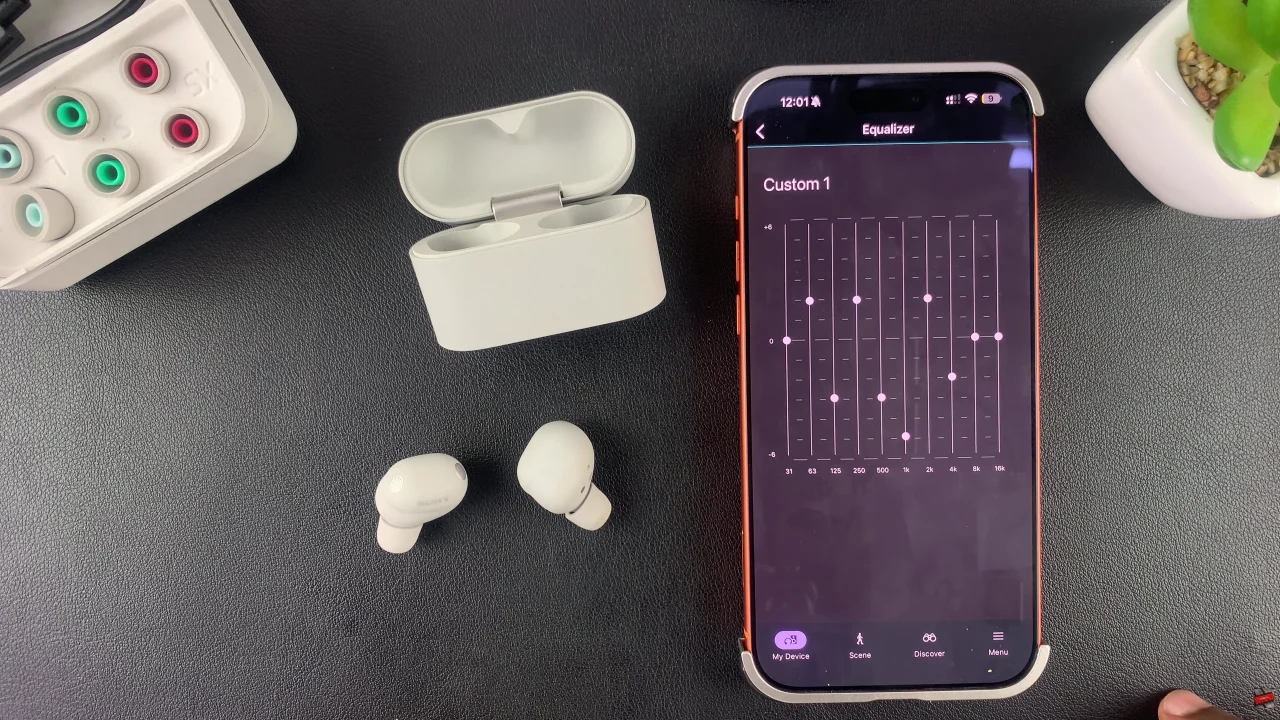
In summary, using the equalizer on your Sony WF-1000XM6 is a game-changer for anyone who wants a personalized audio experience. By exploring pre-set sound modes or creating your own custom settings, you can enhance every song, podcast, or call.