While using your MacBook Neo, you might be required to check your serial number at some point in time. This can be for many reasons, such as warranty verification, troubleshooting support, selling your computer, and maintaining a record of your device specifications. This is because every device from Apple has a unique serial number that is used to distinguish the machine from other devices.
The good news is, it is possible to access this number regardless of how much you know about computers. There are numerous ways through which you can access your serial number.
In this article, we will explore the most efficient way to see the serial number of your MacBook Neo.
Watch: How To Close Apps On MacBook Neo
See Serial Number On MacBook Neo
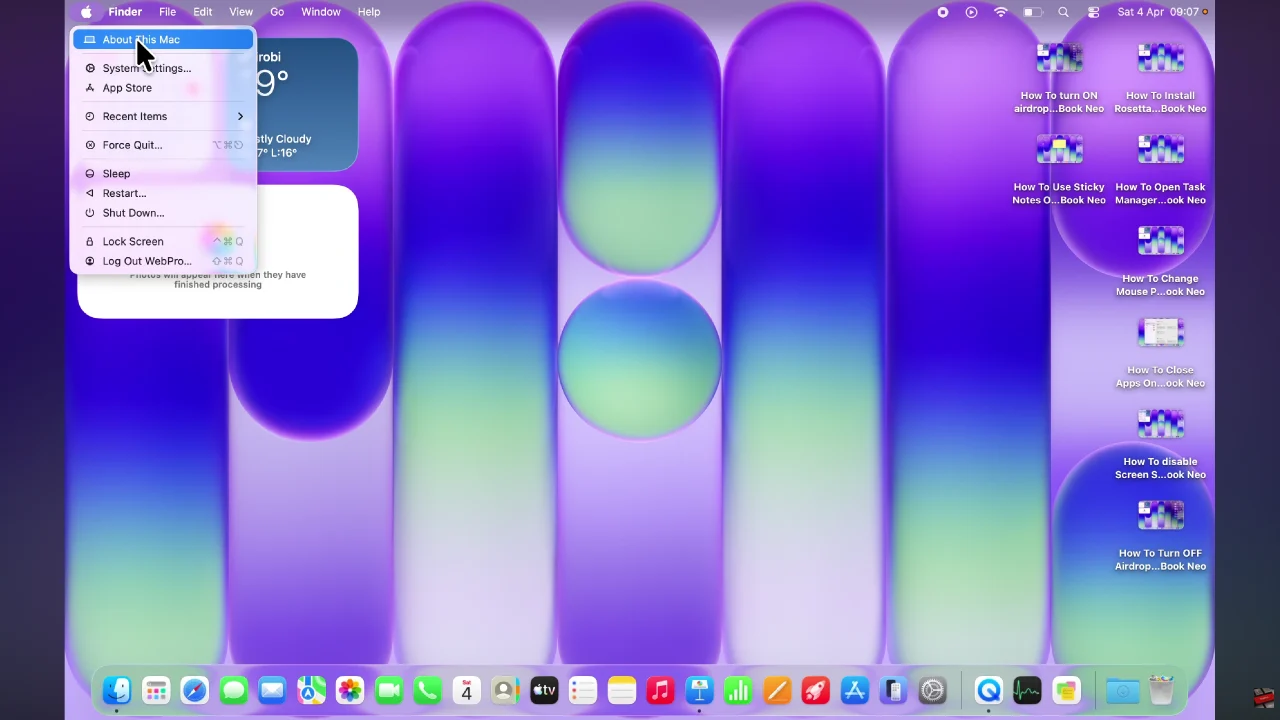
Begin by clicking the Apple logo in the top left corner. From here, click on ‘About this Mac‘ from the menu that appears.
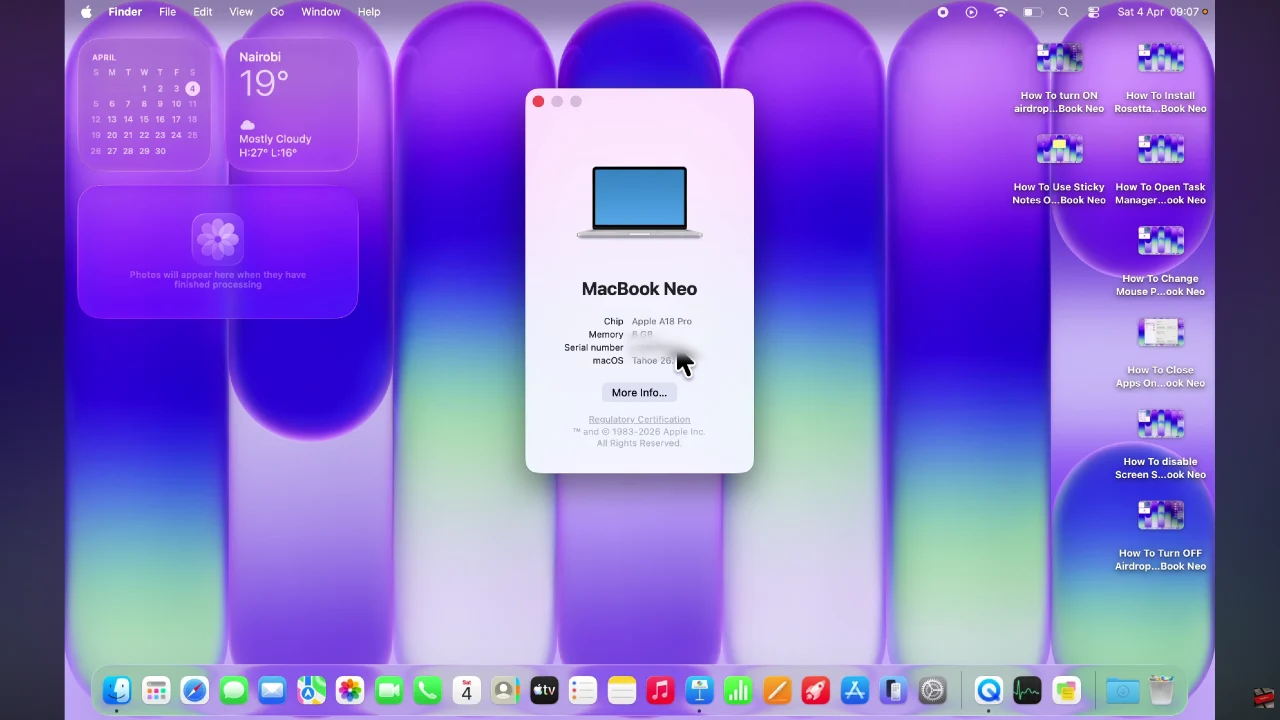
Following this, you’ll see a brief description regarding your MacBook Neo. Here, you can now see the serial number for your device.
In conclusion, finding the serial number on your MacBook Neo is a simple yet essential task that can save you time when you need support, verify your warranty, or manage your device details. Whether you choose to check it through system settings, inspect the physical device, or look at the original packaging, each method provides quick access to this important identifier.
Read: How To Disable Touch Sensor Controls On Sony WF-1000XM6