The primary element that allows you to achieve optimal sound quality when using your Sony WF-1000XM6 wireless earbuds is proper positioning of the earbuds in your ears. Sony has provided an ‘Earbud Fit Test’ within the headphones to help you determine if you have a proper fit for maximum sound quality, comfort and performance.
The following guide will demonstrate step-by-step how to perform an earbud fit test on Sony WF-1000XM6 using Sony Connect App. This simple yet powerful application provides you with an instant analysis of how well your earbuds are positioned within your ears.
By following this article, you will learn how to conduct the earbud fit test and how to adjust the seal for your ears using various ear tip sizes and positioning methods.
Watch: Sony WF-1000XM6 Unboxing
Perform Earbud Fit Test On Sony WF-1000XM6
Start by launching the Sony Connect app on your device. If you don’t have the app installed, head to App Store or Google PlayStore and install it from there. Then, scroll down and select the ‘Device Settings‘ within the app.
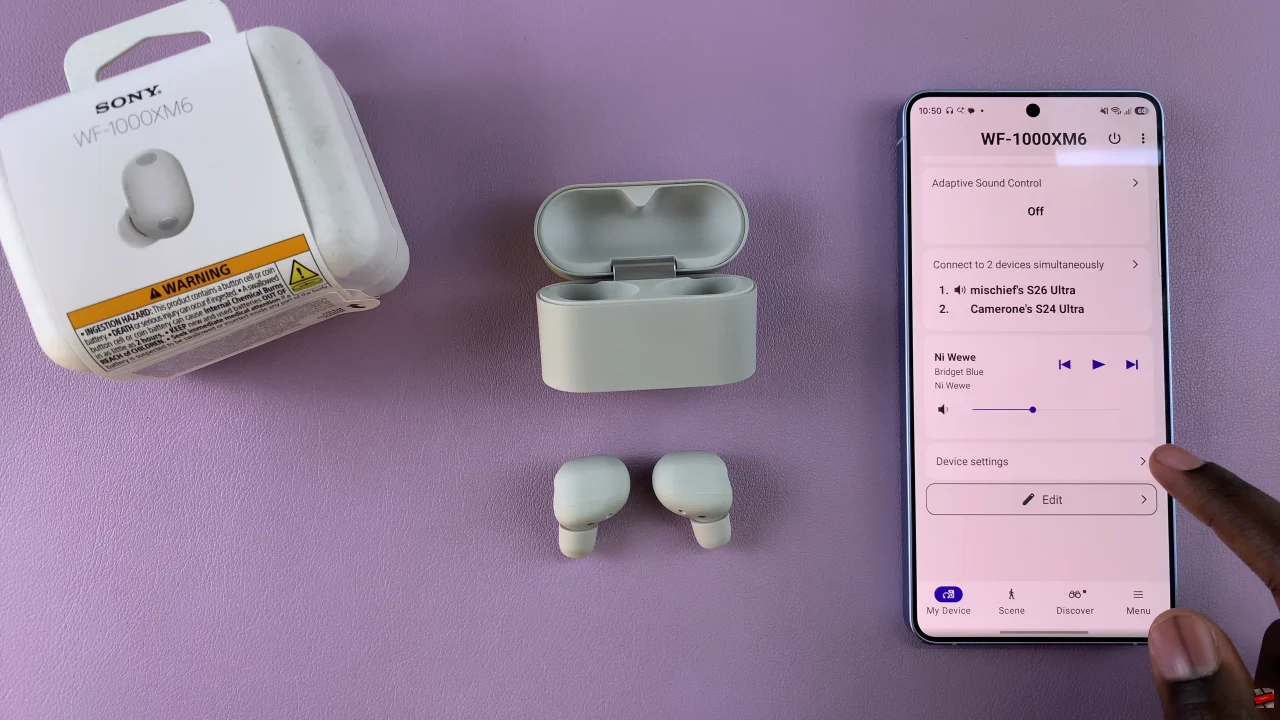
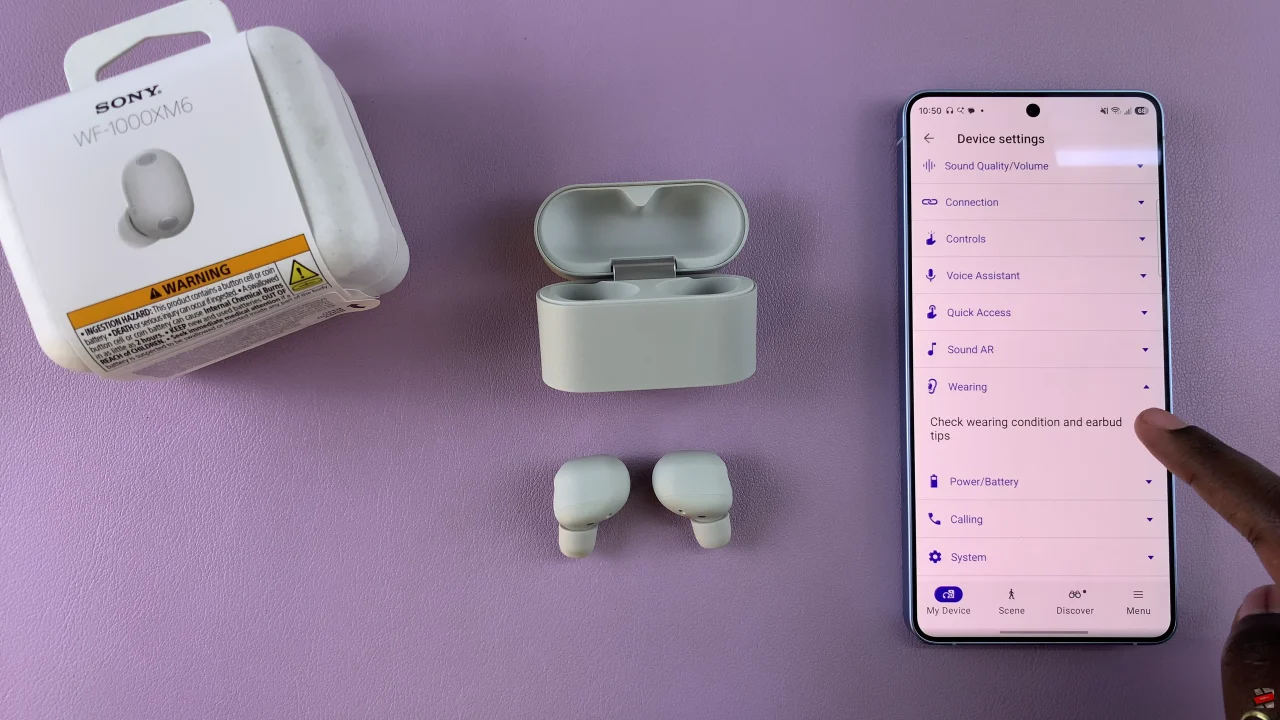
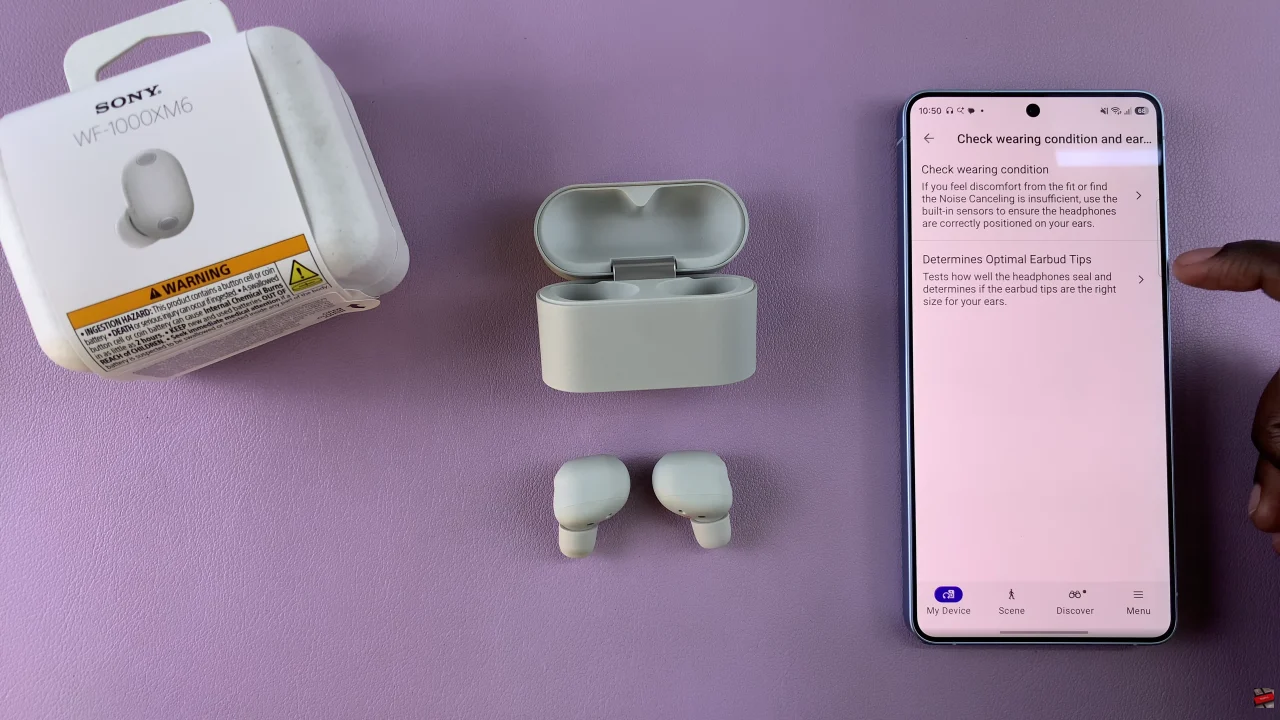
Following this, tap on ‘Wearing‘ and select ‘Check wearing and earbud tips‘ from the pop-up menu that appears.
Now, you’ll see two different types of tests available. Simply tap on any test that you want and follow the on-screen instructions that might appear.
Performing an earbud fit test is a quick yet essential step to unlocking their full potential. With the help of the Sony Headphones Connect app, you can easily check whether your earbuds are seated correctly and make simple adjustments for a more secure and comfortable fit.