WebPro Education

Tech tips everyday
Menu
  • REVIEWS
  • HOW TO
  • TECH NEWS
  • About Us
Home
how to
How To Create Desktop Shortcuts For Apps On MacBook Neo
how to

How To Create Desktop Shortcuts For Apps On MacBook Neo

Erick Wachira April 7, 2026

In this guide, you’ll learn how to create desktop shortcuts for apps on your MacBook Neo quickly and efficiently.

Creating desktop shortcuts for your apps on a MacBook Neo is a simple way to speed up your workflow and keep your most-used tools within easy reach.

Unlike some operating systems, macOS didn’t use traditional shortcuts but instead relied on something called aliases, which serve the same purpose. An alias is a small file that links to the original app, allowing you to open it without moving the actual application from its original location.

However, it is now possible to create a shortcut for the actual app.

Watch: Adjust Screen Timeout Period On MacBook Neo

Create Desktop Shortcuts For Apps On MacBook Neo

The quickest way to create a shortcut is to drag the app. Simply open Finder and click on Applications in the sidebar.
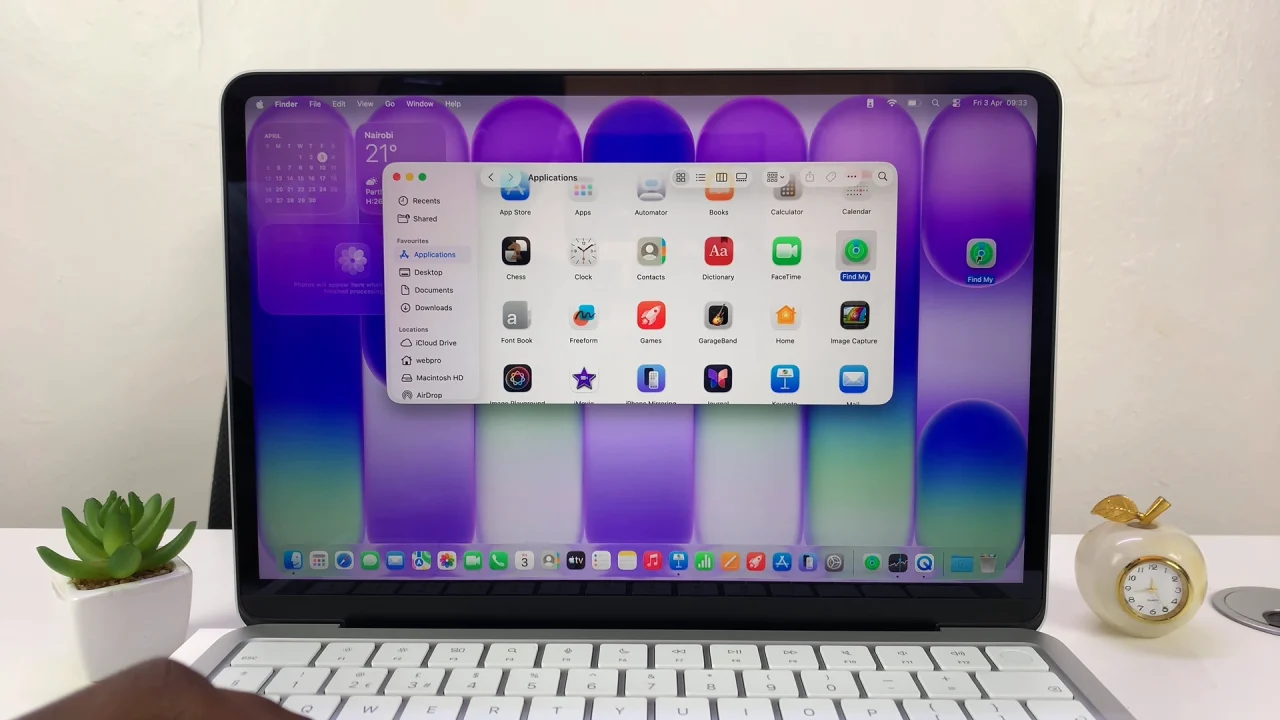
How To Create Desktop Shortcuts For Apps On MacBook Neo

Locate the app you want to create a shortcut for. Finally, select and drag the app to your desktop.
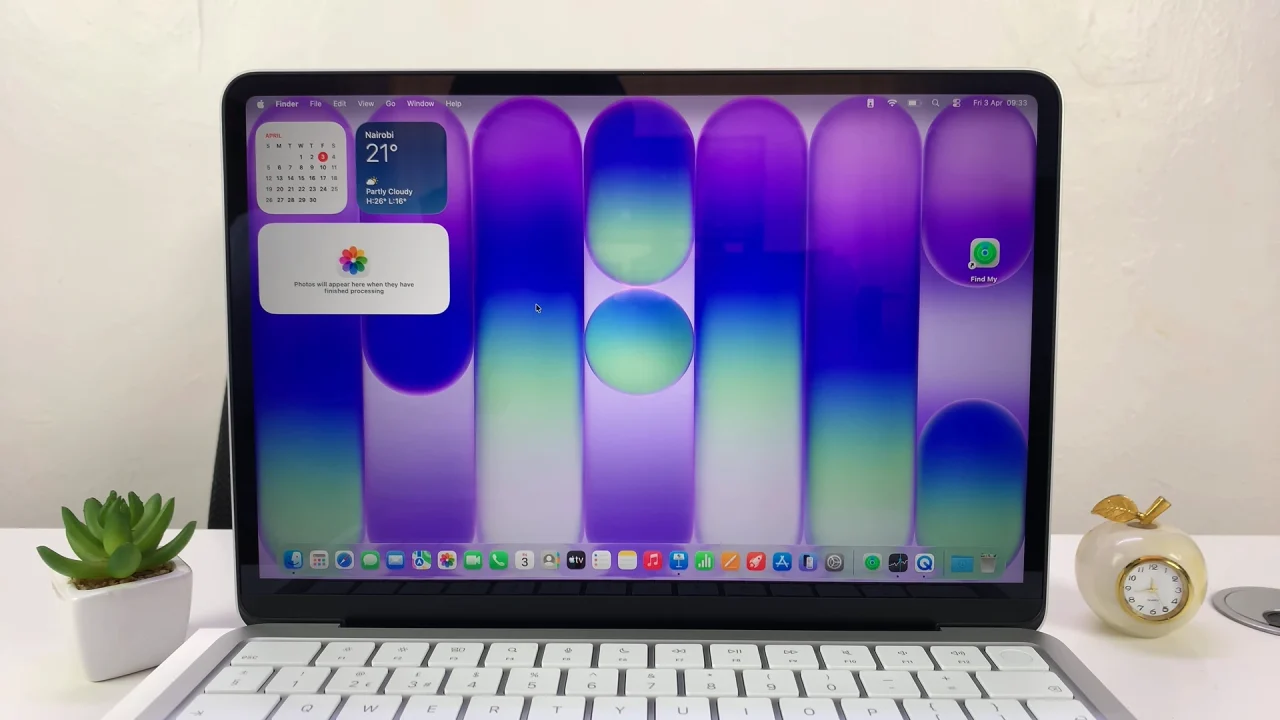
Create Desktop Shortcuts For Apps On MacBook Neo

Read: How To Adjust Screen Timeout Period On MacBook Neo

Share
Tweet
Linkedin
Reddit
Tumblr
Stumble
Whatsapp
Telegram
Email
Prev Article
Next Article

Related Articles

How To Increase The Keyboard Click Volume On An iPad

How To Increase The Keyboard Click Volume On An iPad

How To Import Voice Memos Into iMovie On iPhone or iPad

How To Import Voice Memos Into iMovie On iPhone or iPad

  • How To Right Click On MacBook Neo
  • How To Remove Apps From Dock On MacBook Neo
  • How To Pair & Connect Bluetooth Speaker To MacBook Neo
  • How To Pair & Connect Bluetooth Headphones To MacBook Neo
  • How To Launch Apps On MacBook Neo
DMCA.com Protection Status

Associates Disclosure

WebPro Education is a participant in the Amazon Services LLC Associates Program, an affiliate advertising program designed to provide a means for sites to earn advertising fees by advertising and linking to amazon.com.

WebPro Education

Tech tips everyday
Copyright © 2026 WebPro Education

Ad Blocker Detected

Our website is made possible by displaying online advertisements to our visitors. Please consider supporting us by disabling your ad blocker.

Refresh